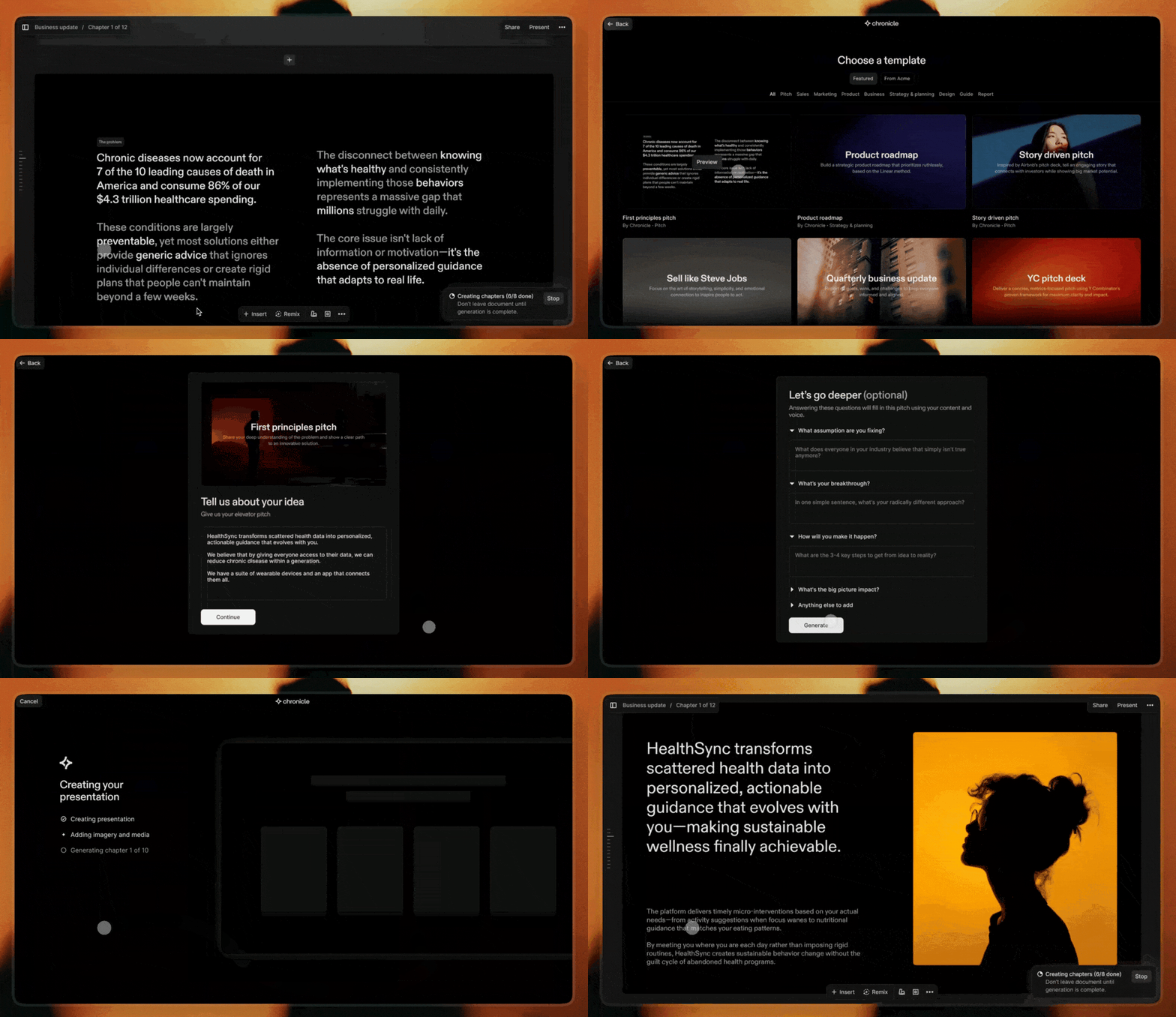
Chronicle combines AI with taste to help you go from raw thoughts to polished presentations. Designed for serious work: Start with templates, create with AI workflows, and collaborate with your team to shape your ideas into impactful narratives.
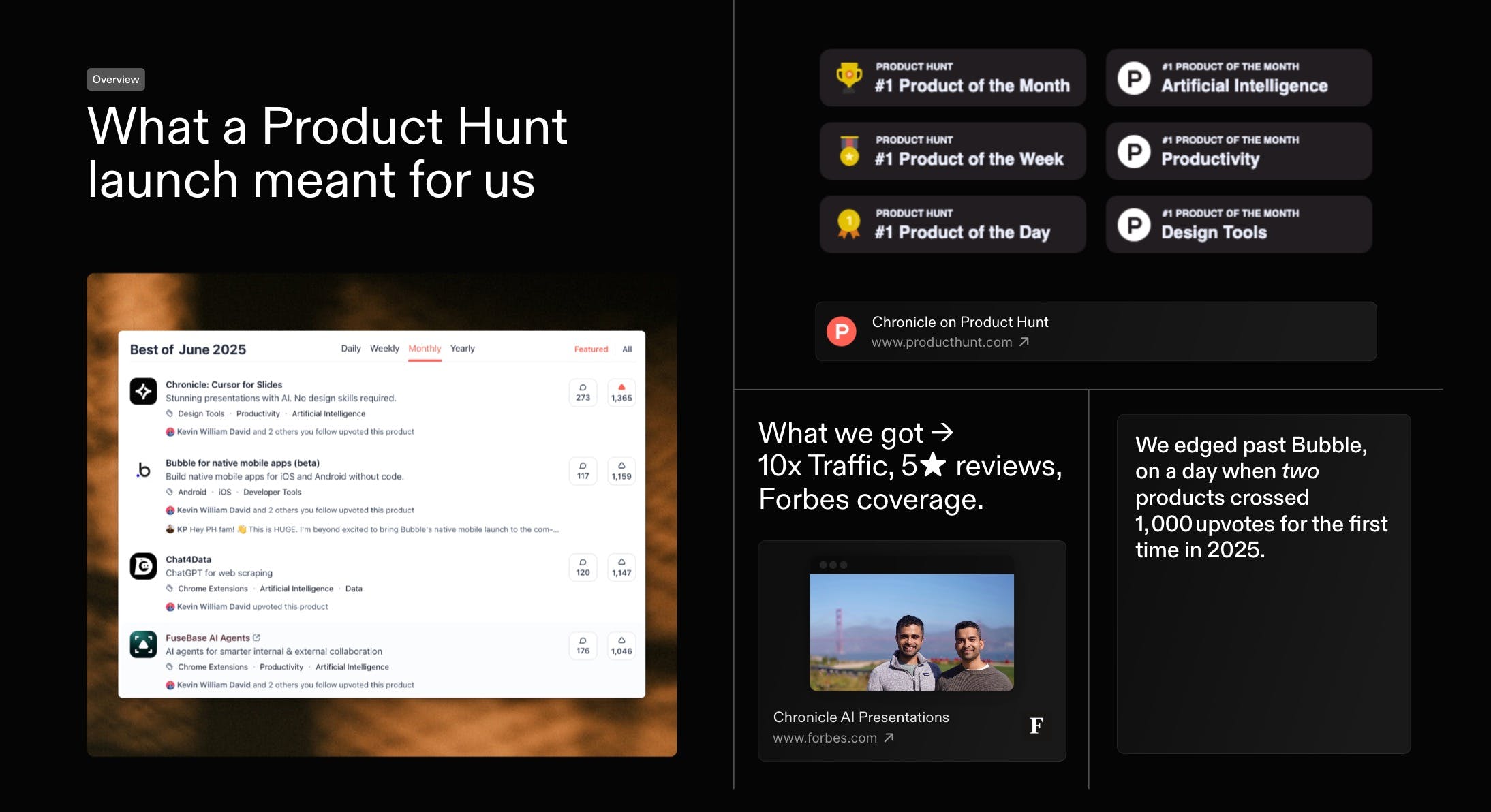
First, thank you. Everyone who voted, commented, or tried Chronicle. You helped us with a #1 finish in our first official launch on the same day Bubble also crossed 1000 votes. Massive gratitude
As a first-time founder, this was a special day. I would love to share what we've learnt. And would love to hear how we can do better, both in growing Chronicle and in improving the product itself.
Last month we kicked things off with a high-level recap of our Product of the Month launch - and you had so many questions that we went back to document every tactic in full. Today, here s the in-depth playbook: the exact strategies, experiments, and community-powered tests that took Chronicle to #1 on Product Hunt and over 1,000 upvotes within 24 hours.
Reviews praise Chronicle’s speed, clean flow, and collaboration, with many saying it turns rough notes into coherent, professional decks in minutes. Makers of
highlight fast, structured slide creation without fussy formatting, reinforcing strengths in AI-assisted narrative and layout. Users love tasteful design, templates, and team features, and report wins in pitching and internal alignment. Common asks: better exports (Keynote/PDF), image generation, auto-layout polish, looser sharing requirements. Some report glitches and weak mobile performance, plus occasional failures on structured tasks like SWOT.
The product shows tremendous potential. I really like the concept of starting with a few notes, refining them into a structured narrative, and then moving seamlessly into visual presentation. That said, there are some key areas that still need refinement. For example, I expected an automatic layout optimization feature to clean up the design after manually adding individual widgets. Unfortunately, viewing the presentation on my iPhone 13 was a poor experience—glitches and a lack of smooth performance made it frustrating to use. Also, requiring users to log in just to share their work feels unnecessarily restrictive.
What's great
visual presentation (2)
What needs improvement
mobile performance issues (1)automatic layout optimization (1)login requirement for sharing (1)
Thanks for the feedback Hugo. We haven't worked on the mobile experience yet - we have big dreams for it and surely we will get to it soon. There is an automatic layout optimisation. It is called remix. There is also a tidy up feature for simpler layouts.
Re: requiring users to login just to share: you can publish your work to the web and others can see it without logging in. Presentations need to be secure and private more often than not. Logging in is the safest way to do that. If you have alternative ideas or examples would love to hear.
I just started trying out Chronicle, and I'm already super impressed by what it offers. For me something that really stood out is the story. I love that this tool has been built with so much care by people who enjoy storytelling.
In our team, we use Canva Pro to make presentations and one of the main reasons for us to use it - is the access to so many beautiful templates that we can build on top of. In addition to that, there is access to lot of illustrations and graphics that we can just pick from.
But I always felt the layout aspect and the ease of storytelling missing, which you guys are doing so well. Eg: I can't even run the slides bullet point by bullet point on Canva. For that, I have to duplicate the slides.
Will you be able to give us templates on Chronicle? I couldn't find any so far. Especially since Mayuresh is a pro at presentations, if you templatise some of his presentations and let us re-use them, it will be super valuable!
Thanks a lot @gayathri_meka1 We are working on some curated templates made by experts right now. It is coming to the product very soon. Here is a sneak peek:
Chronicle has basically elevated how I present anything to my product team. My previous workflow of creating a presentation from a product document now takes 1-10th of the time as I can just add the content to the prompt and watch it create a visually striking presentation. Can't see myself going back to slides ever again.
What's great
fast presentation creation (3)visual presentation (2)
Chronicle
Thanks for the feedback Hugo. We haven't worked on the mobile experience yet - we have big dreams for it and surely we will get to it soon.
There is an automatic layout optimisation. It is called remix. There is also a tidy up feature for simpler layouts.
Re: requiring users to login just to share: you can publish your work to the web and others can see it without logging in. Presentations need to be secure and private more often than not. Logging in is the safest way to do that. If you have alternative ideas or examples would love to hear.