CMDExplorer

CMDExplorer

Your Guide to 100+ Command Line Magic!

290 followers

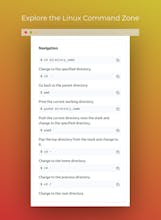
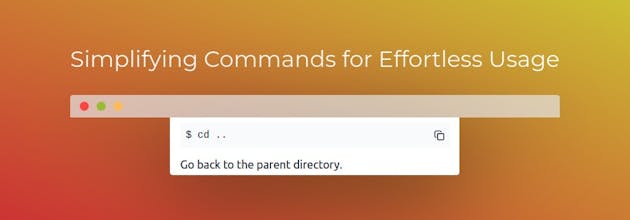
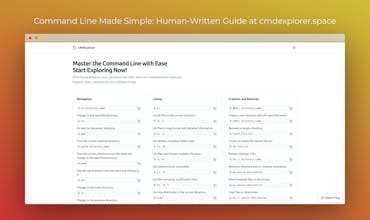
Cmdexplorer is your go-to resource for mastering over 100 command line operations. Simplify complexities, enhance productivity, and uncover the full potential of your system with this comprehensive guide.
CMDExplorer gallery image
Free
Launch Team
Anima - Vibe Coding for Product Teams
Build websites and apps with AI that understands design.
Promoted

What do you think? …

S Poorna Prakash
I created this tool to simplify the command line experience. Navigating through human-written words, cmdexplorer offers a user-friendly guide to effortlessly remember and reference over 100 commands. It's designed to empower users, making command line interactions intuitive and accessible for everyone.
Rajesh Kumar
Awesome achievement! 🌟 Congratulations on the launch of Cmdexplorer – the ultimate guide for mastering over 100 command line operations. Here's to simplifying complexities, boosting productivity, and unlocking the full potential of every system!
S Poorna Prakash
@therjrajesh Thank you so much! We're thrilled to hear your positive feedback on Cmdexplorer. Here's to making command line operations more accessible and enhancing productivity!
Rajesh Kumar
@s_poorna_prakash Cheers to smooth workflows and reaching new heights together! we will collab for promoting on LinkedIn and also on X.
Sophia Williams
CMDExplorer sounds like an awesome resource for anyone looking to level up their command line skills. With over 100 command line operations to master, it seems like the perfect tool for simplifying complexities and boosting productivity.
Nuno Reis
Command line was never easy for many people, looking at this, it may just become so :)
S Poorna Prakash
@nuno_ms_reis Thank you! We're aiming to make the command line more accessible for everyone. 😊👍
Carter Michael
This is great! Congrats on being in the top #5 - looking forward to trying this out!
S Poorna Prakash
@carter_michael Thank you! Excited to have your support. Give it a try!
Prafull Kumar Pandey
@s_poorna_prakash Congratulations for your Launch !! As a Backend developer I can say that this will be game changing 😀😀 Upvoted
S Poorna Prakash
@prafull_kumar_pandey Thanks a lot! We're thrilled to make a positive impact
Prafull Kumar Pandey
@s_poorna_prakash We are also launching our product this week Please support us too and show some love to Our Product Tigbar 😀
Trung Ly
Great cheat sheet. Some feedback that can help users: - Switch command description to the top and command at the bottom - Make the CSS of the box clearer so that users can easily distinguish and not use the wrong command - Add: `mv -r source dest` for non-empty directories - mkdir -p for creating all necessary subdirectory - `rm-ri directory` to make it safer for new users - `echo "Internal IP(s):" && ip -4 addr | awk '/inet /{print $2}' && echo "Public IP:" && curl -s http://httpbin.org/ip | awk -F'"' '{print $4}'` to quickly show internal and public IPs in zsh - redirection to OS clipboard: - | pbcopy - | xclip - | clip.exe (wsl2) Maybe also highlight dangerous commands like rm -r, input > out file.txt Sorry for the long unformatted comment, I'm writing this from my phone. Great work!
S Poorna Prakash
@trung_ly1 Thank you so much for your thoughtful feedback! I've incorporated the commands you suggested and will make sure to add the feature to highlight dangerous commands in the near future. I appreciate your insights, and feel free to reach out if you have more suggestions or if there's anything else you'd like to see. Happy exploring with CMDExplorer! 🚀👩‍💻
12
Next
Last