

CoreData Studio
SQLite Data Viewer/Editor and CoreData Model Diff Tracker
19 followers
SQLite Data Viewer/Editor and CoreData Model Diff Tracker
19 followers
Fast, Handy, and Lightweight SQLite Viewer for your CoreData/ SwiftData projects. Inspect, Debug, Search, and Optimize your application data with an intuitive interface. View and Compare Models (*.xcdatamodel) inside CoreData Model Directory (*.xcdatamodeld).





Hello, dear Product Hunters!
👋 My name is Alex Filatov, and I’m the creator of CoreData Studio. Over the past couple years, I’ve been focused on developing iOS/MacOS apps. I often need to view and debug data from my CoreData apps quickly, with minimal effort and setup. So I've created this app.
🚀 Easy to Start:
1. Select project
2. Select folder with app's container (in most cases its automatically finds correct folder by selected app from 1st step)
3. Select folder with CoreData files (optional)
🎉 Key Features:
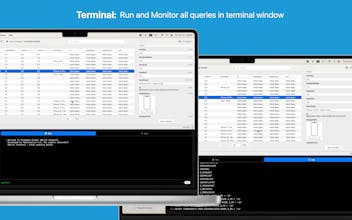
• Easy Data Inspection: The intuitive interface lets you quickly browse and inspect your CoreData data models.
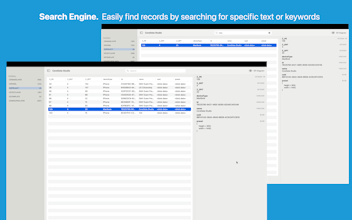
• Powerful Search: Instantly find any record by searching its content, so you can quickly locate the data you need.
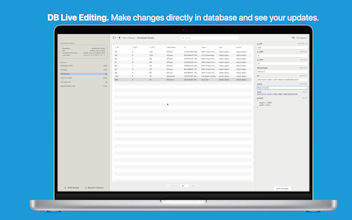
• DB Live Editing: Ability to save updates and changes
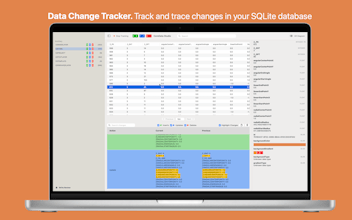
• Data Track Changes. Track and trace changes in your SQLite database. Filter by change types, and search by keywords. Highlight changes for better readability
• CoreData Model Diff. View and Compare Models (*.xcdatamodel) inside CoreData Model Directory (*.xcdatamodeld).
• Relationship Visualization: Visualize complex relationships between entities with our interactive graph view.
• Support for multiple CoreData versions: This is compatible with core data versions from iOS 10 to the latest releases.
• Customizable Layout: The layout can be customized to your needs, with adjustable column widths, row heights, and more.
Why Choose CoreData Studio?
• Fast and Lightweight: App is optimized for performance, so you can work efficiently, even with large datasets.
• Reliable and Stable: Built with stability and reliability in mind.
• Handy and Intuitive: Designed to be easy to use, with a clean and intuitive interface that makes data inspection a breeze.
Who is CoreData Studio for?
• Developers: Streamline your debugging and data inspection workflow with our powerful and flexible tools.
• Anyone working with CoreData or SwiftData: If you work with CoreData, CoreData Studio is the perfect companion app to simplify your workflow.
Feel free to request feature/bugs in here https://coredatastudio.features....