Dialogue

Write a movie the same way you text.

7 followers

Dialogue is an app that makes screenwriting enjoyable. Write your screenplays the same way you text, create custom avatars to help identify characters, arrange scenes in any order you want, and export as a PDF screenplay or to desktop to continue writing using a traditional screenwriting application.
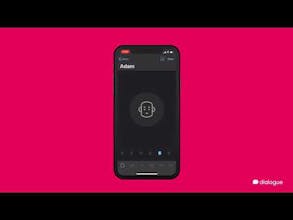
Dialogue gallery image
Launch tags:iOSProductivityWriting
Launch Team
Anima - OnBrand Vibe Coding
Design-aware AI for modern product teams.
Promoted

What do you think? …

AJ Rahim
Hey Everyone, As someone whose been trying to write a screenplay one of the biggest challenges I've come across is finding an enjoyable way to write ideas down on my phone. I figured since texting was the most common way we communicate why not emulate the process for screenwriting. I'm happy to finally be able to release this and I appreciate all the feedback I've gotten over the last couple of weeks. I already have a Version 1.1 update planned with more improvements and adjustments that should make the writing process more fluid. I do plan on making an Android version in the future, but before I do I want to make sure the experience is as solid as possible on the iPhone. Thanks Again, -AJ
Tibo Vincent-Ducimetière
@aj_rahim Really cool app! I made a very similar app with the same reflection as you on texting. This is definitely the future!
Arpit Choudhury
This is really cool and will be very useful for folks like me who design conversations for bots. Unfortunately, not available on Android.
Krishna De
Hey @aj_rahim I was genuinely surprised to find out how good the app was and love that you can start to use it without creating a profile. I could imagine using this to outline webinar and podcasts not just films and screen plays. Are you planning an Android app? In terms of export it would be good if there were a txt or MSWord export not just PDF in the event that people want to edit it - such as multiple people changing the final script/outline. When creating a title for a scene I saw it defaulted to have all characters in capitals - was that deliberate as I usually use upper and lower case and it is a pain to change for each character via the keyboard? I could not see a way to export the full script for one project - that would be helpful rather than scene by scene. I could see there is an in app purchase for exporting to desktop - does this just connect to one PC - is it PC and Mac compatible - do you need a special tool on your desktop to access it - is it accessible only as a PDF? For those of us in Europe are you GDPR compliant and what happens to the content that we add to the app also in terms of copyright? Out of interest, what inspired you to create this app? What are your plans for the future development of the app? BTW your Twitter profile on your PH bio does not seem to connect to your Twitter account.
AJ Rahim
@krishnade Thank you! - I do plan on doing an Android version, but I want to make sure this version is solid before starting. -The export as text option is currently available when a user purchases the No Limits option (but the PDF is free for everyone). - Scene titles are generally in all caps. I do plan on making it easier to write Int. / Ext. and also Day / Dawn / Dusk / Night. - To export the entire screenplay there is a button on the top of the scenes list next to the pencil icon. - The export to desktop provides you with Fountain Text that you can share via any local apps (mail, dropbox, google drive, icloud, etc.). You can use almost any popular screenwriting application to continue writing your screenplay (Final Draft, Celtx, Slugline, Highland, etc.). - Everything is stored within the app and users own all of their own work (I don't see any of that). - I've been trying to write a screenplay myself and it's been a bit hard trying to write a screenplay traditionally on my phone. So instead of bringing screenwriting to mobile I wanted to bring mobile to screenwriting. I have a lot of plans including an updated edit, read mode, localization, script importing, simplifying the user interface further, and more screenplay tools (such as transitions). - Not sure why. I wasn't able to update to my new twitter account (@ajrco), but I haven't really been using Twitter for a while.
Krishna De
@aj_rahim Thanks for the comprehensive reply. I don't use nor do I think I will use screenwriting applications as that's not the business I am in - it's good there is an export as text for users like myself who see the value in the app for the use cases I referenced. I look forward to learning about your future updates.
Josselin Colletta
Looks great ! But not available in France ! :-(
AJ Rahim
@josselinco It should be, but it may take a bit of time for it to appear on the App Store.
Josselin Colletta
@aj_rahim I confirm, it’s now online ! ;-)
kabandi saikia
Not available in other countries except US?
AJ Rahim
@kabandisaikia It's in every available territory on the App Store, but the language is unfortunately limited to English for now. I plan on adding localization in the future.
Damjanski
<3
David Klein
This is awesome!
12
Next
Last