DropSpot

DropSpot

Secure, client-encrypted file storage

43 followers

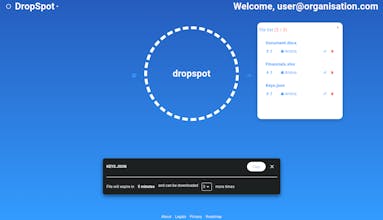
DropSpot aims to simplify the process of sharing sensitive documents with your team. With encryption and decryption performed on the client side, along with modularised access, you hold the keys to accessing your data.
DropSpot gallery image
Free
Launch tags:ProductivityPrivacySecurity
Launch Team / Built With
Intercom
Intercom
Startups get 90% off Intercom + 1 year of Fin AI Agent free
Promoted

What do you think? …

Alec Bassingthwaighte
Working in any kind of workplace environment inevitably results in needing to share sensitive information either with yourself, or with your team. As a developer, sharing one-time secrets was always a pain. Uploading files, passwords and keys to our team's messaging application was easy but meant that I was not necessarily aware of when the recipient had received the message, in addition to also having sensitive information sitting in third party software which could potentially be viewed. On the other hand, uploading to our workplace's password manager was such a large amount of work to simply send a single message. What I really wanted was a way to send someone a link to download a sensitive file, without having to worry about when they downloaded it or a third party seeing it. DropSpot ultimately aims to solve those two pain points, with the ability to work within an organisation to ensure only those you work with can receive your files. Since files are encrypted in the browser before they're sent, only you and those you sent file links to are able to read your sensitive information!
Andriy Semenets
Congratulations on the launch! Is the source code available for this project?
Alec Bassingthwaighte
@semanser thank you so much Andriy! I'm afraid it isn't currently, although our roadmap contains plans for developer libraries (JavaScript, Python etc.) to allow for external integrations into DropSpot, which very much will be open source. Great question :)
Jessica Young
@alec_bassingthwaighte wow, this is exactly what I need for my team! Just wondering, does DropSpot require any special setup or can we just start using it right away? Thanks!
Alec Bassingthwaighte
@jessicayoungq Hi Jessica, fantastic question! There's no required setup to upload and send a file. The site allows you to upload files right off the bat without logging in by clicking on, or dragging a file into the circle in the middle of the screen. If you wish to keep track of who's downloaded your files and have them available for longer, logging on via the button at the top right of the page will allow you to keep track of your files and see specifically who's uploaded them. This will also let you upload without having to perform the CAPTCHA validation. Additionally, clicking "DropSpot" up the top left will allow you to create an organisation and send email invitation links to your team. Anything uploaded to an organisation specifically can only be retrieved by its team members. I hope you enjoy using it, and feel free to ask any more questions! :)
Aztec Elric
DropSpot sounds amazing with its innovative features! Can't wait to try secure document sharing! 🔐🚀
Alec Bassingthwaighte
@aztec_elric Thank you very much Aztec! It's always great to hear positive feedback.
siyu
Congratulations to the team behind Dropspot on their successful launch on Product Hunt! As a remote worker, I'm always on the lookout for tools that can streamline my file sharing and collaboration processes. Dropspot is a game-changer - it makes it so easy to quickly transfer files between my devices and team members, without the hassle of email attachments or cloud storage. The seamless integration with popular apps like Slack and Notion is a huge plus, and I love how Dropspot keeps everything organized and secure. This is a must-have for anyone looking to improve their digital workflows. Excited to see what the Dropspot team has in store for the future!