

Dumbnote
Offline-first Markdown note app. No lock-in. Just write.
121 followers
Offline-first Markdown note app. No lock-in. Just write.
121 followers
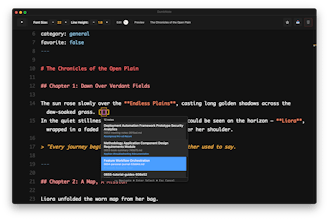
Lightning-fast Markdown note app — perfect for those surprise calls, impromptu meetings, or quick debriefs where every second counts. Open, type, and capture — before the moment passes. Your notes stay readable and editable anywhere, forever.




Dumbnote
Dumbnote
[Annoucement] v2.1.0 Now you can install with `pkg` installer.
Download
Right Click on the file, select Open
Browse to Applications and open DumbNote!
come with new feature: Task mode!
Formspector
Awesome idea! I was looking for something like that exactly yesterday :)
I will send you a direct message because I had one problem with installation
Dumbnote
@patte87 Thanks, sure let me know what i can help on installation
@patte87 @viriya_reungwai I too am having install trouble. My Apple Silicon mac says "“DumbNote” is damaged and can’t be opened. You should move it to the Trash." anytime I try to open.
Dumbnote
@patte87 @chrisredrich I got an issue with the mac arm package, in a meantime you can install using https://github.com/baibao577/dumbnote-page/releases/download/v.1.6.0/DumbNote-mac-x64.dmg
once you install follow this step (since this is opensource project)
Go to Applications folder (not Launchpad)
Find your app
Right-click → "Open" (not double-click)
Click "Open" in the security dialog
App will launch and be remembered as safe
will keep you post when i do fix on arm package. Appreciate your understanding.
Dumbnote
@patte87 @chrisredrich Hi I made a fix by using homebrew install, hope it works out for you:
📝 Dumbnote – Less App, More Writing
Finally: A truly simple Markdown app.
✓ Offline-first (always works)
✓ No vendor lock-in (your data stays yours)
✓ Zero distractions
Write freely → [link] #PlainTextForever
Product Hunt
I actually realllly like this. I've kinda always wanted to start writing in markdown but since most tools are already formatted got lazy and never did. I wonder what @rajiv_ayyangar thinks of this, I know he likes to take his notes in @Sublime.
Dumbnote
@rajiv_ayyangar @gabe Same here!, I do write markdown a lot in @vscode.dev faster to note. And can copy and paste anywhere but want something simpler UI and focus on note.
Let me know, if you have feedback once you try it out! Thanks
Nice work @viriya_reungwai! It would be great to have a keyboard shortcut to toggle between preview and edit mode (maybe same as VSCode: shift + cmd + V)
Dumbnote
@lynfogeek that's a great idea! I'll add it in next release.
Dumbnote
If you have a problem with mac ARM (Apple Silicon) installation please try using homebrew
This looks like a clean and efficient tool for quick note-taking, especially when time is critical. For students or professionals juggling multiple academic scores, tools like this paired with a reliable VIT Result Calculator can make tracking progress even smoother — especially when organizing data offline-first. Worth checking both out.