Gepchat

Turn any text field on your Mac into a chatGPT-4o channel

80 followers

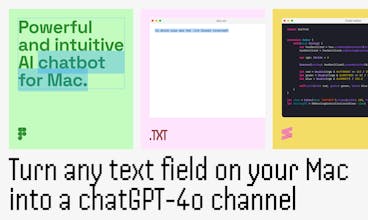
Transform any text field on your Mac into a ChatGPT-4o channel, or use it as a native chat interface. Based on ChatGPT and the latest AI technologies.
Gepchat gallery image
Free Options
Launch Team / Built With
Migma AI
Migma AI
Lovable for Email
Promoted

What do you think? …

Stan
Maker
📌
Hi, ProductHunters! 👋 We are excited to introduce you Gepchat, a new simple app that can help you quickly use AI in your everyday life across any text field or app on your Mac. We hope that this app will particularly appeal to the most active AI users who have tried many other similar AI apps and who appreciate aesthetics and nice usability. This isn't our first time launching on Product Hunt. Our initial launch was back in 2017 with Teampaper. Some of you may be familiar with and have even used that app which made us very happy to keep developing it. However, today is not about that. One of the main goals we follow as part of our philosophy is that we are trying to make AI usage more easy and affordable for everyone. What do I mean by that? Currently, we use only OpenAI API (GPT-4o and GPT-3.5, which can be configured by your needs), but if you like our app and the things we do, we plan to integrate other models from Google, Anthropic, etc. soon. This way, by purchasing the start subscription plan, you will be able to use several different AI models together or separately to get the most benefit. And all this just for $6. Of course, it’s not unlimited, as the OpenAI API costs money, but it allows you to pay less and test multiple AI models in practice along with a fairly convenient tool. Besides subscription plans, we also thinking of adding a lifetime license, so you can use it with your own OpenAI API key and other model keys. And that’s not all :) Any query can go through your settings, like: - Custom and preset prompts/characters of every single channel - Existing chat conversations, considering it's history and context - Model settings (currently chatGPT-4.0o, 3.5 turbo) All you need to do is install the app from the App Store, highlight any text in any field or app on your Mac, press the hotkey Cmd+Option+G, and select a preset or customized command. Then, Gepсhat will process it in a moment and return the results to you in the same field. Try it, it’s very easy. Additionally, you can also use Gepchat as a regular chatbot in the app window, and experiment with a bunch of your settings.
Adrian Weber
Hi @pixbugius! Gepchat sounds like a game-changer for Mac users! The ability to turn any text field into a ChatGPT-4o channel is incredibly innovative and useful. Love how you’re making AI more accessible and affordable for everyone. Can't wait to see it in action! 😄🚀
Stan
@abhra_ch Hello! Thank you ) I see you also have a launch soon, I wish you good luck )
Adrian Weber
@pixbugius Thank you 😊
Kyrylo Silin
The ability to transform any text field into a ChatGPT-4o channel sounds powerful. Questions: - I'm curious, do you have any plans to expand this functionality to other operating systems, like Windows or Linux, in the future? - Can you share more about how the custom and preset prompts work? Congrats on the launch, Stan!
Stan
@kyrylosilin Hello! - Yes, we really want to adapt to other operating systems, but we first want to understand the interest in the application. We already have what we need to develop on other OS 😉 - Gepchat workflow is like this https://tppr.me/7TIT7w - that is, in the settings you configure your custom prompt or a pre-installed one, select the chat through which the request will be processed. After this, each request is run through this chat, where your prompt is set up. Hope I explained it clearly? ) Thanks for the good wishes 🙃
Stéphane Turquay
Amazing! Great Product! How do you see the future of Gepchat once Apple starts rolling out their Apple Intelligence to Macbooks and iMacs?
Stan
@stephane_turquay Thank you. We will respond to the actual functionality of Apple.
Toshit Garg
Congrats on launch Gepchat ....
Stan
@toshit_garg Thank you 🙃
Sumanpreet Kaur
Great concept behind this tool. Congratulations on the launch!
Stan
Eloisa Reggeti
Can you share more about how the custom and preset prompts work?
Stan
@eloisa_reggeti When creating a channel, you are given a choice: - Regular ChatGPT - that is, without a prompt - Pick specific character - Choose from the list of preset prompts. - Create your own character - write your own prompt After creating such a channel, all messages take this prompt into account. It is also possible to configure it in a previously created channel.