Honter

Honter

Run design projects like a studio.

3.0
1 review

131 followers

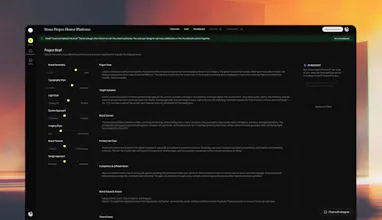
Honter is a workspace built specifically for designers to collaborate with clients in a structured, professional way. Instead of juggling emails, PDFs and scattered comments, designers manage briefs, moodboards, versions, feedback, and deliveries in one clear flow. Each workspace is designed around how real design projects actually work. AI is used quietly in the background to help clarify client feedback and draft quick responses, so designers spend less time managing and more time designing.
This is the 6th launch from Honter. View more
Honter

Honter

Launched this week
Run design projects like a studio, even if you’re solo
Honter is a workspace built specifically for designers to collaborate with clients in a structured, professional way. Instead of juggling emails, PDFs and scattered comments, designers manage briefs, moodboards, versions, feedback, and deliveries in one clear flow. Each workspace is designed around how real design projects actually work. AI is used quietly in the background to help clarify client feedback and draft quick responses, so designers spend less time managing and more time designing.
Honter gallery image
Free
Launch Team / Built With
AssemblyAI
AssemblyAI
Build voice AI apps with a single API
Promoted

What do you think? …

Axel M
Maker
📌
Hey Product Hunt, Axel here, founder of Honter 👋 I’ve been a designer for over a decade, working both freelance and inside companies. One thing always felt broken when freelancing: the work itself was fine, but the process never was. Client feedback lived in emails, WhatsApp, PDFs, Figma comments, and random notes, and the project slowly lost structure and professionalism. Inside companies, that chaos does not exist. There’s a clear flow, clear ownership, and clear expectations. Honter started as an attempt to bring that same studio-level structure to solo designers. Instead of generic project management, Honter is built around how design projects actually work: briefs, moodboards, versions, feedback, and deliveries, all in one workspace shared with the client. AI is there quietly to help clarify feedback and draft quick responses, not to replace the designer. This launch is still early, and feedback from designers really matters. If you freelance, run a studio, or work closely with designers, I’d love to hear what feels right and what doesn’t. Thanks for checking it out.
Malek Moumtaz

@axeltdesign I feel that freelance projects usually go sideways at one specific point. What’s the moment Honter fixes best so far: messy first brief, scattered mid-project feedback, or the handoff at delivery when expectations suddenly shift?

Axel M
Maker

@malekmoumtaz 

Great question. From what we’re seeing so far, Honter fixes scattered mid-project feedback best.

The first brief is often imperfect, but designers expect that. The real damage happens later, when feedback starts coming from email, WhatsApp, Figma comments, PDFs, and calls, all slightly out of sync. That’s when projects drift, revisions explode, and trust erodes.

Honter gives designers a single workspace where feedback is centralized, tied to specific versions, and easy to clarify before acting on it. That one change alone reduces rework and expectation gaps more than anything else we’ve tested.

We’re intentionally building outward from that moment, because if feedback stays clean, the brief evolves better and the final handoff feels predictable instead of tense.

Curious Kitty
Many designers already have a stack (Figma comments + email/Slack/WhatsApp + a PM tool). What’s the clearest scenario where Honter replaces part of that stack rather than becoming “one more place to check,” and what does a successful first week of adoption look like for both designer and client?
Axel M
Maker

@curiouskitty 

That’s exactly the risk we’re trying to avoid. Honter is not meant to sit next to everything else.

The clearest scenario where Honter replaces part of the stack is client-facing communication around the work itself.

Designers still design in Figma. They can still message internally on Slack if they want. But once a project starts, Honter becomes the single place where briefs, versions, feedback, and decisions live. That means no feedback in email, no “quick note” on WhatsApp, and no chasing comments across tools.

A successful first week looks like this:

For the designer:

  • One workspace per project.

  • The brief lives there, even if it evolves.

  • Each design version is uploaded there, and all feedback is tied to that version.

  • Fewer clarifying calls, fewer follow-ups, less second-guessing.

For the client:

  • One link, no account required.

  • They always know where to leave feedback.

  • They can see what changed, what was addressed, and what’s still open.

  • They stop asking “where should I send this?” entirely.

If Honter works, it doesn’t add a place to check.
It removes the need to check everywhere else.

Thank you for your question, we really appreciaate it

Samet Sezer

yn the client side, do they need to create an account to view moodboards and leave feedback, or is it a frictionless guest experience?

Axel M
Maker

@samet_sezer We focus on a frictionless guest experience. Clients never have to create an account to review or collaborate. It is always optional.

If a client works with multiple designers and wants to keep all their workspaces in one place, they can choose to create an account. Otherwise, they can jump in and get work done without any setup.

Umberto
Very interesting, but where’s the pricing? I also like the no sign up concept, but how are links secured against unautrhorized access?
Axel M
Maker

@umberto_abbatantuono 

Thank you for your questions.

Pricing:
We’re finalizing it right now, but the plan is intentionally simple. One subscription in the $10–$15/month range that unlocks unlimited workspaces and full use of the AI assistant. No per-project or per-client complexity. We want pricing to feel predictable, not like another thing designers have to manage.

Access & security:
Honter uses shareable links to keep the guest experience frictionless. Anyone with the link can access the workspace, which is a deliberate tradeoff to avoid forcing client sign-ups.

That said, we’re actively adding more control, things like link expiration, access levels, and workspace-level privacy settings, so designers can dial in how open or restricted each project should be. The goal is flexibility without turning collaboration into a login nightmare.

jiawei liu

Bringing structure to the freelance chaos is a solid value prop. I'm interested in the AI implementation: You mentioned AI clarifies feedback—does it also help with conflicting/ unreasonable feedback?

Axel M
Maker

@jiawei_liu6 

Hii,

Great question. Right now, Honter’s AI is intentionally supportive, not autonomous.

It doesn’t decide what feedback is “right” or overrule the designer. What it does today is help turn messy input into something usable so designers can make better decisions faster.

Concretely, this is how it helps:

  • In the Brief, it analyzes client text and auto-fills structure, plus generates designer-facing insights.

  • In Tasks, it rewrites vague requests into clear, structured descriptions.

  • In Moodboards, it summarizes visual direction and compares options side by side.

  • In Versions, it cleans up vague comments, prioritizes feedback by effort, suggests what to focus on next, and helps draft a professional update back to the client.

  • It also runs a real-time clarity check on comments, nudging clients to be more specific as they write.

So for conflicting or unreasonable feedback, the AI doesn’t judge it. It highlights contradictions and vague input early, helping designers clarify expectations or push back professionally without emotional back-and-forth.

Saad Zafar

Congrats on the launch @axeltdesign and co!

Axel M
Maker

@saad_zafar 

Thank you man, congrats to you as well, your product is doing really good!!

Ryan Thill

The version-tied feedback + “quiet AI” clarity check is a smart way to reduce mid-project drift 🔥

As you scale to bigger teams/clients, the gnarly bit is secure guest access + auditability across briefs/moodboards/versions best practice is signed, expiring share links + per-version immutable audit logs + granular roles (view/comment/approve).

Are you planning native Figma version linking/diffing (file+frame refs) and how will you handle revoking/rotating client links without breaking the frictionless flow?

Axel M
Maker

@ryan_thill 

Great points. A lot of the drift is already reduced today through enforced structure. In our branding workspace, the brief has to be completed before the moodboard unlocks, and a direction has to be approved before versions unlock, etc. That sequencing alone prevents many “who approved what” issues.

What we’re still evolving is the explicit audit layer on top of that flow. As teams and clients get bigger, approvals, feedback, and version decisions need to be clearly traceable over time. That’s where signed or expiring links, role-based access, and stronger approval records come in, without breaking the frictionless, no-signup experience.

On Figma, we’re not trying to replace it. The direction is native linking to the exact file or frame that was reviewed, so Honter becomes the system of record for decisions and feedback, while design stays in Figma. For access revocation, the goal is link rotation and scoped invalidation, so designers can change access without resetting the workspace or forcing re-onboarding.

We’re being intentional about layering control as needed, rather than turning collaboration into a heavy security workflow.

Ryan Thill

@axeltdesign Love the “structured gates” approach, that’s a clean way to make approvals implicit without adding friction.

For the audit layer, what’s worked well is an append-only decision log per artifact (brief, direction, version) with immutable events, plus a lightweight hash chain so edits/deletes are detectable, even if you later add stricter roles.

On the Figma side, tying feedback to exact file key + node-id (frame) plus optionally a version snapshot keeps Honter the system of record. Are you planning to also pin decisions to a specific Figma version when teams have it available, or always to “latest frame”?

Axel M
Maker

@ryan_thill 

Great question. Today, Honter handles this at the version level rather than directly inside Figma.

Each upload (image or PDF) creates a discrete version. Approvals are tied to that exact version and remain approved even if newer versions are uploaded later.

So if Version 5 is approved and a Version 6 is added, Version 5 stays approved and the new version requires its own decision.

Figma linking is something we’re exploring, but the core principle stays the same: approvals should always be tied to a specific artifact, never float to “latest.”

We’re starting with clarity and immutability first, then layering deeper integrations as needed.

12
Next
Last