Kbee

Kbee

Turn Google Drive into a wiki or help center

8 followers

Kbee transforms Google Drive folders into a searchable wiki for you, your team, or your customers.
Kbee gallery image
Kbee gallery image
Kbee gallery image
Kbee gallery image
Kbee gallery image
Launch tags:Productivityβ€’Techβ€’Search
Launch Team
ace.me
ace.me
Your new website, email address & cloud storage
Promoted

What do you think? …

Sandeep Dinesh
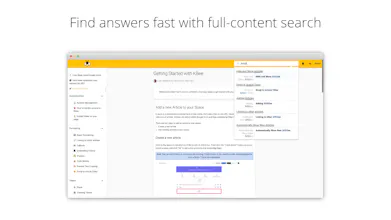
Hey Product Hunt! I'm Sandeep, here today with my co-founder @saiarora to launch Kbee! Kbee transforms your Google Drive content into a searchable wiki for you, your team, or your customers. In 2019, our B2B SaaS product was growing and we needed a help center. We quickly put together a Google Doc that we published to the web. It was ugly and hacky, but it worked! This started falling apart as our product grew, so we bit the bullet and started using an off-the-shelf help center tool. We quickly started running into limitations. The biggest issue was the lack of collaboration. As a remote team, we love using Google Docs to work together to make content. We found ourselves creating content in Drive and then manually moving it over to our help center. Neither of us looked forward to doing this, and always tried to pawn it off πŸ˜‰ We built Kbee to cut out the middle man and publish a full Google Drive folder as our help center. We give our customers a beautiful and fast experience while using all the Google Docs features we love. A few weeks after launching, we found folks using Kbee to power their internal wikis, customer help centers, employee onboarding processes, and more. Kbee is the perfect tool to turn content you already have into a professional wiki or help center in just a few clicks! Some key features: 🀝 Collaborate and create content directly in Google Drive πŸ”Ž Full-text search powered by Algolia ⚑ Lightning fast load times (99 Performance Score on Lighthouse) πŸ”’ Uses Google Drive's native authentication 🎨 Change themes and colors to fit your brand (including Dark Mode πŸ•Ά) πŸ“· Embed videos, codeblocks, iFrames, images, and more πŸ“ˆ Native analytics, comments, and reactions (and no 3rd party trackers!) πŸ”—Link to 3rd party sites πŸ“„ Publish Docs, Sheets, Slides, Forms, PDFs, Videos, GIFs and more! You can check out our help center (that's built on Kbee) here: https://help.kbee.app You can give Kbee a try free for 14 days (no credit card required). After that, use the promo code PH2021 until April 30th to get 20% off any plan for 1 year!
Karson Enns
This is fantastic! Too often we just bookmark an individual Google Doc. We'd find the most value out of something like this for our internal documentation, do you support granular level permissions right now? IE giving HR access to the hiring docs only?
Sai Arora
@karson thanks for the kind words! Permissions are managed per space. A space inherit permissions from the Google Drive folder it’s built on. If you want to give HR access to only the hiring docs, organize the hiring docs in Drive into a separate folder and create a space from that folder. At a minimum, users must have β€œViewer” access to the Drive Folder to view articles in the space.
K. S.
Developers are super responsive. This is a great service that seems to be getting even better by the day
Sai Arora
@science_teacher thanks for the kind words! Pumped to be working with you!
Amogh Mundhekar
Fantastic product @sandeepdinesh and @saiarora! Would be very useful for centralizing internal wikis within large corporations which are typically just a bunch of bookmarked google docs. Are you targeting midmarket businesses only? Or also making this for Enterprises.
Sai Arora
@sandeepdinesh @click_amogh Anyone who’s using Google Drive today can use Kbee for a centralized internal wiki whether you’re a small startup documenting standard operating procedures or a team at a large enterprise that wants to make their internal documentation accessible and searchable.
Dustin McDonald
Kbee user here. Kbee is great, because it allows Hyperjump.co to have branded, easy to update, and searchable FAQs. Highly recommended.
Sai Arora
@dustin_mcdonald thanks for the endorsement! We love working with Hyperjump!
Bilal Chaglani
Good stuff! Looks very simple to manage and scale as well.
Shahadat Hasan
Great use case for multiple parts of an organization. Potential to save a lot of time and energy for various teams.
12
Next
Last