Mailtaco for Gmail

Mailtaco for Gmail

The Gmail experience you deserve with one chrome extension.

31 followers

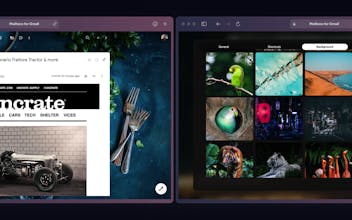
Mailtaco is a browser extension that makes Gmail more beautiful, cleaner, and more powerful with extra features like the ability to lock your inbox, scheduling when you can use your email, many image backgrounds, and more.
Mailtaco for Gmail gallery image
Payment Required
Launch Team
Anima Playground
AI with an Eye for Design
Promoted

What do you think? …

Abd
Hunter
📌
During the Product Hunt launch all community members get 90% off until next week with the code above, just click on 90% off to see the discount code for Gumroad ! 😎
Blake Whittington 👾
Beautiful
Abd
Hunter
@blake_whittington I am glad you like it :)
Angi Bowman
It looks so cool! Plus for that price it's hard to pass it up. That being said, I have a few issues. 1. Make it clearer that they should check their inbox FIRST before downloading the extension. If not, you get caught in a loop. Because it blocks the entire inbox until you enter the product key, I couldn't get the product key. 2. For some reason the background won't load for me. I use the commands to set the background and then select the background. It then reloads and freezes in the last few seconds. My internet speed is fast, so I'm not sure if it's my computer or Mailtaco.
Abd
Hunter
@lucky__angi Thank you for trying it out Angi ! Let me see how I can help you. 1. That's a very good point, you are absolutely right, I will update it. 2. I don't think it is the internet connection, if you reload the Gmail tab and try again what happens ? and if you press Alt+B on Mac (Ctrl+B in Windows) to toggle dark mode, does the background appear ?
Abd
Hunter
@lucky__angi Hi, it is my again :D I have update the Gumroad listing to specify that the code needs to be copied before installing the extension like you suggested, the chrome store will show the same message soon. Also regarding the image background not showing, reloading the page and setting again the background should fix the problem, when setting the background image when Gmail is using the default white theme will cause the page to reload in order to apply all the new styles, let me know how it goes, I will be here until the issue is fixed for you :)