ManageMyPasswords

ManageMyPasswords

This is a free, secure & open-source password manager.

1 follower

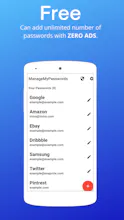
ManageMyPasswords is a Free, Secure, Simple and Offline Password Manager which can help you to store all of your passwords securely and generate secure passwords for your accounts. The whole app is FREE, you can add unlimited number of passwords.
ManageMyPasswords gallery image
Free
Launch tags:ProductivityTechSecurity
Launch Team
Migma
Migma
Lovable for Email
Promoted

What do you think? …

Alex Frydas
What is your financial model?
Imira Randeniya
@alex_frydas This is a non-profit app and does not generate any revenue. It is an open-source app.
Imira Randeniya
@alex_frydas @codebat I am focused on building open-source apps and I have no plan to make money from this app. Also most good password managers are free nowadays.
Basharath
Cool product. Congrats! Why is it not on the popular platforms like PlayStore or AppStore?
Imira Randeniya
@basharath Thank you so much. We will be launching very soon on PlayStore & AppStore.
Ron Fybish
Great one I love it 🚀🔥 Keep pushing forward 👏💯
Imira Randeniya
@ron_fybish1 Thank you very much. I highly appreciate your feedback 🙂.
Imira Randeniya
Managing your passwords is very important and using secure passwords for your accounts is compulsory. But it can be hard to remember passwords and think of secure passwords, but we have solution for that problem, introducing ManageMyPasswords. ManageMyPasswords is a Free, Secure, Simple and Offline Password Manager which can help you to store all of your passwords securely and generate secure passwords for your accounts. GitHub repository -> https://github.com/Imira-S-R/Pas...
HIMANSHU CHHABRA
If I use bitwarden, any specific reason to shift to ur password manager ??
Imira Randeniya
@himanshu_chhabra Bitwarden does not have a option to store the passwords locally on the device, it stores it in the cloud. ManageMyPasswords store the passwords locally on device, encrypted.