

Mutho POS
Cloud POS For Next Generation Of Businesses
0 followers
Cloud POS For Next Generation Of Businesses
0 followers
Mutho POS is the next-generation POS solution for businesses of all sizes, built-in in Bangladesh for the rest of the world. Our cloud POS software is lite & easy to configure & a great fit for businesses like Super Shop, Pharmacy, Retail Shop, Restaurant.



Free Options

Intercom — Startups get 90% off Intercom + 1 year of Fin AI Agent free
Startups get 90% off Intercom + 1 year of Fin AI Agent free
Promoted

Maker
Hello Product Hunt Community 👋 , This is our (Muthopay Limited) 2nd Product Launch On Product Hunt. Please give it a try at our cloud pos system and let us know your questions or maybe feedback?
Happy to answer any questions that you may have. You can try the pos demo here: https://pos.muthopay.com/
Mutho POS is free for small merchants across Bangladesh & India. For the rest of the businesses, our pricing is as flexible as it can be. 🤗
Mutho POS features :
➡️ Store owners can enable/disable the module functionality.
➡️ Inventory management in POS.
➡️ Different outlets can have different inventory types.
➡️ Store owner can select the order status for POS end.
➡️ Mails can be enabled/disabled at the POS end.
➡️ Split/Multiple payment methods for the orders can be enabled/disabled at the POS end.
➡️ Order notes can be enabled/disabled at the POS end.
➡️ All orders can be created in offline mode then synced online automatically for the fast process at the POS end.
➡️ Adding custom products can be enabled/disabled at the POS end.
➡️Open cash drawer popup appears on loading POS can be enabled/disabled.
➡️ Variations can be shown as different products at the POS end.
➡️ Hold orders can be sent automatically to the kitchen.
➡️ Multiple static payment methods can be created for the POS and can be assigned to outlets.
➡️ Progressive Web App (PWA) for Desktop.
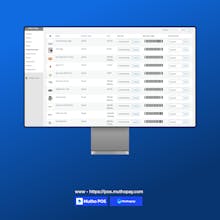
➡️ Printing page for barcode can be configured.
➡️ Barcode can either be printed horizontally or vertically.
➡️ Colors and font sizes can be configured for the POS layout.
➡️ Store owners can check the analytics report of the sales done at the POS end.
➡️ Multiple outlets can be created and assigned to the cashiers.
➡️ Multiple cashiers can be created by the store owner.
➡️ Cashiers can manage multiple outlets at the POS end.
➡️ Multiple tables can be created by store owners for restaurant management in the outlet.
➡️ Multiple tables can be assigned to the outlet and will be used if it of restaurant mode.
➡️ Barcodes are generated automatically on the base of product ids.
➡️ Custom barcodes can also be assigned to the products.
➡️ The store owner can print the number of barcodes of the product.
➡️ Custom stock can be assigned to the products in the respective outlet.
➡️ Custom stock can also be assigned in the bulk via CSV using WooCommerce Products Import.
➡️ Store owners can view the list of orders with the respective outlet and cashier created at the POS end.
➡️ Store owners can view the list of transactions with the respective outlet and cashier generated at the POS end.
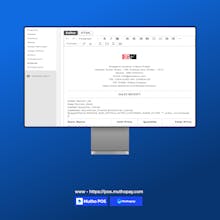
➡️ Different Invoices can be created from the backend.
➡️ Invoices can be customized by the given editor.
➡️ Different invoices can be assigned to different outlets.
➡️ Administrators and cashiers both can access the outlet in the POS.
➡️ POS can be used on the tablet screen and greater than that.
➡️ Simple & Variable products are supported in the POS.
➡️Product, cart & coupon discounts can be applied in the POS.
➡️ Customers can be added, edited, and deleted in the POS.
➡️ Orders can be put to hold in the POS and can be placed later.
➡️ Orders can be placed online or offline in the POS.
➡️ Offline orders can be synced online in the POS.
➡️ Orders can be viewed at the POS end.
➡️ Daily statistics can be viewed like Open Cash Drawer Amount, Today’s Cash Sale.
➡️ Today’s Total Sale and Expected Drawer Amount at POS end.
➡️ Transactions can be viewed at the POS end.
➡️ Manual transactions can be generated at the POS end.
➡️ Cashier profile can be edited in the POS.
➡️ Outlet can be switched at the POS end by the cashier.
➡️ Outlet data can be reset in the POS if anything is updated from the backend to load the latest data.
➡️ Page size & margins for the printer can also be changed at the POS end.
➡️ Table management can be done for the restaurant outlet at the POS end.
➡️ Both Dine-in/Take away option is there for the restaurant outlet.
➡️ Hold orders of the table can be sent to the kitchen to get prepared.
➡️ Hold orders can be deleted automatically from the kitchen on deletion at the POS end.
➡️ Kitchen view is there for the restaurant outlet which can be opened in any system without login.
➡️ Order can be removed from the kitchen view when it is ready.
➡️ Sales invoice/receipt can be printed for all orders at the POS end.
➡️ Products can be added by scanning or entering the barcode at the POS end.
➡️ Sound will be there on adding products to the cart.
➡️ Products, Orders, Customers & Tables can be searched at the POS end.
➡️ Hold orders can be added to the cart or deleted at the POS end.
➡️ Outlet data can be deleted on logout to load the updated data on the next login.
➡️ Tax is managed at the POS end.
➡️ Allow customers to use more than one payment method to pay for the same order.
➡️ Keyboard, as well as on-screen Numpad, can be used to enter the amount on the payment page.
Report