Overvoice

Overvoice

Add voiceover to you video in under 60 seconds

23 followers

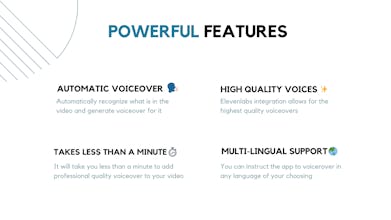
Combine the power of GPT-4o and ElevenLabs, and you get a powerful tool that automatically adds professional-grade voiceovers to your videos in under a minute. Say goodbye to manual script writing and tedious voiceovers.
Overvoice gallery image
Free Options
Launch Team / Built With
Anima - Vibe Coding for Product Teams
Build websites and apps with AI that understands design.
Promoted

What do you think? …

Li Liu
Maker
πŸ“Œ
Hey PH Fam, We're excited to finally launch Overvoice on Product Hunt! πŸš€ πŸš€ We're particularly thrilled to share with you how a simple app can have endless possibilities! What is Overvoice?πŸŽ™οΈ It's a tool that automatically adds voiceover to your videos without the need to write scripts or record manual voiceovers. How does it work? πŸ€” It’s quite simple actually. 1. Upload a video of your choosing. 2. Add a few prompts specifying what kind of video you're trying to make. 3. Click "Generate Script.” 4. Once you're satisfied with the script, pick a voice, and hit "Generate Voiceover." That's it! You've just added voiceover to your video in under a minute! What are the uses cases? πŸ› οΈ There are a few use cases that we found the tool to be especially good at: - Real estate videos: Can easily narrate a property walkthrough video, automatically highlighting key features and amenities. - SaaS demos: Our Product Hunt launch video was created using Overvoice - Documentaries: Provide engaging voiceovers for a wide range of subjects, from historical events to scientific discoveries, offering in-depth explanations and compelling narratives. - Faceless YouTube videos: Create professional-sounding narration for educational content, tutorials, or explainer videos without appearing on camera.
Ringo Kim
This looks great! Being able to add voiceovers so effortlessly seems like a game-changer, especially for creating engaging content quickly. Super excited to give it a try. Congrats on the launch!
Li Liu
Maker
@ringokim Thank you! Glad you are finding it useful!
Patricia Harris
@li_liu5 hey. Overvoice sounds like exactly what I need! Congrats on the launch! Quick question, though. Does the app support different accents or languages for the voiceover? I want to use it for some international projects, so that'd be super helpful. Thanks!
Li Liu
Maker
@patriciaharris Hi Patritia, thank you for your comment :) Yes, I believe for different accents and tones, you can simply choose the available voices and tones listed in "Voice" option. For different languages, simply type "output it in xxxxx (language)" in the prompt field. The app should generate the script and the voiceover in the specified language
Jeffrey Chan
πŸš€πŸš€πŸš€πŸš€