Pikchange

Easy to use photo editor, change background, add blur & more

1 follower

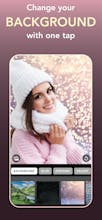
Pikchange is a photo editor that helps you take your pictures to a new level. Refine your portraits, make different adjustments for foreground and background, add blur, beautiful effects and much more!
Pikchange gallery image
Free
Launch tags:iOSPhotography
Launch Team
Anima - Vibe Coding for Product Teams
Build websites and apps with AI that understands design.
Promoted

What do you think? …

Marius
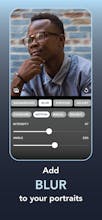
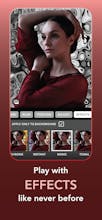
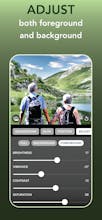
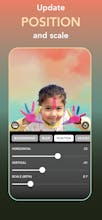
👋 Hi Product Hunters! I am the maker of Pikchange, an easy-to-use iOS photo editor build around automatic human detection that helps you take your pictures to a new level. Here are some of the features: AUTO-DETECT PEOPLE Pikchange can detect human faces and bodies using the best-in-class algorithms, thus offering you new possibilities to edit your photos. ADD BLUR TO YOUR BACKGROUNDS You can set different blurs to your background and even change it completely. There are four blur types for you to choose from, fully customizable: • Standard • Motion • Radial • Enlight MOVE AND RESIZE PEOPLE (BETA) You can position and scale humans on your custom backgrounds to make them look more natural. ADJUST FOREGROUNDS AND BACKGROUNDS Edit front and back separately. Make great portraits by manually changing image properties individually or by applying custom filters. You can edit just the background, just the foreground, or both. Change brightness, saturation, sharpness, and many others. Add a sepia effect or change the background to grayscale. The possibilities are limitless. PIKCHANGE PRO Share all your edited photos anywhere and save them at full quality. As an extra perk, you can also change the app icon. Choose from monthly or annual subscriptions or a one-time purchase to get the Pro benefits. Please give it a try and let me know what you think about it!
Paula Benzar
Great app. Looks easy to use. I like all default backgrounds but the ability to use my own is great.
Marius
@paula_benzar Thank you!