Roughups

Roughups

Wireframing and prototyping on your iPad with Apple Pencil

2 followers

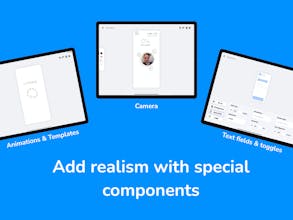
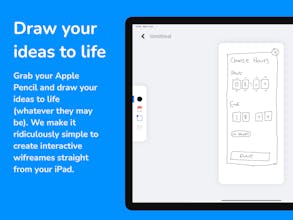
Roughups lets you create hand drawn wireframes on your iPad and easily make them interactive with loads of custom components and tools. Once you're done you can share you creations on the web. Or to give more realism add text fields, toggles, cameras and more.
Roughups gallery image
Free Options
Launch tags:iPadDesign ToolsPrototyping
Launch Team
Anima - Vibe Coding for Product Teams
Build websites and apps with AI that understands design.
Promoted

What do you think? …

Daryl Rowland
I built this because I wanted a really quick and easy way to draw realistic & interactive wireframes on my iPad. I've been working on it as a side project for many years - basically ever since I first used the Apple Pencil and I saw its potential to help people visualise their ideas. It has now become much more than just a simple wireframing tool as you can add real text fields, custom fonts, toggle fields, camera components & advanced logic! This is just the first version, but I intend to release frequent updates based on your ideas and feedback.
Tautvydas Gaižauskas
Nice! The UI looks beautiful, can't wait to try it out ☺️
Daryl Rowland
@tautvydas_gaizauskas can’t wait to have you try it! Give me a shout if you have any questions or feature suggestions!
Mike Wandelmaier
Love it!!!! Please keep adding to this 🙏 A few features that would really make this killer: - Variety of pencil styles with variable thicknesses - Line smoothing - Save your own snippets (copy paste bits and pieces). Nice work!
Daryl Rowland
@mike_wandelmaier thank you! These are great suggestions. Love the snippets idea!
Michael Silber
?makers this is really nice! I would make a few suggestions to really make this shine. 1) Create a desktop project type 2) Give the user 1-3 free logic rules before asking them to upgrade to pro 3) Data fields are confusing to use — it's unclear to me how I move the data field I've specified to the prototype
Daryl Rowland
@product_at_producthunt great feedback thank you! The desktop project type is basically tablet at the moment, but you’re right I should call that out more. Love the suggestion of some free trials. On the data fields there’s a lesson on them here https://roughups.com/learn/boxes and here https://roughups.com/learn/toggles if that helps at all?
Michael Silber
@darylrowland Thanks! The video clears things up for me. I think the piece I was missing is that I didn't know to press "Play" to see things like the default input in my field