

Webflow
Where creativity drives performance
4.8•134 reviews•2.4K followers
Where creativity drives performance
4.8•134 reviews•2.4K followers
Webflow is a Website Experience Platform (WXP) that empowers cross-functional teams of marketers, designers, and developers to visually build, manage, and optimize stunning websites with AI-driven personalization and a powerful composable CMS, enabling businesses to drive real, measurable results.
This is the 26th launch from Webflow. View more
Webflow AI site builder
Launching today
Turn a simple prompt into a multi-page, production-ready website with Webflow’s AI site builder. Start with structure, styles, and animations, then continue building seamlessly in Webflow. It’s a faster start on a foundation built to scale.




Free
Launch Team


Webflow
Hey Product Hunt!
At Webflow, our mission is to bring development superpowers to everyone. When we first launched our AI site builder last year, our goal was to help people move from idea to site faster, no matter their design or technical expertise.
Since then, we've leveled it up: Now you can use Webflow’s AI site builder to create a multi-page, production-ready site AND a foundational design system in minutes. And because it’s generated right in Webflow, you can easily tap into the full power of our platform to take your new site even further.
Here’s how it works:
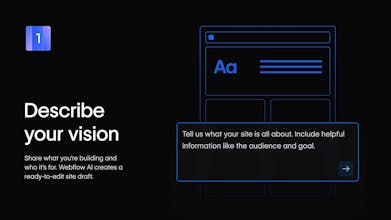
Describe your vision. Share what you’re building and who it’s for. Webflow AI creates a ready-to-edit site draft.
Add some structure, Shape your site’s structure by adding, removing, or reordering sections and pages.
Make it your own. Customize styles, colors, typography, and other elements site-wide.
Go further. Extend, refine, and optimize your new site using the full power of Webflow.
Check out webflow.com/ai-site-builder to try it for yourself!
Questions? Visit the Webflow Help Center for more details.
Show us what you're building!
Raycast
AI site builder is Webflow’s updated and improved on-ramp.
With natural language, you skip the intimidating blank page and describe what you want to build. Instead of dropping you straight into the deep end of implementation, it walks you through a site build-out of up to five pages around a theme, topic, or goal.
Webflow is an incredibly powerful tool for professionals; this lets you wade into that power through the shallow end, instead of diving straight into the depths of the full design experience in Webflow.
What you can look forward to:
Design up to five cohesive pages all together as a set — not piecemeal.
Because you're building on Webflow's tried-and-tested Flowkit framework (and establishing a design system simultaneously!), you'll never end up slopped in an AI cul-de-sac.
Make significant sitewide changes easily — and apply them consistently — via global theming controls.
Great for founders, small teams, and partners who want to spin up professional-quality sites that can expand over time.
What I like most: it reduces back-and-forth prompting chaos and instead pushes you to ship multi-page, consistent sites that actually look good.
The Webflow crew ships with craft and pragmatism, and this launch has been a year in the making.
Excited to support this launch and see what you build with it!
26 launches! Josh and the team are really setting the gold standard for no-code. As someone who just speed-ran a build of Featmap.app on a 4-hour train ride today, I’m obsessed with how you’re lowering the on-ramp for complex sites.
I’m a big believer in the 'Simplicity First' movement—while Webflow handles the heavy lifting of production sites, I’m trying to make the feedback loop just as fast for founders.
Question: With the new AI site builder, how do you ensure the design system stays 'clean' for devs who eventually want to export the code and customize it manually?
Webflow
@michael_dors_dev Glad you're a fan of the vision!
The AI site builder is designed to create a clean, production-ready foundation that you can build on with confidence.
Every site generated uses Flowkit, Webflow’s modular CSS framework. That means consistent class naming, reusable components, and a clear design system from the start. Styles are centralized and applied systematically, not scattered or hard-coded, so the structure stays organized as the site grows.
When developers export the code, they’re getting predictable, well-structured HTML and CSS that’s easy to understand and customize manually. The result is a site that’s fast to prototype, but still clean and maintainable for teams that want to take it further in code.
What if we need to prototype new course landing pages fast without waiting on dev resources? Does it work well for non-designers? I can describe what I want, but I'm not sure I'd know how to "refine and optimize" properly.
Webflow
@klara_minarikova Great question! That’s exactly what the AI site builder is designed for.
It helps you go from a natural language prompt to a structured page (or multiple pages of a site) in minutes, without waiting on dev. It creates the layout, page structure, and design foundation up front so you’re not starting from scratch.
It also works well for non-designers. You don’t need Webflow expertise to get something usable. Refining and optimizing is about simple, visual tweaks like editing copy, rearranging sections, or adjusting styles, not redesigning the site. The structure stays in place.
You can move fast early, get alignment, and bring in designers or developers later to build on the same foundation if needed.