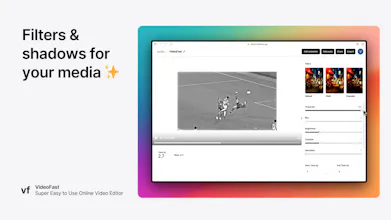
VideoFast is the easiest way to create and edit high-quality videos. It works by allowing you to choose from a list of beautifully crafted text, media, and shape animations and customizing them into how you want your video to be.
Hey Hunters 👋
I'm a 16-year-old in high school from Hong Kong 🇭🇰
Often, I find myself having to edit videos, whether it may be for school assignments or creating content for the stuff I'm building.
But let's face it: **Video editing and creating high-quality videos is really really difficult.**
For beginners, it takes hours to learn how to use traditional editing software to edit great videos. There's a huge learning curve. For pros, implementing those high-quality animations for your videos requires a lot of time to create and customize.
Personally, for school homework and social media video preparation, I need a tailor-made, powerful enough, but not too overkilled video editor to create videos quickly with high quality. Existing tools such as iMovie, DaVinci Resolve, and Adobe Premiere Pro are great but too heavy-duty.
That's why I built VideoFast, an easier alternative to creating and editing videos.
1. Pick a beautifully premade animation
2. Customise that animation fully to your needs
3. Repeat - you then have an epic video
4. Export, and voila ✨
Feel free to try it out at videofast.gg
I designed and developed this video editor based on my needs, other KOLs', and the needs of professionals that I connected with via social media while building VideoFast in the last couple of months while being a full-time high school student taking AP exams :) - hope you like VideoFast!
Reach out to me
Happy Hunting!
Rexan
Report
@rexanwong Huge congrats on your launch! Wishing you a journey filled with success and growth. What are your next steps post-launch?
@kjosephabraham thanks Joseph!
Next steps would be to record some tutorials of it, partner with some small to medium sized KOLs for them to use the product, while keep sharing my journey of building and growing it on X
Report
@rexanwong Congrats on launching VideoFast! 🎉 It's amazing that you built this while in high school. The tool sounds perfect for those looking for a simple yet powerful video editor.
I love the concept of VideoFast! Its exactly what beginners and busy creators need. The easy of use and the premade animations make creating high-quality videos so much more approachable.
Congrats on the launch! Very impressive for your age.
I'm now getting into video editing and this tool might be a good one to give a shot to!
My only pushback with online video tools is that sometimes the videos could be heavy (multiple files of 2,3 or 6gb) which could take longer than ideal for uploading. Are you planning on also creating an OS version? Or how would you go around that challenge?
@davisnz thank you! That's a good question, I haven't thought of the best answer for it. I'll think about it and update you! Let me know if you have any more feedback while using the product
Report
Honestly, this is prettying damn genius! If you just need to something simple - this tool has all the basic stuff you need. This is as easy to use as PowerPoint, and that's amazing.
Also, big props for building tools and ideas like these @rexanwong - you are gonna kill it if you are shipping products like these when you're 16, big W.
A observations/suggestions:
- the landing page gif is kind of choppy for me (and honestly didn't load as fast)
- the images that go along with each feature are stretched
- when you first created an account, the page looks kind of empty, maybe move people into the "Create new video" flow right away
- the share feature is kind of cool, the player is a bit too big. If you shrink it, I think the exp will be better AND you can add "Created by VideoFast.gg" at the bottom!
- with the pricing tier, I think if you limit users from using their own media, they can't fully exp the power. Maybe considering a trial vs freemium?
@tonyhanded thanks tony! will work on these updates. appreciate the feedback given
By the way you can manually adjust the size of the player. There is a toggle on the line in the middle of the player and the accordions for editing.
Its definitely a great addition to the tools already existing out there, like Veed or Canva, that handle Video editing in different difficulty increments.
But the website/landing page does need some work I believe. Some feedback:
- The first load of your website slows down my Browser (Firefox, Windows 10) to a crawl, despite having top notch hardware and a fast internet connection. Only at the bottom of the page, the speed and performance does equalize slightly.
There are definitely issues with speed and performance due to the page elements/videos. I would try to reduce their size to make it easier for the site to handle.
- Also: Object-fit:Cover will work better for all your video and image previews. You currently use Object-fit: Fill. But that causes all the images and videos in your boxes to be stretched to far horizontally on larger screens. I would use the cover object fill to fix this and use flex layouting to position the inner elements/videos/images to the top of the box contraints, so they don't crop.
- Going to the pricing page and back to the landing page is not possible, since you switch the user from videofast.gg to the videofast studio subdomain. I would make sure that the pricing page gives users the choice to go back to the landing page without being forced to register/login.
Other than that I don't have a lot to criticize. The landing page design is servicable and minimal, but usable. The Bento grids are a nice touch. I would work on the site load performance and overall performance while scrolling and switching tabs.
Text Behind Image
Text Behind Image
Femme Stock
Text Behind Image
Text Behind Image
Text Behind Image
Text Behind Image
Text Behind Image
Text Behind Image