XClipper

XClipper

Smart clipboard manager for Android & Windows

9 followers

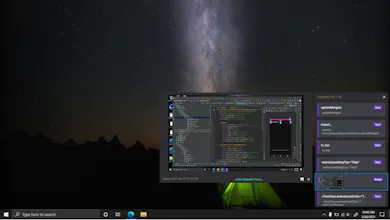
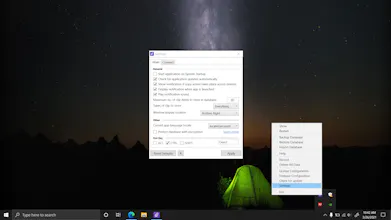
XClipper is a smart clipboard manager for Windows & Android which helps to track clipboard activities and makes it easier to interact with them with lots of features. It also helps to synchronize your clipboard between these two platforms.
XClipper gallery image
Free Options
Launch tags:AndroidWindowsProductivity
Launch Team
AssemblyAI
AssemblyAI
Build voice AI apps with a single API
Promoted

What do you think? …

Igor Mihaljko
seems like a great product. Include Linux version and it will be huge. Add the Mac version as well and you have a product that is the first of its kind on the market. Allow self hosting of a server part (even paid version for server part) and you are the world-class hero 😀
Kamil
The product is great, but for now I will stay with ditto. Reasons: using too much memory compared to ditto. Like a lot more...Another reason is opening the xclipper window. Would love to see a popup option on cursor position just like ditto have. It's very useful on larger screens. I upvoted and will watch the development. I'll make the change if those two reasons are fixed.
Kaustubh Patange
@kamilnader I can agree on the memory side, Ditto was written using C++ which is why they have performance benefits due to various reasons eg: they can manually handle garbage collection while XClipper is made using C# with .Net runtime so there is an extra layer which is running this IR code & automatically handles garbage collection. This helps a lot in rapid development & that's why it took me 8 months to quickly develop this application. Also, 30mb memory is nothing compared to other application you are running, even "Windows Explorer" requires more memory now. The hovering feature when you move your cursor on item is present but doesn't require mouse at all. See I made this application to avoid using mouse that's why many things are implemented through shortcut keys. That feature you are talking about can be achieved by selecting an item using arrow keys and then pressing Ctrl + TAB which shows a small pop-up. You can watch the video where I talked about this feature.
Ammar M
Does this integrate between Windows and Android? Will my clipboard show history between devices over the cloud?
Kaustubh Patange
@ammar_m Yup, check the synchronization guide: https://kaustubhpatange.github.i...
JoyQR
Looks awesome ! Congrats on the launch
Dadior Chen
Do you have plan to support mac platform?
Kaustubh Patange
@dadior_chen There are no plans for supporting Linux or Mac platform yet! Since my primary OS is Windows I'll be focusing particularly on this platform. In future, if there is a high requirement I'll consider supporting these platforms as well.
Dadior Chen
@kp_2016 It's a solid demand for me, there is a similar tool on Mac, called Clipy, I'm using it, but it's not so good.