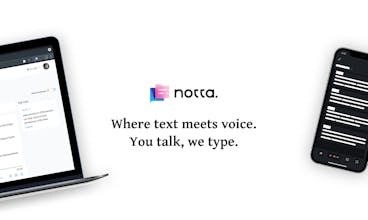
Notta Chrome extension turns your browser into a handy tool to capture & transcribe any YouTube video, podcast, webinar or video call. One click to start transcribing on whichever tab you open, whenever you like. Google Chrome and Microsoft Edge supported.
Total waste of money. I am working with UK interviews on YouTube. YouTube itself does a vastly better job on producing subtitles than Notta. Notta leaves out whole sentences, cannot distinguish between speakers, and gets at last 20 percent of individual words wrong. Worse, it makes up text that is not there.
We've done ~90 human interviews because we believe in being really user centric. The Zoom transcriptions are rubbish, Notta clears them up better than anything I'v yet encountered.
Hi everyone!
Thank you for stopping by and checking out our product.
Notta Audio Clipper is a Chrome extension designed to transcribe audio from any web page and auto-save the transcript to Notta Web (app.notta.ai).
Let me break down how Notta helps you unleash the power of voice and bring your productivity to the next level.
✨One click to start recording and transcribing, on whichever tab you want, whenever you want.
We aim to create a smooth user experience with the minimalist workflow. It's super handy to get started. Simply open the Notta extension, choose the transcription language, then click "Start recording". Any audio content on the current tab such as YouTube videos, podcasts, or Zoom online classes -you name it- can be turned into text automatically. You can record and transcribe anything you want on up to 5 web pages simultaneously. For each tab, 5-hour-long transcription is supported.
🌈 Easy to polish, share, and export.
Once the recording is finished or stopped, you can head to Notta Web app to polish your transcript by editing text, inserting images, adding notes. We offer you flexible ways to preserve your essential data such as sharing the records with your family, friends and colleagues, or exporting them to TXT, PDF, SRT or DOCX to save them offline.
💻 Access data seamlessly from any PC, tablet or smartphone.
What's more, you can double-check and edit the transcript on Notta mobile app or iPad app on the go. To sync data across devices, all you need is a Notta account.
We hope you enjoy using Notta, feel free to hit me up in the comment below.
Ryan
Report
Glad to see Notta here. I've been using Notta app for several months, now I got tons of transcription on my phone, it did save me much time at work. Really love it. Congrats and good luck!
@leonlee Glad that you enjoy our service. You can get even more transcripts with Notta Audio Clipper! 😉
Report
I have actually used this service and found it to be excellent.
Especially with the increasing number of online meetings via Zoom, it's great to have AI to smoothly transcribe.
This is a service that you should try at least once to increase productivity in your organization or team.
@mq_choi Thank you for the feedback. Much appreciate it! :) We aim to create a smooth user experience with the minimalist workflow to save your precious time.
Report
notta really saved me a lot of time in manually recording the meeting content, nice APP :)
@patiparn Hello there. Thanks for your idea. Currently Notta Web (app.notta.ai) and Notta Audio Clipper support Google Chrome and Microsoft Edge. We will consider Safari extension as well.
SpeakON
SpeakON
SpeakON
SpeakON
SpeakON
Diznote AI for Windows
SpeakON