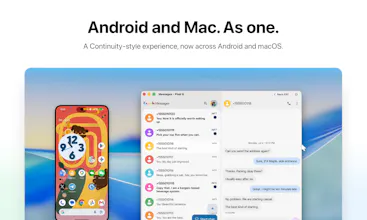
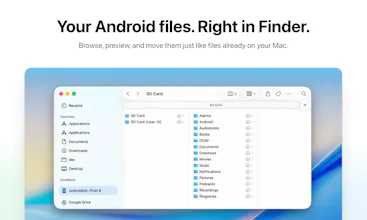
AndroMeld brings a Continuity-style experience to Android and Mac. Mirror multiple Android apps in separate, resizable, native-like Mac windows, hand off the app already open on your phone, and control it with keyboard & trackpad gestures. Browse Android storage in Finder, sync notifications and clipboard, and turn on your phone’s hotspot over Bluetooth. Support any Android 16+ devices connect by USB or Wi-Fi, with a free Web App available.
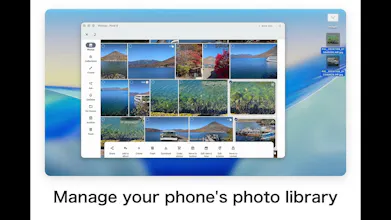
Hi Product Hunt, I’m Ruoxin, an independent developer behind IceBox (5M+ downloads on Google Play) and FilterBox.
AndroMeld brings app-by-app Android mirroring to Mac, with a Continuity-style experience across Android and macOS.
Instead of mirroring the entire phone in one fixed window, it can open multiple Android apps at the same time, each in its own resizable Mac window.
You can launch Android apps from Spotlight, see them in the Dock, type with the Mac keyboard, navigate with trackpad gestures, add app shortcuts to the desktop, and continue an app that is already open on your phone.
AndroMeld also includes:
• Android storage directly in Finder, with drag and drop and Quick Look
• Notification syncing and two-way clipboard sync
• File drops directly into the current Android app
• USB and Wi-Fi connections with automatic reconnection
• APK preview and installation
• An MCP server for tools such as Claude Code and Codex
• A free Web App for controlling up to 4 Android apps from a browser at the same time
Screen and audio streams, clipboard content, and files travel directly between your devices. AndroMeld does not relay this data through a cloud server, and there is no account to create.
AndroMeld is available now on the Mac App Store, with every feature free to try, plus a completely free Web App. Try it today and experience a more seamless connection between Android and Mac.
Report
Reviews
No reviews yetBe the first to leave a review for AndroMeld
AndroMeld