While building ArtDeck, I ran into a broader problem: a board saved in one reference app usually cannot be opened in another. Exporting a flattened image preserves its appearance, but loses the layout, original media, notes, groups, links, and editability.
I have published an experimental proposal called the Open Reference Board Format, or ORBF. It defines a portable package containing JSON board data and its media. The current draft covers images, animated images, video, text, URLs, drawings, groups, transforms, and stacking order.
Long-term access is also one of the main goals. Users should not need the original reference-board app just to recover their content. A standalone ORBF file is a ZIP package that can be opened with an ordinary archive tool. The board description is readable JSON, and the media files can be extracted directly. Even if no compatible editor is available years later, the user is not locked out of the material stored in the board.
Applications can keep their native formats and store app-specific behavior separately.
ArtDeck motivated the work, so I have documented that relationship openly. It receives no privileged treatment in the format. ORBF is a separate open project, and I have not shipped ORBF support in ArtDeck yet. No other application currently claims support either.
I m publishing the proposal now because this is the point where outside criticism can still change it. If you build a reference-board, moodboard, or canvas application, I would be interested in anything the current model gets wrong. If you use these tools, which parts of a board would you expect to survive when moving it to another app?




Hi Product Hunt 👋
I'm Alexandre, a solo developer. Last November I was working on concepts for a personal game project. My references were in PureRef, my links were in Notion, I was checking things in Photoshop and painting in Procreate. Two devices, three screens, four different tools. All for what was essentially one activity: drawing.
None of those tools was really the problem. PureRef is beloved for good reason. The problem was what happened between them. Every switch took me a little further out of what I was doing. PureRef didn't follow me to the iPad, and nothing quite held the whole mess together.
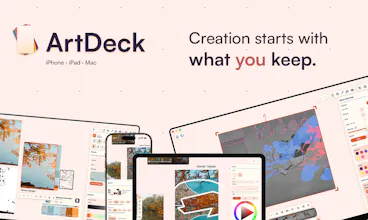
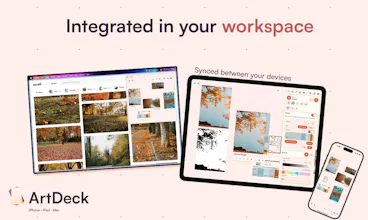
ArtDeck is a reference board where you can collect, organize and study. It's an infinite canvas for images, video, GIFs, links, notes and PDFs. It works offline and syncs through your own iCloud across iPhone, iPad and Mac.
It also quietly replaced my Notion visual library. Links become cards with previews, so I can keep an idea beside its source instead of trying to remember why I saved it six months later.
Some design choices are a little opinionated. I made the Gallery a carousel because choosing a board should feel more like flipping through a deck than opening a file manager. There is still a grid when you need it, but I wanted a little fun on top of the utility. The same instinct is behind the animations for deleting items and for creating or dissolving groups.
ArtDeck started from a drawing problem, but you don't need to draw to use it. A designer working in Illustrator can keep references, palettes and notes beside a project. A creator can build a moodboard and share a visual direction. If your brain likes putting things next to each other instead of burying them in folders, it should feel familiar.
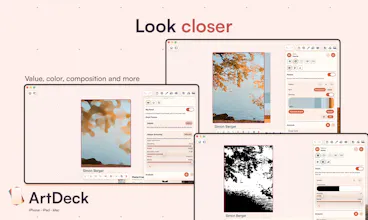
The part I care most about is the Toolbox: five lenses and fifteen tools so far, applied directly to any image or video frame. Strip an image to grayscale, map it into a value ladder, or reduce it to a two-value notan to see the masses. Pull out a palette and leave it beside the source. Check composition, squint everything down to the big shapes, or measure angles and proportions.
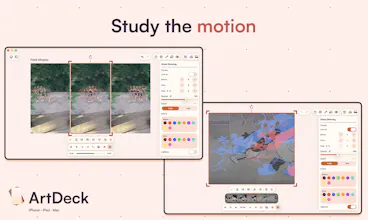
Onion skinning became one of my favorite parts. Drop in a video or GIF, move through it frame by frame, and see the frames before and after overlaid on the current one. I wanted motion references to behave like references you can actually examine, rather than videos that simply sit on the board.
None of these techniques is new, obviously. Artists have been using them forever with tracing paper, rulers and by squinting from across the room. I just wanted those tools one tap away from the reference itself.
Some things fought back. HDR looks like one standard until you discover that it is closer to a collection of competing interpretations. At some point, you realize you are choosing a position rather than simply implementing a spec. Sync means several live devices, each with its own truth, and CloudKit arriving with another one on top.
The release target was February. Then the end of April. In May I was sure only two weeks were left. Hi.
It's a one-time purchase, no subscription (I'm tired of those), and no account. Sync stays in your iCloud, so I don't need to build another service around your work and charge you for it.
There's a theme editor too, because apparently one set of design decisions wasn't enough. You can make ArtDeck yours and share the result.
I built ArtDeck for game concepts and drawing references, but that is only one way to use it. Would your first board be for a design project, a moodboard, research, or something I haven't considered?
@neuroartist Thanks! You can create multiple labels and assign them to boards, each board can have multiple labels and you can filter in the gallery with one or multiple labels. You can have labels like : Work, Reference, 2D, 3D
And you can search your 2D work or 3D references boards for example!