
Assist
Voice annotate your Mac, get screenshots + clipboard manager
175 followers
Voice annotate your Mac, get screenshots + clipboard manager
175 followers
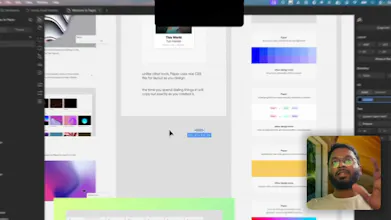
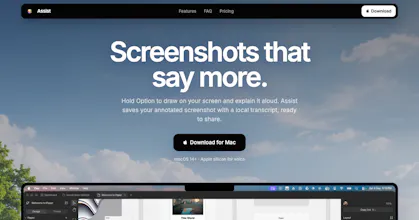
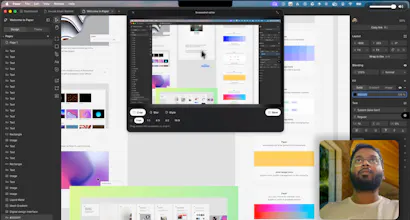
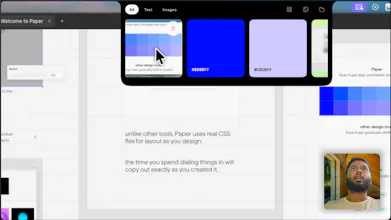
Annotate your Mac screen with voice, capture full-screen screenshots, and keep copied text ready to reuse from the notch.

Here is 50% Discount for the Product Hunt folks. Use Code PRODUCTHUNT50
How does this compete with Whisperflow?
@bhaskara_kempaiah1 It did not. The Voice annotation transcribe the speech locally and create a optimise prompt, which can directly be pasted to codex, claude code etc.
Congratulations on the launch! As someone who has carpal tunnel syndrome, this is really helpful.
@heyitsirenechan Happy to help :). Open for any feedback.
I love the idea but it would be great to be able to test it for a few days before buying it. If you ever add that, let me know! In the meantime, the ideas is fantastic.
@sebastian_sajoux1 I am Indie so I am avoiding free trial for now but I released the new version where we update the pricing according to Country. Also You can use FUNKEY50 for 50% off.
Hey beautiful folks, Abhishek here again.
Quick update 2 days after launch.
Assist hit #6 with 136 upvotes. Thank you.
I am very happy that you all are liking Assist in your daily workflow. For those of you who miss the chance of using Assist, I am keeping the offer (50% off PRODUCTHUNT50) open for 2 more days.
Thank you again for using Assist
PS: I am super excited
A clipboard manager that keeps history is a secrets store whether you designed it as one or not. Everyone pastes an API key or a password out of a manager at some point, and now it's sitting in the notch ready to be reused. Do you detect and skip those, or is there at least a retention window I can set? The voice half is the interesting bit, most annotation tools make you type the thing you'd have said out loud in two seconds.