Aviquill — A calm canvas for messy minds
A calm canvas for visual thinkers with messy minds
51 followers
A calm canvas for visual thinkers with messy minds
51 followers
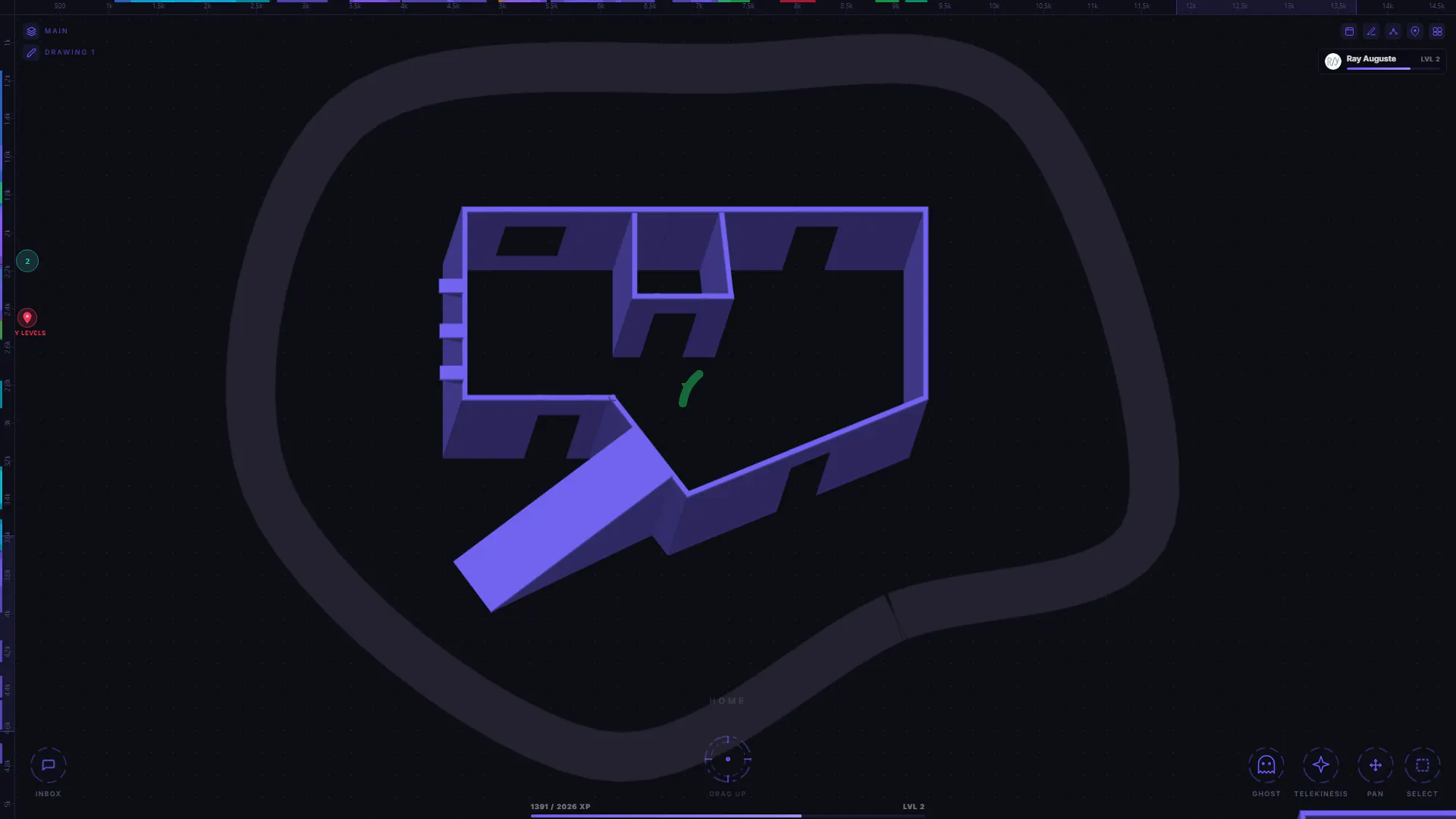
Most note-taking apps force your thoughts into rigid folders, endless pages, and linear structure. Aviquill helps you organize ideas more naturally — so projects feel clearer, research feels less overwhelming, and creative work can flow without getting lost in clutter. Built for visual thinkers who want a calmer, more flexible workspace where ideas can grow, connect, and make sense.
This is the 2nd launch from Aviquill — A calm canvas for messy minds. View more
Aviquill
Launched this week
Most note-taking apps force your thoughts into rigid folders, endless pages, and linear structure. Aviquill helps you organize ideas more naturally — so projects feel clearer, research feels less overwhelming, and creative work can flow without getting lost in clutter. Built for visual thinkers who want a calmer, more flexible workspace where ideas can grow, connect, and make sense.


Free Options
Launch Team / Built With


Aviquill — A calm canvas for messy minds
Hey everyone, I’m the creator of Aviquill.
I started building Aviquill because I kept struggling with traditional note-taking apps. Most tools either felt too rigid, too document-focused, or too overwhelming once projects became large and messy.
I wanted something that felt more natural for visual thinking. A workspace where ideas could exist spatially, projects could branch into layered spaces, and notes didn’t feel trapped inside endless folders and pages.
Aviquill is still early and I’m continuing to refine a lot of the experience, but this launch is a big milestone for me and I’m excited, and honestly nervous, to finally share it publicly.
I’d genuinely love feedback, especially from people who constantly switch between note-taking systems or feel like their current workflow fights against how they naturally think.
Thanks for checking it out.
Congrats on your launch!
Really like the spatial-dumping approach here. The teleport / zoom-out feature is the standout: I brainstorm in FigJam and Notion a lot and the boards always grow unwieldy, so a fast way to navigate a sprawling canvas is genuinely cool!
Two honest bits of feedback as someone who'd be a real user for this:
1) The launch talks about writing, arrows and groupings, but is there multimedia on the canvas? Dropping in images/files alongside text is a big part of how I actually brainstorm, and I couldn't tell from the page / demo.
2) The single-player part is the one thing that'd stop it replacing FigJam for me right now. Any chance collab features are on the roadmap?
Aviquill — A calm canvas for messy minds
@ferdi_sigona Thanks so much, really appreciate it. The "sprawling board" problem is exactly what pushed me to focus heavily on how you move around the canvas, things like the compass, checkpoints, and the constellation search came from trying to make navigation feel natural instead of overwhelming.
To your questions:
Multimedia on the canvas: Yes, it supports more than just text. You can add image galleries, audio files, YouTube links, MP4 videos, and checklists directly on the canvas. I didn't show every block type in the feature preview video, but they're all supported. You can even try them out in the app's free demo to get a feel for it without having to log in.
Collaboration: Live collaboration is already built in. You can invite people and work together on the same canvas in real time, and there's also a built‑in chat so you can talk with whoever you invite without leaving the board.
The 'messy minds' positioning is spot on — most note apps assume you think in neat folders but creative work doesn't work that way. Does Aviquill support embedding images or only text-based blocks right now?
Aviquill — A calm canvas for messy minds
@ravishankarai_official Thanks! And yeah, exactly, most tools assume you think in tidy folders, but my brain definitely doesn't work like that.
Aviquill already supports more than just text blocks. You can add image galleries, audio files, YouTube links, video files like MP4, tables, and checklists. I wanted the MVP to handle different types of content without feeling heavy, so those are built in from the start.
Our Miro boards are a graveyard of half-finished diagrams and stale sticky notes. The idea of layered spaces that stay clean without forcing folder structures is genuinely appealing — and the drag-intact grouping looks like it solves a real pain point. Keen to see how it holds up across active projects.
Aviquill — A calm canvas for messy minds
@bjd That's exactly the pain I was trying to solve. Canvases age badly, and I wanted a way to keep things clean without forcing structure.
Would be cool to see how it holds up in an active project.