
Breva
Turn your Mac trackpad into a gentle breathing guide
116 followers
Turn your Mac trackpad into a gentle breathing guide
116 followers
Breva turns your Mac trackpad into a gentle breathing guide. Choose a breathing pattern, set a session length, and follow a soft expanding orb with optional audio and haptic cues. It works locally, needs no account, and helps you take short reset breaks without reaching for your phone.



Hey Product Hunt,
I built Breva because I wanted a tiny reset ritual that lived on my Mac instead of my phone.
Most breathing apps pull me into a separate device, a subscription funnel, or a full meditation experience. I wanted the opposite: fewer features, less ceremony, and a quick way to reset from the Mac I’m already using. Breva is intentionally smaller: pick a rhythm, choose 3, 5, 10 minutes, or unlimited, and follow the orb, tones, and trackpad taps.
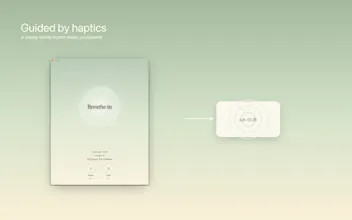
The unusual part is the haptic guidance. If your Mac trackpad supports it, Breva can quietly tap the breathing rhythm under your fingers, which makes it easier to follow without staring at the screen.
What is in this first version:
- Coherent, Easy Calm, Balanced, Calm, Box, and 4-7-8 Sleep patterns
- 3, 5, 10 minute, and unlimited sessions
- Visual, audio, and trackpad haptic cues
- Menu bar quick actions
- Local session history and preferences
- No account required
- Oh, and it's free :)
I would love feedback on two things:
- Which breathing pattern feels most useful during the workday?
- Does the trackpad haptic guidance make the session easier to follow?
Thanks for taking a look.
the haptic tap idea is genuinely clever, using hardware that's already there instead of another screen to stare at. curious about interruptions though - if a Slack ping or calendar alert fires mid-session does the orb just keep going underneath it, or does it pause/reset? the whole point of a reset break is not getting yanked back into work mid-breath, so how it handles that matters more than the pattern selection imo.
@galdayan Great question, and I agree. Right now Breva doesn’t pause or reset when a notification appears - the session keeps running underneath unless you manually pause/end it.
That said, I’m thinking about adding a more explicit “focus session” mode, because the real goal is for Breva to feel like a small protected pause, not another thing competing with work.
@dvain a focus session mode makes sense long-term, but a simpler stopgap might get you most of the way there - if Breva already knows when a session starts and ends, it could just quietly extend the timer by however long you were away instead of pausing/resetting outright. keeps the protected-pause feeling without adding a whole new mode to configure
The trackpad haptics as a breathing pacer is such a clever use of hardware that's just sitting there — eyes-free guidance is exactly what's missing in most breathing apps, you either stare at an orb or you're lost. Did you run into limits with the Taptic Engine on the slower patterns like 4-7-8, or does it handle long holds fine? Local-only and no account is a great call btw — building in the health space myself and I'm convinced that's the right default for anything body-related.
@anton_yakymenko Thanks Anton, really appreciate this. That was exactly the idea: breathing guidance you can feel without needing to keep your eyes glued to the screen.
The trackpad haptics handle the slower patterns well, including 4-7-8, but macOS haptics are pretty intentionally limited: you get discrete trackpad taps rather than a fully custom continuous haptic waveform. So Breva uses them as gentle rhythmic anchors, while the orb and audio carry the longer phase timing.
And agreed on local-only: for an app centered on breathing and relaxation, keeping it local and account-free felt like the right place to start.
Congratulations on the launch! Keeping the reset on the Mac rather than the phone is a smart choice since the phone is usually the thing you're trying to step away from. What I'd be curious about is whether people actually come back to it on a stressful day, or whether it slips into the background once the novelty passes.
@alieksia Thank you, and that’s exactly the question I’m most curious about too!
The bet is that keeping it on the Mac makes it easier to use in the moment you actually need it, without picking up the phone and getting pulled somewhere else. But long-term retention is the real test. If it can become a calm 2-minute habit between tasks, then it’s doing its job.
@dvain That "between tasks" framing feels right: the pause is already there, so you're just filling it. Hope it grows into the habit. Good luck :)
does this work with an external Magic Trackpad too, or is it built-in-trackpad only? a lot of desktop Mac setups don't have a haptic trackpad plugged in by default so curious how you're handling that gap.
@sabber_ahamed Hey, I'll be honest: I don't have magic trackpad, so couldn't test it yet, but it should work with an external Magic Trackpad as long as it supports Force Touch/haptic feedback and haptics are enabled in macOS System Settings.
this idea is great! as someone that's always had a passion for mindfulness, it's cool to see an app like this. would you ever consider a mobile app? i know the app uses a trackpad but it would be convenient to have a mobile equivalent as well. great work!
@ethan_cheng Thank you, really appreciate that!
Yeah, I think a mobile version could definitely work. iPhone haptics are more configurable than what macOS exposes for the trackpad, so there’s actually a lot of room to make the breathing guidance feel more nuanced there.
I started with Mac because the trackpad felt like an underused place for this kind of app, but I’ll definitely think about a mobile version too!
The expanding orb is such a nice touch, way more intuitive than those rigid square timers I've tried before. Appreciate that it all runs locally too, no account or signup friction.
@halilkarglraw6 Thanks Halil, that means a lot. I wanted the orb to feel soft and physical, more like something you can settle into than a timer you have to "obey".
And yes, local-only/no signup felt essential for this kind of app. It should just open, guide you for a few minutes, and get out of the way. No unnecessarily long onboard, features etc. :)