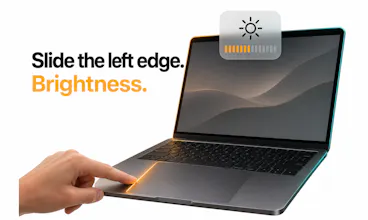
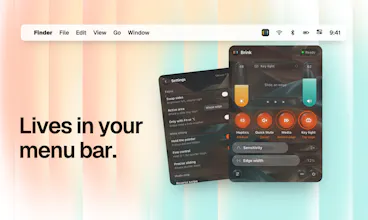
Brink is a free macOS menu bar app that turns your trackpad's edges into controls. Slide the right edge for volume, the left for brightness, the top for keyboard light. Swipe the bottom to skip, double-tap the corner to mute. Native HUD, haptic ticks.
My MacBook trackpad has four edges I never use, and I kept reaching for the menu bar to change volume and brightness. So I built Brink.
• Right edge: slide for volume
• Left edge: slide for brightness
• Top edge: slide for keyboard light
• Bottom edge: swipe to skip, and double-tap the top-right corner to mute
It shows the same HUD as your keyboard keys, ticks under your finger as you slide, and keeps the pointer still while you do it. Hold ⇧⌥ for quarter steps, pick where slides can start, swap sides, or require Fn/⌥. Works with Magic Trackpad and Magic Mouse too.
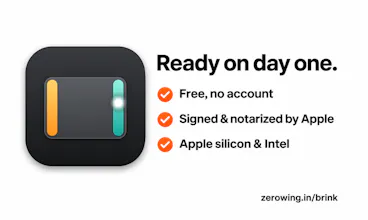
It's free, signed and notarized, universal (Apple silicon + Intel), built in Rust with Tauri, and updates itself. macOS 13+.
Would love to hear which edge you end up using most.
It's working fine on my Mac and is really useful. I personally love the Haptic feedback in trackpad. It feels smooth and kind of loving impression over fingers.
One thing i noticed that the Key light fea is not working while sliding. Please check that.
Brink is an incredibly intuitive utility that utilizes the dead space on the MacBook trackpad perfectly. Adjusting volume and brightness with a simple edge slide—complete with haptic feedback—feels like a native macOS feature Apple should have built themselves. It keeps you in your workflow without forcing you to look down and hunt for media keys.
What needs improvement
It would be great to see support for custom gesture mapping in future updates. Being able to assign specific apps, developer macros, or window management actions to different corners would make it even more powerful.
vs Alternatives
Standard macOS keyboard shortcuts and heavier macro tools like BetterTouchTool. Brink stands out because it’s hyper-focused, requires zero complicated configuration, and works flawlessly right out of the box.
Hey Product Hunt 👋
My MacBook trackpad has four edges I never use, and I kept reaching for the menu bar to change volume and brightness. So I built Brink.
• Right edge: slide for volume
• Left edge: slide for brightness
• Top edge: slide for keyboard light
• Bottom edge: swipe to skip, and double-tap the top-right corner to mute
It shows the same HUD as your keyboard keys, ticks under your finger as you slide, and keeps the pointer still while you do it. Hold ⇧⌥ for quarter steps, pick where slides can start, swap sides, or require Fn/⌥. Works with Magic Trackpad and Magic Mouse too.
It's free, signed and notarized, universal (Apple silicon + Intel), built in Rust with Tauri, and updates itself. macOS 13+.
Would love to hear which edge you end up using most.
It's working fine on my Mac and is really useful. I personally love the Haptic feedback in trackpad. It feels smooth and kind of loving impression over fingers.
One thing i noticed that the Key light fea is not working while sliding. Please check that.
BTW, congratulations on the launch.