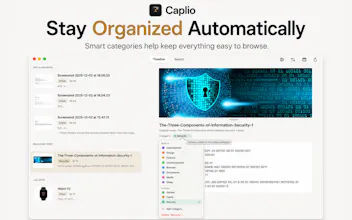
Caplio turns scattered screenshots and images into a private, searchable library on your Mac. Think of it as a lightweight asset manager for screenshots and everyday images. Add your folders, and Caplio automatically watches, indexes, and extracts text with on-device OCR. Browse by timeline, search, or category; organize files automatically, then drag any image straight into another app. No uploads or cloud OCR. Your images stay on your Mac.
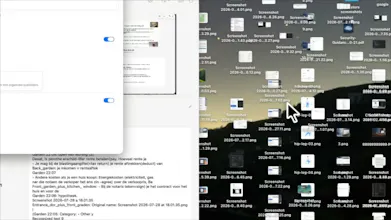
Hey Product Hunt
I built Caplio because I realized I was taking screenshots and saving reference images all the time, but rarely had a good way to find them again when I actually needed them.
I wanted something simple: point it at the folders I already use, let it understand the text inside my images, and make everything easy to search, browse, and reuse.
That became Caplio.
Caplio creates a searchable visual library from your screenshots and images. It uses on-device OCR, gives you a visual timeline, lets you filter by date or category, and can optionally organize the actual files on disk.
One of my favorite parts is drag & drop: once you find an image, you can simply drag it from Caplio into another Mac app. You can also quickly copy or share the image, its extracted text, or both.
Privacy was important to me from the beginning, so OCR and indexing happen locally on your Mac. Your images and extracted text aren't uploaded for processing.
Caplio is still at the beginning, and I'm actively working on improving it. I'd especially love to hear:
• How do you currently manage screenshots and reference images on your Mac?
• What would make Caplio more useful in your daily workflow?
• And what feels confusing or unnecessary?
Thanks for checking it out. I’ll be here throughout the launch and would love to hear what you think.
Report
I loved this idea a lot! Especially how you can browse depending on things such as timeline or category. A most recent category is definitely something I would access often
@yelyzaveta_kibets Yes, the OCR supports multiple languages, not just English. It uses Apple’s on-device Vision framework, so language support and accuracy can vary a bit depending on the language.
to answer your "what would make it more useful" question - duplicate detection would be the big one for me. I retake the same screenshot two or three times when I'm trying to get the crop right, and they all end up sitting in the library looking identical. Something that flags near-identical screenshots taken a few seconds apart and offers to merge or delete would keep the library from turning into the same mess it's meant to fix.
@galdayan Caplio already has duplicate detection, but I really like the idea of taking it further with near-identical screenshots, especially ones taken a few seconds apart. That would be super useful.
Caplio
I loved this idea a lot! Especially how you can browse depending on things such as timeline or category. A most recent category is definitely something I would access often
Caplio
@javely_tejeda_benitez
Thank you! 😊 Yeah, quick access to recent images is something I use a lot myself too. Glad that part stood out to you!
Softorino 💻📲
Half my screenshots folder is stuff I saved once and never found again. Does the on-device OCR handle non-English text too?
Caplio
@yelyzaveta_kibets Yes, the OCR supports multiple languages, not just English. It uses Apple’s on-device Vision framework, so language support and accuracy can vary a bit depending on the language.
Dial
to answer your "what would make it more useful" question - duplicate detection would be the big one for me. I retake the same screenshot two or three times when I'm trying to get the crop right, and they all end up sitting in the library looking identical. Something that flags near-identical screenshots taken a few seconds apart and offers to merge or delete would keep the library from turning into the same mess it's meant to fix.
Caplio
@galdayan Caplio already has duplicate detection, but I really like the idea of taking it further with near-identical screenshots, especially ones taken a few seconds apart. That would be super useful.