
Automate the generation of documents from a universal templating engine. Create templates with your favourite text editor, and add dynamic content with Carbone tags (text, colours, images, graphs). Anybody can design beautiful documents, not only developers.
This is the 2nd launch from Carbone. View more
Carbone Skill for AI
Launched this week
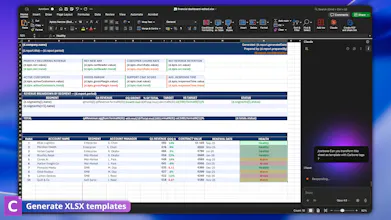
Carbone is a universal document-generation engine: feed it a template file and JSON file, and it produces pixel-perfect documents at scale. The Carbone Skill teaches AI assistants like Claude or ChatGPT the entire Carbone templating language. Describe what you want in plain language and your AI writes correct Carbone syntax, builds templates in DOCX, XLSX, PPTX, HTML or PDF, and validates tags before you render automatically at scale.



Free
Launch Team

Carbone
@steevep Congrats on the launch team. Very cool, can I upload brand CI etc and have it extract the details and apply to new docs?
Carbone
Bonjour @zolani_matebese 👋
The Skill itself teaches the AI the Carbone templating language rather than doing brand extraction directly, but in practice, yes, you can absolutely achieve this.
You can give the AI your brand details (colors, fonts, logo) as context, paste your guidelines, a hex palette, or even an existing PDF brand document, and ask it to build templates that match. It'll apply your styling to the generated DOCX/XLSX/PPTX/HTML templates. If you have a structured brand kit, the cleaner the input, the more consistent the output.
Happy to walk through an example if you'd like, I'm available for a demo!
Document templates as a skill layer for AI is a powerful pattern — especially for structured financial documents where the same template logic needs to run across hundreds of variations.
I publish project finance and valuation model templates on Eloquens (eloquens.com/channel/samir-asadov-cfa) and the templates are Excel-heavy with formula interdependencies that go beyond text placeholders. The XLSX support in Carbone is what makes this interesting — does the AI understand Excel formula syntax and named ranges, or is it treating the .xlsx primarily as a tabular structure to fill rather than a live calculation engine?
Carbone
Thanks @samir_asadov ! you're asking exactly the right question.
Good news for your use case: Carbone keeps the XLSX as a real, working workbook. The formulas, the inter-dependencies, the named ranges you've built in Excel: they all stay intact. Carbone just drops the dynamic data into the cells your formulas point to, and everything recalculates normally when the file opens. So your model stays a model, and it's not getting flattened into static numbers.
The Skill's role is teaching the AI to place Carbone tags correctly within that structure, including inside formula contexts and across ranges without breaking the formula references.
If you'd like to stress-test it against one of your valuation models, happy to help you try it. I'm available for a live demo :)
great work! How does the validator catch a formatter that doesn't exist in Carbone? I am thinking if the AI invents a name that's syntactically clean but unknown, is the skill parsing against an actual grammar pre-render?
Carbone
Merci @artstavenka1! To answer your question: The Skill is a knowledge layer that grounds the AI in Carbone's complete documented formatter set, with a core rule: "never invent syntax, anything not documented doesn't exist." So a clean-looking but unknown formatter gets flagged against the real reference list instead of accepted. The actual grammar enforcement happens at render time in Carbone's engine; the Skill's job is to catch the invented ones before you get there.
Very interesting launch. How well does the Skill handle large multi-page reports with nested loops and conditional sections?
Carbone
Thanks @starkturtle ! Really well, actually. Nested loops and conditional sections are core Carbone features, and the Skill knows them in depth, including the tricky parts like keeping loop blocks from interleaving and pairing show/hide conditions correctly.
Multi-page reports work great across all the template formats, so you can pick whatever fits your case, DOCX, HTML, PPTX and the rest. Just describe the structure and the logic in plain language, and the AI builds the template with the right nested loops and conditionals in place.
Happy to help you try it on a real report if you want to put it to the test!
Mailwarm
Can it handle complex tables and conditional sections in DOCX without breaking formatting when data varies a lot?
Carbone
Bonjour @othman_katim 👋 to answer your question: that's exactly what Carbone is built for. The data can vary a lot from one render to the next and the DOCX formatting holds up, because your template stays a real Word document. Loops expand rows, conditional sections show or hide, and the styling you set stays intact.
The Skill helps you get there cleanly. It knows the patterns that keep formatting safe, like keeping loop blocks from interleaving, pairing show/hide conditions properly, and handling tables that grow with the data.
If you're interested, I'm available for a demo call :D
Polyvia
Teach your AI to build document templates: A "Skill" that teaches AI your templating syntax is a clever distribution move. How do you validate that the AI-generated Carbone syntax is correct before render — is there a semantic check on the template structure? The validate-before-execute pattern is something I care about a lot.
Carbone
Hello @mateusz_gierlach ! The simplest way to put it: the Skill helps write correct templates, and Carbone's engine renders them. Two separate steps.
The answer in detail:
The Skill is a knowledge layer for the AI. Before anything gets rendered, it checks the template against Carbone's real, documented rules, things like loop blocks not interleaving, show/hide conditions being paired, and formatters actually existing rather than being invented. If something doesn't match the language, it gets flagged instead of passed through. That's your validate-before-execute step.
Then Carbone's engine takes the finished template plus your JSON and generates the document. That's where the final grammar enforcement happens at render.
I'm available to make a live demo :) in the meantime, have a good day!
WeWeb.io
Nice, this is game changer for me, I'll test it right now! Can I give a file to re-create it in another format?
Carbone
Bonjour @alexy_carlier1 ! Glad to see you there!
And yes, exactly. Give the AI your existing file and ask it to recreate the template in another format. It rebuilds the structure and the Carbone tags in the target format (DOCX, XLSX, PPTX, HTML, and so on). Just keep in mind each format has its own strengths, so the layout may adapt a little to fit the new one.
Let me know how the test goes, curious to hear what you build! ;)