Hey everyone!
Thank you for all the support on Chopstick, it's been amazing to see all the love for it! We finished the day on #7!
I wanted to share the updates that have gone out since the release:
Search has improved a lot. With one shortcut you can convert units, do math, view the weather, kill a port or do anything else a widget provides.
Convert, compress or pass files to your agent by just dragging them onto the notch.
Multiple new built in widgets including Clipboard History, Caffeinate and Activity Monitor.
You can view built in and community widgets on https://chopstick.sh/widgets.
Support for GitHub Copilot.
For a quick ask: I would love to see how you set up and use Chopstick. If you do a 20-minute call with me, I'll walk you through setup and listen to your feedback. In return I'll hand you a free license! If you already bought one, I'll refund you.
Join the discord here and send a quick message to #feedback-calls! I'll keep it to the first 10 people.


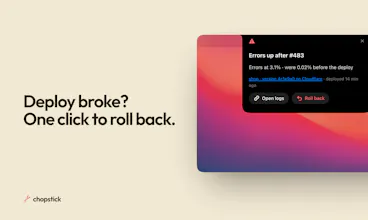


Hey PH!
I'm super excited to share Chopstick with you! It's in my opinion the best app for bringing custom widgets to your Mac notch.
With Chopstick you get
statistics on your activity, app usage and more
your own widget editor connected to your coding agent to build custom widgets
automatically created widgets based on your activity
Widgets are super customizable. They can trigger from any script, meaning they appear exactly when you need them. They are highly powerful as they can also trigger custom scripts!
I'm super excited to see what you build with this!
Give it a download and let me hear your feedback!
- Josh
I'd want to edit a suggested widget after trying it for a few days. The routine it picked up may be real, but the exact shortcut will still need a little adjustment.
@oleksii_sekundant You can do that with chopstick! The editor lets you make any changes or even build entire widgets from scratch
the widget editor sounds useful when the shortcut u need is specific to one project
i would want to see the script a suggested widget will run before enabling it
The auto-suggested widgets are the part I'd want to understand first — how does Chopstick decide a repeated action is worth turning into a widget, rather than just a one-off routine? Is there a repetition threshold or a time window it watches before it suggests one, and can I dismiss a suggestion without it coming back?
@jcbuilds Because it keeps a log of what you did it can find patterns across multiple days! From that point you always confirm and if it gets something wrong you give it a comment to steer it for the future
been using this for a while now, absolutely love it. replaced a lot of apps for me, I can just build any widget I want now!
Widgets that build themselves from what you repeat is a fun twist on the notch idea. What's the first widget it suggested for you, Josh?
@neerajnathany Last night it suggested a launch tracker across producthunt, plausible and hackernews! Didn't plan for it but I'm using it right now :)
Interesting approach to Mac automation with AI. Quick questions: How does Chopstick handle privacy vs tools like Alfred/Keyboard Maestro? And does it support cross-app workflows that require timing or sequential steps? The local activity log is a great privacy-first feature - worth highlighting more prominently.
@omri_ben_shoham1 Great question! You get controls for any app and website you would like to exclude from the logs. Additionally there is detection for common patterns like secrets to filter out as well.
For sequential workflows, yes absolutely! Chopstick can show the widget on specific conditions and then update it's state as you move through a workflow!