
Clarafy
Type messy and have it instantly polished
170 followers
Type messy and have it instantly polished
170 followers
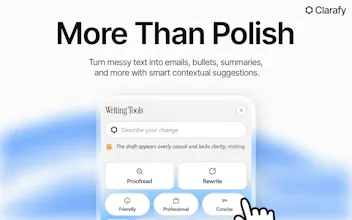
Most tools force you to edit. Clarafy is a zero-suggestion chaos translator. Type or dictate a messy stream-of-consciousness, hit a hotkey, and it instantly rewrites perfect text in place. Standout Features: App-Aware: Formats contextually for Gmail, Slack, or ChatGPT. Hold-to-Dictate: Ramble out loud; release to inject polished prose. Tone Matching: Learns and mirrors your unique voice. No suggestions, no underlines. Just one-and-done clarity.



Free Options
Launch Team / Built With


Render: Get up to $100K in startup creditsThe fastest way to launch and scale your startup in the cloud
Promoted
The thing I'd want to stress-test is whether "polished" ends up meaning "sounds like every other AI." Half the internet can already smell the default ChatGPT register now, that over-smooth rhythm where every sentence lands the exact same way. So when you clean up messy input, are you fixing grammar and clarity, or are you also sanding off the voice that made it read like an actual person wrote it?
StyleMemory is the part I'd actually pay for, if it genuinely learns my quirks instead of regressing everyone toward the same clean-but-faceless tone. How many polishes before it's matching me and not the generic house style? And does it ever leave a messy line alone because the rough version was the more human one?
@firecalculatorhq You’re right. The biggest risk with these tools is sanding off personality until everything sounds like generic AI slop.
StyleMemory is our attempt to solve exactly that. It doesn’t just learn “better English”, it learns your quirks, rhythm, vocabulary, and how you actually sound. The more you accept/reject polishes, the better it gets at keeping your voice while cleaning up the mess.
Right now it’s still early. After ~30–50 polishes it starts to feel noticeably more “you.” But we’re actively working on making it faster and smarter at preserving the human parts that should stay rough.
If it ever makes something too clean and loses the soul, I want to hear it. That feedback is gold.
Appreciate you thinking this deeply about it.
@liam_tidholm Funny timing.. I was just doing this today. I tried to use AI to help me write a post, ran it through Pangram, 100% AI even after I had humanized it. So I rewrote it myself with my own quirky english (english is not my mother tongue), and then it landed on 100% human.
What hit me was that it was the mistakes that saved it - broken grammar, a typo, uneven rhythm. Exactly those things a tool wants to fix. So the real test is maybe not wether it learn your vocabulary, but wether it manages to back off from fixing those «mistakes» that are actually what makes you sound more human. Fascinating problem to work on and wrestle with
@liam_tidholm this looks super useful and the keyboard short cuts are nice! Quick question, does it adapt to context at all, like knowing a Slack message should stay casual but an email should read more formally, or is it one consistent "clean up" pass for now?
@tom_palmer_ux Yep, context awareness is a big part of Clarafy.
It doesn’t apply the same rewrite everywhere. Clarafy looks at what you’re writing and adapts automatically. A Slack message stays casual and conversational, an email becomes more polished and professional with clear structure, and an AI prompt gets detailed for better results. So in short it know wether your in Gmail, slack, notion, or ChatGPT etc.
The goal isn’t to make everything sound the same, it’s to make your writing clearer while preserving the intent and tone that fit the context.
We also have tone learning called StyleMemory so over time Clarafy can better understand and match your own writing style rather than forcing a generic AI voice.
@liam_tidholm Nice! As you say, the goal shouldn't be for everything to sound the same. StyleMemory sounds like the key this, particularly as it sounds like it continuously learns and adapts - so you style it X or Y situation may change over time.
This sounds useful for someone like me. My thoughts often come out messy, especially when I'm writing reports, I can spend a long time just polishing the wording and trying to make everything sound clear.
I can also imagine this being helpful for understanding customer feedback or support messages. Sometimes users explain their needs in a very long or messy way, and a tool like this could help "translate" the message into something clearer so we can understand the main point at a glance.
Good luck with the launch!
@evakk Really appreciate that.
That’s actually one of the use cases that inspired Clarafy. Most people don’t struggle with what they want to say, they struggle with turning messy thoughts into clear communication.
The customer feedback example is interesting too. We’ve found that Clarafy can be useful for taking long, unstructured messages and surfacing the core idea more clearly, which saves time when you’re processing lots of information.
Thanks for the support and for taking the time to share your thoughts!
@sa206 StyleMemory is built exactly for this. It learns from every polish you accept, your vocabulary, sentence rhythm, emoji usage, and overall voice.
So instead of making everything sound generic, it tries to keep your personality while cleaning up the mess. The more you use it, the more it sounds like “you, but sharper.”
Early days still, but this is one of the things I’m most focused on improving.
Appreciate you asking!
Ctrl+Z bringing back the original is the detail that makes this feel safe to try. You can use it on something important without committing blind. That's a small design call that probably drives a lot of first-time trust. Congrats on the launch!
@jared_salois Thanks! Yeah and we have a revert button after each polish that users can easily click👍
I’ve been using Clarafy for a few days and it’s one of those tools that quietly becomes part of your workflow. Instead of spending time fixing wording, grammar, or restructuring sentences, I just write naturally and hit the shortcut when I’m done.
What I like most is that it doesn’t interrupt me while I’m writing. It lets me focus on getting my thoughts out first, then turns the rough draft into something clear and polished in a single step.
Funny enough, I even used Clarafy to polish this review before posting it.