

ClickSay
Click any element and ClickSay instantly captures it
134 followers
Click any element and ClickSay instantly captures it
134 followers
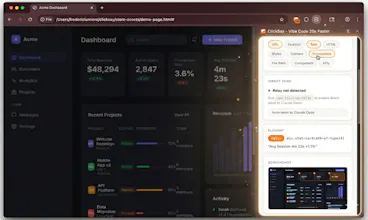
Click any element on your page and ClickSay instantly captures its CSS selector, computed styles, HTML, screenshot, and React/Vue/Svelte component name. Add your fix with voice or text, and a structured prompt hits your clipboard. Paste into Claude Code, Cursor, or any AI tool - it nails the fix first try. No more "the button in the header with the rounded corners..." Sweep Mode lets you click 5 elements and fix them all in one prompt. Free to start. Code PRODUCTHUNT2026 = 3 months Pro free.




ClickSay
Hey Product Hunt! 👋 I'm Fred, and I made ClickSay.
Here's why I built it. I've been vibe coding for months - building everything with Claude Code (i use it in terminal but this can be done in any AI building tool, OpenAI Codex, Replit, Lovable, you name it...). And I kept running into the same annoying wall. I'd see a UI bug, switch to Claude Code, and spend 30 seconds trying to explain which element I meant. "The button in the header, the one with rounded corners, make the font bigger." The AI would get the wrong one. I'd try again. Still wrong.
Turns out the bottleneck was never the AI. It was me trying to describe what I was looking at.
So I built ClickSay. Press Cmd+Shift+K (or change it to any shortcut you like), click one or more elements (Use shift key for more than one), say what you want fixed (in any of the 20 supported languages), or changed, or even a large enhancement. It grabs the CSS selector, computed styles, HTML, (lot of options to add in the sidebar like the screenshot with the element highlighted, and even the React/Vue/Svelte component name). All of that gets packaged into a structured prompt and lands on your clipboard.
Paste it into whatever AI tool you use. It gets the full picture and nails the fix first try.
ClickSay completely changed how I work. It's the tool I reach for more than anything else now. What used to be a full minute of typing and back-and-forth takes three seconds. I'm shipping UI fixes way faster, and that compounds across a whole build session. Some days I'll ClickSay 100+ changes without even thinking about it. It's just muscle memory at this point.
For the PH community - use code PRODUCTHUNT2026 for 3 months of Pro free.
I'm really interested in finding out if this changes your daily behavior like it changed mine. One of my beta testers told me the other day he is "hooked on ClickSay". That's awesome. Let me know what you guys think! Cheers- Fred
Here's a video that shows how I use it with Claude Code (I built this complete website MatchCentral with ClickSay btw):
Perfect. This might have been just the solution I have been looking for all along to deal with stubborn code. Does it only copy CSS code, or does it also do JavaScript?
ClickSay
@shemojs Great question. It captures way more than just CSS. When you click an element, ClickSay grabs the CSS selector, computed styles, the actual HTML markup, and with Pro it also captures a screenshot with the element highlighted, the React/Vue/Svelte component name and file path, and even an accessibility audit.
So if the issue is JavaScript-related, the AI tool you paste into (Claude Code, Cursor, etc.) gets enough context from the selector + HTML + component name to find and fix the JS too. You're basically giving the AI a precise pointer to the exact element and saying "fix this" - it handles the rest whether it's CSS, JS, or both.
Try it out and let me know how it goes with that stubborn code!
@fredmaker Cool. I'm definitely trying this.
Really like this idea. When vibe-coding frontend, its definitely a lot of effort trying to describe your changes to the agent. The click + dictate approach is a cool concept to get best of both worlds.
ClickSay
@tteer Thanks! It's accurate and really quick.
@fredmaker Oh man, I feel this one. I spend half my time in Cursor just trying to explain which element 'm talking
about. "No, the OTHER button. The one with the shadow." Having the selector and styles auto-captured is a game changer.
ClickSay
@maurya_abhiranjan Thank you. I agree. You can't fully appreciate the value until you start using it. ClickSay has rewired how I work.
ClickSay
I can't believe how in less than 2 weeks, 40 years of how I interact with computers has been completely transformed. I built a chrome extension to better work with Claude Code and now, it is virtually the only tool I use on my computer 16 hours a day. I'd love to know how it also changes your daily behavior.
This is such a smart solve, Fred. The "describing what I'm looking at" bottleneck is so real - I've wasted so many minutes trying to explain a button's position to an AI.
The CSS selector + computed styles + component name approach is clever. That's basically giving the AI perfect context instead of hoping it guesses from your description.
Congrats on the launch! Wishing you a great one!
ClickSay
@aethorn Thank you. Appreciate it. I love the product. Has become the product I use the most now! :) Enjoy and let me know how things go with it.