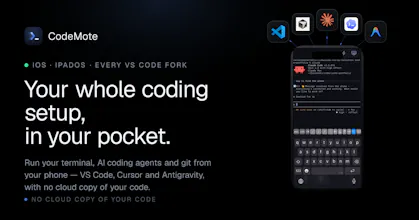
the lock screen live activity is the actual unlock here, not the fact that it's a terminal on your phone. I had a nice back and forth with the maker about the approval flow, and it turns out the lock screen is intentionally just a streaming view, you still have to open the app and see the real diff to approve anything. that's a good design call, it stops you from rubber stamping a change you never actually looked at. no relay server touching your code was the other thing that got my attention, that's not a small claim to make and they were upfront about the exact tunnel options behind it
the onboarding doesn't make it obvious upfront which tunnel option to pick, devtunnel vs tailscale vs ngrok, for someone who isn't already running one of those. a short default recommendation for people who've never set up any of the three would save a bit of friction on day one
I looked at just SSH-ing in from Termius when an agent needed me, and a couple of the generic remote desktop apps. both work in a pinch but neither is built around the specific rhythm of an agent that's idle 90% of the time and then suddenly needs one decision from you

The interesting constraint here isn't the iOS interface, it's latency and interruption. CLI agents mid-task don't always pause cleanly, and if you're driving one from your phone on a spotty connection and the session drops, you need to know whether the agent kept going, stopped, or did something half-finished that left the repo in a weird state. Curious how CodeMote handles that. Also wondering whether you have any visibility into agent output in real time or if it's more of a fire-and-check-back situation, because the value of mobile control drops a lot if you can't actually watch what's happening.
@fberrez1 Great questions Florent, really thanks for the opportunity to explain better how CodeMote works
The agent doesn't run on your phone. It runs on your machine (Mac, VPS, wherever your code is), and your phone is just a live window into it. So if your connection drops, nothing happens to the agent, it keeps going exactly as if you'd locked your phone and stepped away. When you're back online, you pick up right where you left off and see everything that happened while you were gone. Nothing's lost, and you're never guessing whether it kept running or stalled.
And yes, it's fully live, not fire-and-check-back. You watch it work in real time and can jump in the moment it needs you. And sends you notifications when it needs you to do action, so you can fire and forget actually.
I hope I answered your concerns :) what do you think?
The Lock Screen Live Activity flipping to waiting with a push is what actually makes this desk-free, since long agent runs are mostly idle waiting for one approval. When I have two or three agents going at once (say Claude Code and Codex in separate sessions), do they each get their own Live Activity/terminal, or is it one merged stream where I have to work out which agent is asking? And if the tunnel drops mid-run, does the session survive on the machine side and re-attach, or is the terminal state lost?
Per-terminal live activities is exactly what I hoped — thanks. On the reconnect: while the tunnel is down, does the agent keep running headless on the machine so I reconnect to finished work, or does it pause until the device is back? That difference decides whether I can kick off a long run and actually walk away.
Perfect, headless-on-the-machine with reconnect sync is exactly the walk-away behavior I wanted. One follow-up for the multi-agent case: if I have three running offline and one hits an approval it cannot auto-accept, does that one just park until I am back while the others keep going, or does anything about the paused agent stall the shared session or stream? Trying to make sure one blocked agent does not hold up the rest.
@noctis06 I'm sorry for the late response, if you have 3 agents working, and one need approval, if you enabled notification it will just send you a notification, and you approve that session. every agent is independent from each other.
and yes they continue while you are offline, when you are back Apple sends you the notification, otherwise going into the terminal of each you can find what they are doing
That "start it, wait 20 minutes, answer one thing, wait again" loop is basically my day, so this really lands for me. One place I might differ from the demo: I run most sessions in auto-accept, usually a few at once, so the agent rarely stops to ask — it just finishes or dies on an error. So I'm curious how the push plays out for me — does the Live Activity fire on completion and failure too, or only when the agent needs input? And can it hold several concurrent sessions and pull me to whichever finishes or breaks first, or is it one pairing at a time? Ambient status across a handful of auto-running agents is what would actually get me away from my desk. The no-relay, code-never-leaves-my-machine setup is a big part of why I'd want to try it.
@kyo_shino hey kyo , thanks for you question!
the push notifications are per agent, so you can have multiple sessions and everyone fire an independent notification and live activity.
and yes they intercept both failure or when agent is done, everytime clause needs you to do something, it sends you an alert
@castedev That's the combination I was hoping for — per-agent notifications plus intercepting both "done" and "failed" is exactly what makes it work for how I run. The only thing I'd watch at three or four parallel agents is signal volume: keeping the "failed / needs input" pings loud while muting the routine "done" ones would stop it turning into noise. Either way, this just became something I'd actually keep on my phone — thanks for the thorough answer, and congrats on the launch.
The Lock Screen Live Activity feels like the real wedge here: most agent runs are not fully hands-off, they are long stretches of waiting with 1-2 tiny human approvals.
One thing I'd love to understand is how you separate a safe approval from a risky one on mobile. A compact diff summary plus the exact command/action being approved would make the phone workflow feel much safer than just mirroring the terminal.
@grace_lee26 hey, thanks for the comment!
the app itself is just an extend version of your laptop, so the flow to approve/review something is the exact same in both
you have access to all diff files, all things your agent said in the chat
@jason_scott8 Hello Jason, thanks for you comment! CodeMote currently implement a shortcuts for common actions, so you don't need to every time type the same thing
but could be even better if you could launch this shortcut easier, or even from the live activity.
you gave me a good input for a new feature!
Thanks
@alex_bravo1 Yeah, that's exactly the use case! just leave your laptop at home and enjoy life while not missing out anything!
On the connection drop: you're actually covered by design. When the app is open we stream over a live socket, but the moment it's backgrounded or you lose signal, notifications go out through APNs (Apple's push service), which does the store-and-forward for you. If your phone is offline for a few minutes, Apple holds the latest push and delivers it the second you're back online, so you don't miss the "agent is waiting for approval" moment.
And because the agent + terminal run on your machine (not the phone), nothing is lost while you're disconnected, the session just keeps waiting. When you reconnect, the full state is right there.
Hope i answered your question :)


CodeMote
Hey Omri! Thanks for your review.
I will definitely going to improve the onboard and point to the easiest setup, in fact i'm working on adding a new way to connect that will not require any additional setup from the user, will be just plug and play!