Cosyra
Run AI coding agents from your phone
419 followers
Run AI coding agents from your phone
419 followers
Cosyra is a mobile cloud terminal for AI development. Run Claude Code, Codex CLI, and Gemini CLI directly from your phone. Build with AI agents anywhere - no laptop or remote desktop required.
This is the 2nd launch from Cosyra. View more
Cosyra 2.0
Launched this week
Cosyra gives you a persistent workspace for cloud agents. Your repos, branches, files, dependencies, terminals, and agent work stay together. Open it from your phone and keep building without leaving a laptop awake.


Free Options
Launch Team / Built With


Cosyra
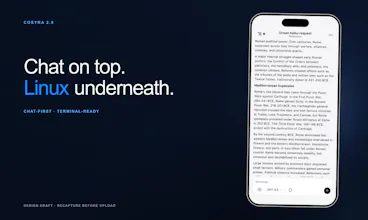
Hey Product Hunt, Adam here, co-founder of Cosyra. I started building Cosyra because I kept running into the same annoying problem. I’d give a coding agent a task, walk away from my laptop, and come back later to discover it had been waiting for an answer the whole time. I wanted the agent in my pocket instead. Our first version put the terminal on your phone. After watching our first 50 developers use it, we realized the terminal wasn’t the most important part. The persistent workspace was. Cosyra v2.0 is a platform for your coding agents that you access from your phone. Your Ubuntu workspace keeps your repos, branches, files, installed dependencies, terminal sessions, and agent work together. Close the app, come back later, and continue where you left off. Your laptop doesn’t need to stay awake. You can still work through a full terminal, connect GitHub, switch between sessions, and preview localhost apps. We also added a chat experience for people who are less comfortable living in the terminal. You can try Cosyra free for up to 10 hours over 7 days. I’ll be here throughout launch day answering questions. I’d especially love to hear how you currently keep coding agents moving when you’re away from your desk, and what Cosyra would need before you’d trust it with your own workflow. Thanks for checking out Cosyra v2.0
Built for Devs
Cosyra
@adamroman @tessak22 Right? The worst part is the agent isn't even stuck, it's just politely waiting for someone to say yes. Those prompts show up on my phone now and honestly I don't miss the old way at all. Thanks for stopping by Tessa!
Built for Devs
@adamroman @scottkjohnson_ Looking forward to trying it out for sure.
Cosyra
@adamroman @tessak22 Glad to hear it. Throw a real repo at it and tell us what feels rough around the edges. We'd love to hear how it goes.
@adamroman Great, now I can't even use "I'm away from my laptop" as an excuse to stop working.
Cosyra
@whetlan True, I'm afraid I've created a monster.
@adamroman Good idea to solve the pain of wasting time but please let us know how much it took of you to build this APP.
Cosyra
@adamroman @new_user___15220260fd153a4893b7802 Thanks Ihsan! First commit was late October last year, so about 5 months to our first launch in April and another 3 to get 2.0 out. Most of that time went into the unglamorous parts: keeping workspaces alive, terminal emulation on a phone, and making sure agents survive you closing the app.
@adamroman @scottkjohns Thanks Scott for sharing the journey! The invisible engineering work is often the most challenging and valuable part. Building reliable workspaces, mobile terminal experiences, and persistent agents is a huge achievement.
Congratulations on reaching 2.0 — wishing you even more success in the next stages!
Cosyra
@adamroman @new_user___15220260fd153a4893b7802 Appreciate the kind words Ihsan. Good luck with whatever you're building too.
Cosyra
@new_user___15220260fd153a4893b7802 It took my heart and soul.
@adamroman
keeping the workspace alive and reachable from a phone is convenient but it also means the thing is sitting there reachable 24/7 instead of only existing while your laptop happens to be open. if that phone gets lost or someone gets into the account, are they looking at a live terminal with your repos and creds already loaded, or is there a re-auth step before an agent session becomes usable again
Cosyra
@omri_ben_shoham1 I want to start off by saying I appreciate your feedback. Here, it is a real concern that we've heard from our users before. We have many layers of security boundaries in our infrastructure and in all of our services. I worked as a software engineer at a large bank for many years and have a lot of experience with securing systems.
On the "sitting there 24/7" part: it isn't. We shut your workspace down when it goes inactive, and it only starts back up on an authenticated request from your account.
On the lost-device scenario: you're right to think about it, though your phone is honestly one of the more secure devices you own. People rarely leave a phone lying around unlocked the way laptops get left open in cafes, and the device lock is a strong first gate.
Past that: every terminal connection needs a fresh, short-lived signed token from our backend that lasts only minutes. And we don't save or persist your API keys anywhere outside our vault. They're delivered into your workspace at boot and live only in memory, never written to disk. The one exception is if you explicitly ask us to write a key into a .env file in your project, and even then it's permission-locked and auto-gitignored.
What we don't have yet: an in-app biometric re-lock, which we're working on now, since biometrics are one of the strongest authentication methods available.
You asked how people keep agents moving while away from the desk. My current answer is a terminal that pings me when an agent needs input, but that still means walking back to the laptop. Answering from my pocket sounds way better. Does the trial include the full terminal experience?
Cosyra
@terminal_candy Yes. We don't have paywalls for features, only for the compute, because that is a real operational cost for us. 10 hours are included in the free trial, or you can use it without a credit card. There's a free version that includes 1 hour of compute per week. You can use the app as much as you want, though.
Cosyra
@terminal_candy That's exactly the gap we were after. When an agent needs input the prompt comes to your phone and you answer it right there, no walking back. And yes, it's the full terminal, not a cut down view. Same shell, same TUIs, scrollback and all.
@Adam Roman appreciate the detailed breakdown, that's more thought-through than most answers I get to a question like this. the memory-only key delivery plus auto-gitignore on the .env exception is the right default. the in-app biometric re-lock sounds like the actual fix though, not just a nice-to-have, since right now the only thing standing between an unlocked phone and a live session is the OS lock screen you don't control. is that on a roadmap with a rough timeline, or still just in the 'working on it' bucket?
Cosyra
@omri_ben_shoham1 Yes, it's on the roadmap for sure. We have it in QA already and are testing it before releasing it in the next version.
@Adam Roman good to hear it's already in QA rather than just a roadmap bullet. that's usually the difference between a feature that ships in weeks versus one that quietly slips a few releases. will it be on by default once it lands or something people have to go dig up in settings?
Driving coding agents from your phone sounds like a gimmick until you've actually wanted to check on a long-running job from a coffee shop — then it's obviously right. Congrats on the launch!