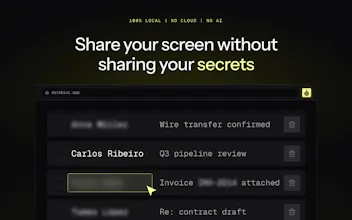
DataBlur blurs sensitive data on your screen in real time — during live calls, demos and recordings. Auto-detects emails, cards and API keys. 100% local: no cloud, no AI, no signup. When detection fails, it blurs more, not less.
Hey PH! 👋
DataBlur exists because redacting leaks *after* the fact is a losing game — one missed frame in a recording and the data is out.
So it flips the order: hide the data *before* it's captured.
- Click any element or drag an area to blur it — live, while you present
- Auto-detection catches emails, phone numbers, cards, passwords and API keys you'd miss under pressure
- Blur, Redact or Transparent styles; a blur list for your own keywords/regex
- Fail-safe by design: if detection breaks, it blurs everything rather than exposing everything
- 100% local processing. No cloud, no AI, no account. It can't leak what it never receives
Everything above is free. Pro ($4.99/mo or $39 lifetime) removes the badge on auto-applied blurs and adds saved per-client profiles.
Would love feedback — especially from anyone doing client demos or screen recordings daily.
Report
@kosta_zanin26 Congrats for launch 🙌 does the local auto-detection engine run on a MutationObserver DOM listener to capture dynamically loaded sensitive text as you scroll?
@priya_kushwaha1 Thanks Priya! Yes — detection re-scans as the DOM updates rather than only on load, so lazy-loaded rows and SPA route changes get caught as they render. Matching itself is deterministic patterns (no ML), all inside the content script — nothing leaves the page.
Report
What’s the false-positive rate feel like in daily use? And what to do if overbluring happens during a demo?
@michael_vavilov Good question. Detection is deterministic pattern matching, not ML — so false positives are rare and, more importantly, predictable: it's things that genuinely look like an email or a card number, not random noise. Mid-demo you have three quick outs: hold Alt to peek under any blur without removing it, one click removes that specific blur, and there's a shortcut to clear blurs entirely. If something keeps matching that shouldn't, the blur list is editable so you can tune the pattern once and it stays fixed.
Detection is based on deterministic rules or some local small ML-model? Should I setup a rules for my projects before sharing or DataBlur will just do the work?
@ikuznetsov_com Deterministic rules, no ML — and it works out of the box: emails, phone numbers, cards, passwords and API keys are caught without any setup, so for a typical demo you just switch it on. The blur list is an optional layer on top: add your own keywords or regex once (client names, internal project codes) and they stay covered on every page after that.
Report
Congrats on launching DataBlur! Blurring more instead of less when in doubt is such a smart move. Are shortcuts (or Stream Deck support) on your roadmap for quick toggles during calls?
@hannesh Thanks! Shortcuts are already in — toolbar, text blur, removing blurs and toggling auto-detect all have keybindings, plus hold Alt to peek under any blur mid-call. No native Stream Deck yet, but since everything is keyboard-driven you can map it to a Deck today. Native support — noted for the roadmap, great idea.
Report
@kosta_zanin26 Awesome, thanks for the quick breakdown! That Alt-peek feature sounds super handy. I’ll give mapping the keybindings to my Stream Deck a try this weekend.
@nikitaeverywhere Thanks Nikita! Surprisingly light — "local" doesn't mean a local ML model, it's deterministic pattern matching, so there's no inference workload at all. Scans are incremental (only DOM changes get re-checked), and the blur itself is a CSS filter the browser composites on the GPU. In a normal call it doesn't register in the task manager.
Report
Works well. Love that it's local. Breath of fresh air. Highly recommend!
DataBlur
@kosta_zanin26 Congrats for launch 🙌 does the local auto-detection engine run on a MutationObserver DOM listener to capture dynamically loaded sensitive text as you scroll?
DataBlur
@priya_kushwaha1 Thanks Priya! Yes — detection re-scans as the DOM updates rather than only on load, so lazy-loaded rows and SPA route changes get caught as they render. Matching itself is deterministic patterns (no ML), all inside the content script — nothing leaves the page.
DataBlur
@michael_vavilov Good question. Detection is deterministic pattern matching, not ML — so false positives are rare and, more importantly, predictable: it's things that genuinely look like an email or a card number, not random noise. Mid-demo you have three quick outs: hold Alt to peek under any blur without removing it, one click removes that specific blur, and there's a shortcut to clear blurs entirely. If something keeps matching that shouldn't, the blur list is editable so you can tune the pattern once and it stays fixed.
InnerSense
Detection is based on deterministic rules or some local small ML-model? Should I setup a rules for my projects before sharing or DataBlur will just do the work?
DataBlur
@ikuznetsov_com Deterministic rules, no ML — and it works out of the box: emails, phone numbers, cards, passwords and API keys are caught without any setup, so for a typical demo you just switch it on. The blur list is an optional layer on top: add your own keywords or regex once (client names, internal project codes) and they stay covered on every page after that.
DataBlur
@hannesh Thanks! Shortcuts are already in — toolbar, text blur, removing blurs and toggling auto-detect all have keybindings, plus hold Alt to peek under any blur mid-call. No native Stream Deck yet, but since everything is keyboard-driven you can map it to a Deck today. Native support — noted for the roadmap, great idea.
Jinna.ai
Cool thing and great idea, congrats on the launch! As it’s 100% local, it should be quite CPU-intensive. Or is it?
DataBlur
@nikitaeverywhere Thanks Nikita! Surprisingly light — "local" doesn't mean a local ML model, it's deterministic pattern matching, so there's no inference workload at all. Scans are incremental (only DOM changes get re-checked), and the blur itself is a CSS filter the browser composites on the GPU. In a normal call it doesn't register in the task manager.