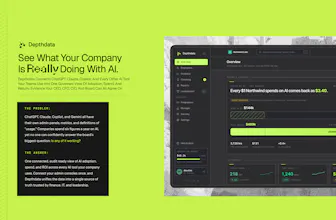
Companies now pay for four or five AI tools (ChatGPT, Claude, Copilot, and more) but can't answer the basics: what are we spending, who's using it, and which seats sit idle? DepthData connects every AI tool into one audit ready view of spend and adoption. What makes it different: every number is labeled by how it's verified, we never read prompts, and we show exactly what each vendor's API can and can't expose. The trusted system of record for your company's AI spend.
Hey everyone, Ali here 👋
I'm a product designer, and over the past year I kept noticing the same thing: companies are buying more and more AI tools, but nobody actually knows what they're spending across all of them or who's really using what. The answer usually means logging into five different admin consoles and cobbling together a spreadsheet, and even then you're mostly guessing.
So I built DepthData to pull all of it into one clear, audit ready view of AI spend and adoption.
The part I care most about: I made a hard rule that we never show a number we can't actually verify from the tool's own API. Every figure is labeled by how we know it, and we never read prompts, only metadata like usage and seats. I got tired of dashboards that look confident but fall apart the moment you ask "where did this number come from?" I wanted the opposite.
It's early and I'm building it mostly solo, so I'd genuinely love your honest feedback. What would make this actually useful for your team? What am I missing? Happy to answer anything.
Report
@aliberkuyanik We lost track of AI spend the moment every team started expensing their own API keys and seat licenses. Finance saw one number, eng saw another, nobody could explain the gap. Are you pulling from provider billing directly or from usage logs, and can you attribute spend down to a team or project?
Good question @arturbrugeman Honestly, it's both, and it depends on the tool. Anthropic, OpenAI, and Cursor have real cost APIs, so we pull actual dollar spend straight from them. Some tools don't offer that, so we pull usage data and combine it with the seat prices you enter from your contract. There's a contract pricing panel in Depthdata for exactly this. And every number gets a label, so you always know where it came from.
Teams are the funny part. The AI tools know who has a seat, but they have no idea what your org chart looks like. So in Depthdata, managers just assign people to departments right in the employee table, and spend rolls up from there.
Projects we built out fully. You create one, add people, and click into it to see cost, activity, and coaching signals. Some tools report project spend directly (OpenAI's API platform, Vercel if you set up tagging), so we pull that as is. Claude tells us project usage but not project cost, so we split each person's real spend across their projects based on how much they used each one. That number gets an ALLOCATED label instead of a measured one, because I'd rather be upfront that it's a split than pretend it's a measurement.
Basically: real data where the APIs give it, your input where they don't, and everything labeled so finance can actually trust the numbers. All of this is live in the demo if you want to see how it works.
This is a real gap for us too. We run our own product on top of Anthropic's API, and tracking what each feature actually costs per run, especially after switching between plans, has been a spreadsheet exercise so far.
Curious how granular this gets, can you trace spend down to a specific feature or session, or is it more of a monthly aggregate view right now? We currently do that by hand and it's the part that doesn't scale.
@martin_herran Straight answer, as deep as Anthropic's API goes, which is further than monthly but not a single run. Cost comes back daily by workspace, model, and token type. Usage goes down to minute buckets by API key, workspace, and model.
The practical trick, give each feature its own API key or workspace. Then per feature spend comes straight from Anthropic's cost report, no spreadsheet needed. We just read it and label where each number came from.
Session level is the honest no. The reporting API doesn't expose individual runs, that only lives in your own logs. So in Depthdata that stays a visible gap, not an estimate.
Report
@aliberkuyanik Hey Ali, Congrats on the launch! A system of record for company ai spend is a really clean pain point.
Report
the verification labeling and the per-user vs seat point already cover most of what I'd have asked. one thing I didn't see come up: overlap across tools rather than idle seats within one tool. we've ended up paying for two AI tools that do 80% the same job for the same people, because each one got adopted separately by a different team before anyone compared them side by side. that's not an idle seat in either tool, both look fully used, the waste is that the org didn't need both. is that something DepthData could ever surface, or is it necessarily out of scope since it's a cross-tool judgment call rather than a per-tool number?
@galdayan Not out of scope at all. The overlap itself is measurable from data we already pull: same people holding seats in two same category tools, both active, and what the double coverage costs. So Depthdata can name it: 40 people pay for both X and Y, here's what the second one costs.
What we won't do is pick the winner. Whether it's really the same job is your call. We put a name and a number on the overlap so somebody has to defend it, the judgment stays with you.
Report
@aliberkuyanik that's actually the right split of responsibility. one follow up though - the two tools in my example weren't priced the same way, one was per seat and the other was usage based. does the "cost of the second one" number hold up when the pricing models don't match, or does that case need a human to normalize it before the comparison means anything?
Report
The verification label is the actual product here, the dashboard is just where it lives. What you're missing is that idle seats are the easy half. On anything usage priced, one person's month can outspend the other forty put together, and a seat view shows those two people as identical, so you cut the wrong licence and save nothing. Worth naming which vendors can't expose per user consumption at all, because that gap is where the spreadsheet quietly goes wrong.
@asadmalik901 You're right, the label is the product. And agreed, idle seats only matter on seat priced tools. On usage pricing the money concentrates, one heavy user can outspend a team, and a seat view hides that. So Depthdata shows cost per person, not just seats. Those numbers come straight from vendor APIs, Anthropic and OpenAI and Cursor all expose per user spend in their docs. Demo runs on sample data today, but nothing on screen an endpoint can't back.
The gaps, Gemini bundles AI into Workspace so per user cost doesn't exist, Replit pools credits with no per member API, Vercel needs tagging first. We show those as gaps instead of estimating over them.
Report
@aliberkuyanik Showing the gaps instead of estimating over them is what makes the rest of the numbers believable, so I'd put that list on the page rather than in a doc nobody opens. The thing working against you is the sample data demo, because the honesty argument only lands once someone sees one real connected account. A screenshot of your own Anthropic org would do more for that than the whole demo does.
Report
Never reading prompts, only metadata, is the detail that gets this past a security review. Most spend trackers ask for way more access than the actual problem needs.
@irahimiam Exactly. Most spend trackers ask for way more access than the problem needs. Depthdata is read only and metadata only: seats, usage counts, spend. The endpoints we connect to don't carry prompt content at all, so conversations never enter our system, there's nothing to leak. Narrow scope is the architecture, not a promise, and that's what security teams actually check.
Report
The ALLOCATED vs measured label distinction is the right call. We ran into this exact thing with transaction categorization, once you're inferring instead of reading a hard number from the source, you have to keep that visibly separate or people start treating estimates as facts six months later when nobody remembers which number was which.
@raffay_sajjad That six months later failure is exactly the one we designed against. The label isn't a UI decoration, it travels with the number, exports and reports carry MEASURED or ALLOCATED on every figure. So even when nobody remembers which number was which, the number remembers. Once an estimate loses its label it becomes a fact, and that's how dashboards quietly go wrong.
Congrats on the launch! Getting a single source of truth for AI spend is exactly what teams need right now — love the audit-ready angle. Best of luck today!
DepthData
@aliberkuyanik We lost track of AI spend the moment every team started expensing their own API keys and seat licenses. Finance saw one number, eng saw another, nobody could explain the gap. Are you pulling from provider billing directly or from usage logs, and can you attribute spend down to a team or project?
DepthData
Good question @arturbrugeman Honestly, it's both, and it depends on the tool. Anthropic, OpenAI, and Cursor have real cost APIs, so we pull actual dollar spend straight from them. Some tools don't offer that, so we pull usage data and combine it with the seat prices you enter from your contract. There's a contract pricing panel in Depthdata for exactly this. And every number gets a label, so you always know where it came from.
Teams are the funny part. The AI tools know who has a seat, but they have no idea what your org chart looks like. So in Depthdata, managers just assign people to departments right in the employee table, and spend rolls up from there.
Projects we built out fully. You create one, add people, and click into it to see cost, activity, and coaching signals. Some tools report project spend directly (OpenAI's API platform, Vercel if you set up tagging), so we pull that as is. Claude tells us project usage but not project cost, so we split each person's real spend across their projects based on how much they used each one. That number gets an ALLOCATED label instead of a measured one, because I'd rather be upfront that it's a split than pretend it's a measurement.
Basically: real data where the APIs give it, your input where they don't, and everything labeled so finance can actually trust the numbers. All of this is live in the demo if you want to see how it works.
@aliberkuyanik Congrats on the launch!
This is a real gap for us too. We run our own product on top of Anthropic's API, and tracking what each feature actually costs per run, especially after switching between plans, has been a spreadsheet exercise so far.
Curious how granular this gets, can you trace spend down to a specific feature or session, or is it more of a monthly aggregate view right now? We currently do that by hand and it's the part that doesn't scale.
DepthData
@martin_herran Straight answer, as deep as Anthropic's API goes, which is further than monthly but not a single run. Cost comes back daily by workspace, model, and token type. Usage goes down to minute buckets by API key, workspace, and model.
The practical trick, give each feature its own API key or workspace. Then per feature spend comes straight from Anthropic's cost report, no spreadsheet needed. We just read it and label where each number came from.
Session level is the honest no. The reporting API doesn't expose individual runs, that only lives in your own logs. So in Depthdata that stays a visible gap, not an estimate.
@aliberkuyanik Hey Ali, Congrats on the launch! A system of record for company ai spend is a really clean pain point.
the verification labeling and the per-user vs seat point already cover most of what I'd have asked. one thing I didn't see come up: overlap across tools rather than idle seats within one tool. we've ended up paying for two AI tools that do 80% the same job for the same people, because each one got adopted separately by a different team before anyone compared them side by side. that's not an idle seat in either tool, both look fully used, the waste is that the org didn't need both. is that something DepthData could ever surface, or is it necessarily out of scope since it's a cross-tool judgment call rather than a per-tool number?
DepthData
@galdayan Not out of scope at all. The overlap itself is measurable from data we already pull: same people holding seats in two same category tools, both active, and what the double coverage costs. So Depthdata can name it: 40 people pay for both X and Y, here's what the second one costs.
What we won't do is pick the winner. Whether it's really the same job is your call. We put a name and a number on the overlap so somebody has to defend it, the judgment stays with you.
@aliberkuyanik that's actually the right split of responsibility. one follow up though - the two tools in my example weren't priced the same way, one was per seat and the other was usage based. does the "cost of the second one" number hold up when the pricing models don't match, or does that case need a human to normalize it before the comparison means anything?
The verification label is the actual product here, the dashboard is just where it lives. What you're missing is that idle seats are the easy half. On anything usage priced, one person's month can outspend the other forty put together, and a seat view shows those two people as identical, so you cut the wrong licence and save nothing. Worth naming which vendors can't expose per user consumption at all, because that gap is where the spreadsheet quietly goes wrong.
DepthData
@asadmalik901 You're right, the label is the product. And agreed, idle seats only matter on seat priced tools. On usage pricing the money concentrates, one heavy user can outspend a team, and a seat view hides that. So Depthdata shows cost per person, not just seats. Those numbers come straight from vendor APIs, Anthropic and OpenAI and Cursor all expose per user spend in their docs. Demo runs on sample data today, but nothing on screen an endpoint can't back.
The gaps, Gemini bundles AI into Workspace so per user cost doesn't exist, Replit pools credits with no per member API, Vercel needs tagging first. We show those as gaps instead of estimating over them.
@aliberkuyanik Showing the gaps instead of estimating over them is what makes the rest of the numbers believable, so I'd put that list on the page rather than in a doc nobody opens. The thing working against you is the sample data demo, because the honesty argument only lands once someone sees one real connected account. A screenshot of your own Anthropic org would do more for that than the whole demo does.
Never reading prompts, only metadata, is the detail that gets this past a security review. Most spend trackers ask for way more access than the actual problem needs.
DepthData
@irahimiam Exactly. Most spend trackers ask for way more access than the problem needs. Depthdata is read only and metadata only: seats, usage counts, spend. The endpoints we connect to don't carry prompt content at all, so conversations never enter our system, there's nothing to leak. Narrow scope is the architecture, not a promise, and that's what security teams actually check.
The ALLOCATED vs measured label distinction is the right call. We ran into this exact thing with transaction categorization, once you're inferring instead of reading a hard number from the source, you have to keep that visibly separate or people start treating estimates as facts six months later when nobody remembers which number was which.
DepthData
@raffay_sajjad That six months later failure is exactly the one we designed against. The label isn't a UI decoration, it travels with the number, exports and reports carry MEASURED or ALLOCATED on every figure. So even when nobody remembers which number was which, the number remembers. Once an estimate loses its label it becomes a fact, and that's how dashboards quietly go wrong.
Pazi
Congrats on the launch! Getting a single source of truth for AI spend is exactly what teams need right now — love the audit-ready angle. Best of luck today!
DepthData
Great idea and product! Its been a while it was headache for us to track our AI expenses in our department. Can’t wait to try!!