

Dictato
Local instant voice-to-text for every Mac
69 followers
Local instant voice-to-text for every Mac
69 followers
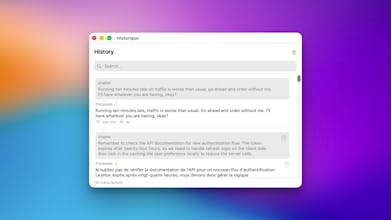
Dictato turns speech into text on your Mac. No cloud, no account, no internet needed. Your audio stays on your computer. Press a hotkey, talk, release. Text appears where your cursor is — Gmail, Slack, VS Code, whatever app you're in. Three engines to choose from: Parakeet, Whisper, Apple Supports 25-99 languages depending on which you pick. Optional proofreading and translation, all on-device. 7-day free trial. $9.99 for a two-year license. Requires macOS 14+ and Apple Silicon.


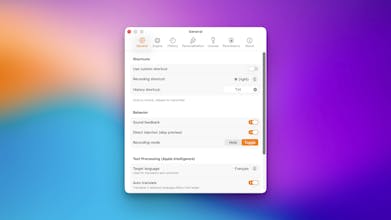

Is it possible to switch the trigger key? I really like how it's working, but my hands are never on the right side of my macbook when I'm trying to voice type. I'd love to be able to use the fn key to activate, if possible.
@nicholas_greenweck Hey,
there is normally the possibility to change keybinding, but you probably want to have the cmd on the left as option?
Ps: just saw the message, did not received any notification from PH
@nicholas_greenweck
Is this one you want to have as keybinding? (sorry my interface is in french)
@nicholas_greenweck FN key is fixed in the next update 🎊
@wendellpereira hey Wendell, i'll have a look what could be done. it was not build to support Intel indeed but i'll check what could be done.
Ps: just saw the message, did not received any notification from PH