
Launched this week

Dictura
Hold a key, speak, release- translated text at your cursor
70 followers
Hold a key, speak, release- translated text at your cursor
70 followers
Professional native voice-to-text and translation for macOS & Windows. Hold a key in any app, speak naturally, and release. Clean, formatted text appears at your cursor. No copy-paste, no app switching. Built-in AI translation: speak in one language, get output in another. 60+ languages. Audio never stored.




Dictura
Hey folks! I'm Aviv, the maker behind Dictura 🙌🏽
I built this because of a gap that frustrated me every day. As an engineer, half my workday is typing Slack/WhatsApp/Telegram messages, PR descriptions, emails, code, code reviews, prompts, etc. I type at about 40 words per minute. I speak at over 150. That's a 3.7x productivity gap between how fast I think and how fast I can write.
I tried other dictation tools- some handle the basics well. But none of them solved a problem I deal with every day: I don't always write in the same language I think in. I work with teams across multiple countries, and I was constantly dictating in my language, then opening a translator, then pasting the result back. Three tools for one task.
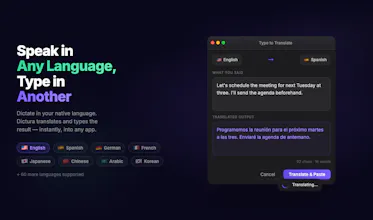
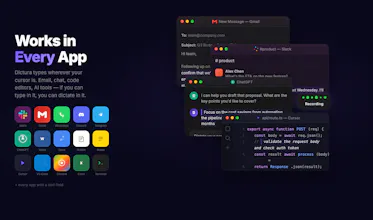
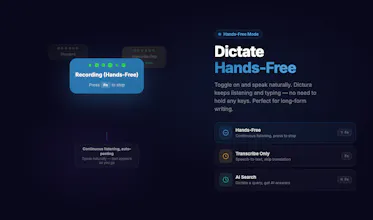
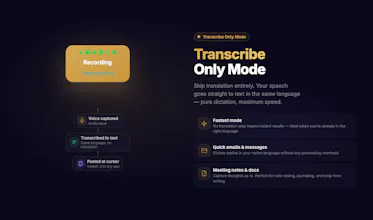
Dictura does it all in one step: hold a key, speak naturally- in the language you think in — and release. Clean, formatted text appears wherever your cursor is — Gmail, Slack, VS Code, Cursor, WhatsApp, anywhere. Need it in another language? It comes out naturally in theirs. 60+ languages, context-aware, built into the core. You can also type-to-translate when you can't speak out loud.
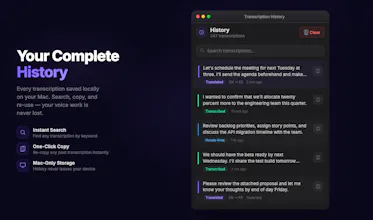
Privacy was non-negotiable. Dictura has two engines: on-device (WhisperKit- audio never leaves your Mac, free and unlimited) and cloud (99+ languages, near-human accuracy). We never store your audio, transcriptions, or translations.
The free tier is genuinely useful, unlimited on-device transcription, translation, and hands-free mode. No account needed to start. Paid plans begin at $5.99/mo for cloud accuracy.
I'd love to hear: what's your biggest friction point with typing day to day? Have you tried voice-to-text before- and if so, what made you stop using it?
Thanks for checking out Dictura. Happy to answer anything.
@avivmi
Hi Aviv, great product! Dictura works perfectly everywhere except iTerm2 (macOS terminal emulator).
I tested thoroughly:
- macOS built-in dictation (Fn+Fn) works fine in iTerm2 ✅
- Wispr Flow works fine in iTerm2 ✅
- Dictura fails silently in iTerm2 ❌
The difference: Wispr Flow uses clipboard + simulated Cmd+V to insert text, which terminals fully support.
Dictura uses macOS Accessibility APIs for text insertion, which iTerm2 doesn't fully handle from third-party apps.
Could you add a clipboard-paste fallback mode? Either as a setting or auto-detection when Accessibility insertion fails. This would instantly fix compatibility with iTerm2 and other terminal apps.
I've verified all permissions (Accessibility, Input Monitoring, Secure Keyboard Entry disabled). The issue is specifically the text insertion method. Happy to help test any fix!
Dictura
@alsalman
Hi Mohammed, thank you so much for testing this so thoroughly, that breakdown was incredibly helpful.
I just shipped a fix that should make Dictura play nicely with iTerm2 and such applications.
Give it a spin when you can, if anything still feels off, ping me here or in Discord.
I’m around and happy to iterate 💜
@avivmi
Just tested the update, works flawlessly in iTerm2 now! Incredible turnaround, Aviv.
Honestly, Dictura solved a huge problem for me. I speak in Arabic and need clean English output across terminal, code editors, and messaging apps, and Dictura handles it perfectly.
This app has genuinely changed how I work every day.
Can't wait for the iOS version, that will complete the experience. Thank you for building something this good 💜