
DuckDisk
Table-first storage analysis for Mac, cloud, and SSH
87 followers
Table-first storage analysis for Mac, cloud, and SSH
87 followers
DuckDisk is a free, open-source macOS storage analyzer built for people who want answers, not just colorful maps. Its WizTree-style, table-first tree keeps size, allocated space, parent %, item counts, and file-type totals visible while you drill down. Scan local disks, OneDrive, Google Drive, and SSH in one app. Cloud scans use metadata only—file contents are not downloaded. The release is Apple-notarized and available on the Mac App Store.
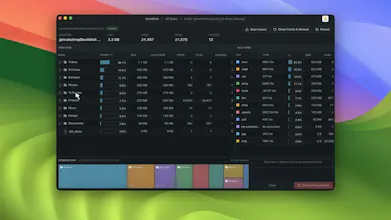
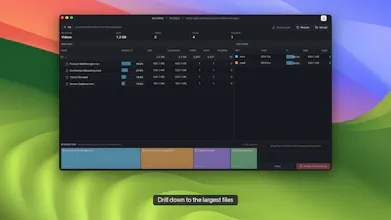

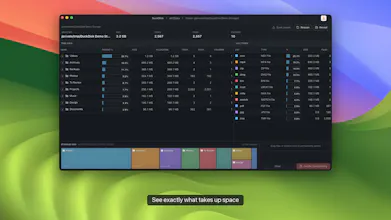
Hi! I built DuckDisk because most macOS disk cleaners make a beautiful daisy map, but I still end up asking: which folder owns this space, how much is allocated, how many files are inside, and what types dominate?
DuckDisk takes a table-first, WizTree-style approach. One dense tree keeps directory size, allocated space, percentage of parent, file/folder counts, and file-type totals visible as you drill down. The same interface scans local disks, OneDrive, Google Drive, and SSH servers. Cloud scans are metadata-only, so DuckDisk doesn't download file contents.
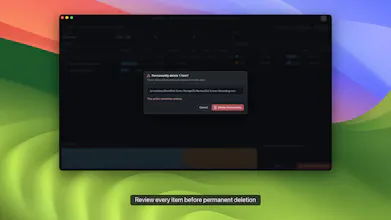
Performance mattered too: rows are virtualized, results are cached, and cloud sources can refresh incrementally. Cleanup is staged for review; cloud deletions go to Trash, while permanent local/SSH deletion needs explicit confirmation.
DuckDisk is free and open source (AGPL), Apple-notarized, and available on the Mac App Store. The Store build supports local disks, OneDrive, and SSH within Apple's sandbox. The notarized direct build also adds Google Drive and uses your system SSH configuration.
I'd love feedback from people who manage storage across a Mac, cloud accounts, and remote servers—especially on which columns or workflows you'd want next.