Easy Maps

Easy Maps

Create Google Maps url from the address in spreadsheets.

8 followers

EasyMaps - Google Sheet add-on that converts address to google maps links with one clink in the sheet.
Easy Maps gallery image
Free
Launch tags:Productivity
Launch Team
Intercom
Intercom
Startups get 90% off Intercom + 1 year of Fin AI Agent free
Promoted

What do you think? …

DHARMIK JAGODANA
I was working on a spreadsheet and seeking for a way to convert a large number of addresses into geocodes and Google Maps URLs when I came across this handy application that made my job much easier.
Kevin Vaghasiya
@dharmikjagodana Thank you for listing and using the EasyMaps.
Kevin Vaghasiya
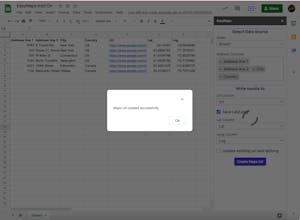
Hi Guys, Here is the steps on how to use use the app and increase the productivity. Install the Add-On from the Google Marketplace. https://workspace.google.com/mar... 1) Open the Google Spreadsheet with some address data. 2) Open the Add-on from Extensions > EasyMaps > Open EasyMaps 3) Select the Sheet where the address data is located. 4) Select the Columns that contains the address elements. 5) Select the URL column where you want to save the address links. 6) Select the Save lat/long option if you want to save the latitude and longitude. 7) Press Create Maps Url button and Add-on will create url from the given address and add to the selected column.
George Pagan III
Is there a Row limit?
DHARMIK JAGODANA
@fitletes i think there is no limit on that. but there is the quota restriction/limit based on the account type you have. You can find Quota related information here ( In our case "Google Map Geocode calls" ) https://developers.google.com/ap...