
fileAI
Build decision-ready AI workflows with trusted data
4.9•18 reviews•799 followers
Build decision-ready AI workflows with trusted data
4.9•18 reviews•799 followers
fileAI gives developers structured, zero-shot data from any file, with built-in fraud checks to surface signals of tampering and AI-generated content. Built for LLMs and AI agents, our AI data extraction is optimised for performance, transforming unstructured files into clean, enriched, and validated data, ready for downstream automation via configurable UI, developer portal, API or MCP.
Check us out: developer.file.ai
This is the 3rd launch from fileAI. View more

fileForensics
Launched this week
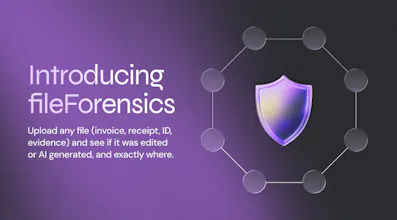
fileForensics is a trust check for every file your app or agent acts on. Extraction tells you what a document says; fileForensics tells you whether to believe it.
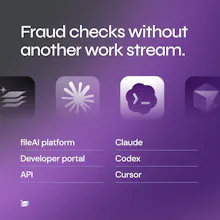
It looks for signs of editing, AI-generated content, tampering and details that don’t add up, then returns findings with the evidence: what, where and why. No black-box score. All delivered in one call and works via API, MCP (Claude, Cursor, Codex), the developer portal and the fileAI platform.
Check the file before you trust the data.




Free Options
Launch Team / Built With


AWS Startup AdvisorPersonalized AWS guidance that meets you where you’re already building
Promoted


Hi Product Hunt 👋 I’m Jason, I head up everything Marketing & Partnerships at fileAI.
An accurate extraction of an edited invoice is still an edited invoice.
Why we built fileForensics
For five years we’ve turned messy files into clean data for insurers, banks, finance teams, builders over a billion files so far. In almost every rollout, once extraction went live, someone asked: “But what if the file is fraudulent?” We had no good answer, yet the stakes are high for so many industries with fraud, especially AI-enabled fraud, on the rise. Making a convincing edit used to take skill, and now it takes a free app or one prompt. Meanwhile, more documents are being read by AI agents that act on them with nobody checking first.
The tools that could answer the question were sales-gated, priced for large enterprises and separate from extraction. If you were a startup with an upload step, or a developer wiring files into an agent, your options were ExifTool scripts or nothing.
So we built fileForensics. It checks a file’s structure, metadata, edit history and pixels across eight disciplines, then shows you the evidence for each finding: what it found, where in the file, and why.
You can try it in our developer playground, call it through the API, or ask Claude or Cursor about a file through MCP. And with our new AWS Strategic Collaboration Agreement, we're available through AWS Marketplace, built on Amazon Bedrock. https://www.file.ai/blog/fileai-signs-strategic-collaboration-agreement-with-aws
The feedback that would help most
Try it on your own files. Did a finding surprise you, or did it miss something you expected it to catch?
False positives. If it flagged a genuine file, please tell us. We care about this more than anything else.
We’re here all day answering questions. Sign up for free here: https://developer.file.ai/
Thank you for checking it out 🙏
Hey PH community 👋
Excited to hunt fileForensics by fileAI today.
I've followed fileAI since I first hunted them last year, and this launch tackles a problem I think every team building with agents is about to run into.
Your extraction can be perfect and still be wrong, because the file you extracted from was edited.
What I like most is that it doesn't ask you to trust a score.
Every finding comes with the evidence behind it, so a developer or a reviewer can look at it and decide for themselves.
The first thing I'd test is a stack of my own receipts and invoices, with one quietly edited, just to see if it gets caught. If you try that, please share what happened in the comments, especially if it flags a file you know is genuine. The team says false positives are the feedback they care about most.
Jason's maker comment below has the full story of why they built it.
Try it free at https://www.file.ai/fileforensics?ref=producthunt
Give it a spin on your own files and let the team know what fileForensics catches 🚀
Ohhh, this is interesting. Just curious, how much work is this to add to an file/doc upload flow? Is it synchronous? or do I need a queue?
good work and cheer
@austin_sai Add FILE_FORENSICS to enabledProducts on upload, then poll GET /v1/forensics/files/{file_id}. There's no callback for forensics runs, so you poll. The quickstart takes about five minutes.
@austin_sai or can run it async rather than block the UI. A run takes as long as its slowest check, and the web presence check can take up to about 180 seconds.
@shubhanshi_jangid1 Thanks Ms. Jangid, will try it later ya, look promissing
@austin_sai PLease try and please your feedback
@austin_sai A check that can take a few minutes would be awkward in a blocking upload flow. I’d show a pending review state and update it when the result arrives.
Hey Product Hunt! I’m a dev who’s been getting really into AI tools lately.
Been playing with AI tools lately and wondering, can this be run directly from Claude or Cursor without me coding anything? What does that look like day to day?
@hamidah_ismail Yes. The MCP server is hosted, so you add a URL rather than install anything. Claude signs in with fileAI. Cursor, Codex and VS Code use an API key. Setup: docs.file.ai/mcp/connect
@hamidah_ismail Then ask in plain language, for example "can I trust this invoice?". There are also ready-made prompts such as check_tampering and full_forensic_audit.
@shubhanshi_jangid1 thank you. this is very helpful
Hey everyone! I’m Nafisah, I work on the customer side and I spend most of my day helping finance teams get set up, so congrats to the team on the launch 🎉
One question that comes up a lot when people first try the tampering detection: what about false positives?? like if an invoice gets exported from the ERP, merged into a PDF, then sent for e-sign, it can look edited even when nothing’s wrong.
@nafisah_fa It can, which is why a flag is a prompt to look, not a fraud call. Genuine files can carry signals like later saves, so each check reports on its own and you choose what goes to review.
I can see my iPhone photo metadata when I take a photo with it. When I'm using fileForensics, will the metadata be lost if someone edits a document, prints it or photographs it?
@rebbie Honest answer: that removes a lot of file-level evidence, so metadata checks have less to say. Image checks still run, but they can miss things too.
@shubhanshi_jangid1 makes sense, thank you for explaining!
scans are my worry here. at the immigration firm I work at, certificates come with stamps and apostilles and often get re-scanned. does the tampering check still say something useful on a scan, or is it mostly for native PDFs?
@olia_nemirovski Great question, Olia! Yes, it still works on scans, just differently. Native PDFs give us file history and metadata. On scans we look at the image itself: patches where the quality doesn’t match the rest of the page (like a pasted-in stamp), mismatched fonts or alignment, and details that don’t add up. Every finding shows where and why.
Honest caveat: each re-scan wipes out some evidence, so heavily re-scanned copies give weaker signals. Happy to run a few of your apostilled certificates if you’d like to see it in action!