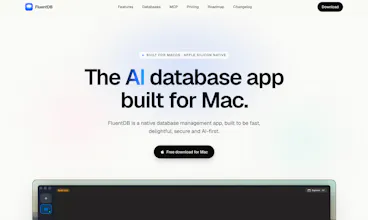
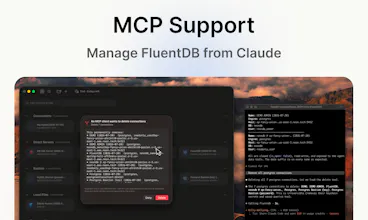
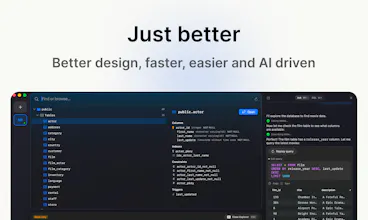
FluentDB is an AI-powered database client for macOS. It supports PostgreSQL, MySQL, SQLite, SQL Server, with more coming soon. Built for speed, simplicity, and security, it works with Anthropic and OpenAI using your own API keys or Claude Code/Codex subscriptions, and with local models via Ollama. Your data never leaves your machine without your approval: models see your schema, not your data, and every AI-generated SQL query requires approval by default.
Hey Product Hunt! 👋
I'm Kevin, the maker of FluentDB.
After years of working with databases every day, I kept running into the same frustrations: database clients felt slow, cluttered, and AI integrations either required sending data to third-party services or lacked proper safeguards.
So I built FluentDB: a native macOS database client that is fast, lightweight, and AI-first from the ground up.
A few things I'm particularly proud of:
• ⚡Native Swift app designed for speed.
• 🤖 Bring your own AI: OpenAI, Anthropic, Claude Code, Codex, or local models with Ollama.
• 🔒 Privacy by default: AI only sees your schema unless you explicitly approve sending data. Every AI-generated SQL query also requires approval by default.
• 🗄️ Support for PostgreSQL, MySQL, SQLite, SQL Server, with more databases coming soon.
FluentDB is still in its early days, and I'd genuinely love your feedback. Whether you're a DBA, backend engineer, or just curious about AI-powered developer tools, let me know what you think and what features you'd like to see next.
Thanks for checking it out! 🙌
PS: if you are looking for FluentDB on Linux or Windows, feel free to raise your voice, it will encourage us to accelerate the cross-platform port :)
Report
@kevin_piacentini i have one question what about if we give prompts , in general , or it wont work for genral prompts except related to db stuff?
You can ask general questions. The AI system prompt is oriented around the database domain though but we haven’t strictly enforced it with specific guards since it could not be harmful.
Report
The proxy case makes sense as a reason to not special-case Ollama. Does full-access mode include all prior query results automatically in context, or does it still surface each result before adding it so the user can see what the AI is working from?
Report
Every AI generated SQL query requiring approval by default is a genuinely good default, but curious how far the approval flow actually helps in practice, since a query can be technically correct and still catastrophic in effect. An UPDATE without a WHERE clause or a query that touches ten thousand rows instead of the intended one can look completely reasonable to someone glancing at the SQL text if they aren't reading it carefully in the moment. Does FluentDB do anything beyond just showing the raw query, like flagging when a generated query lacks a WHERE clause on an UPDATE or DELETE, or surfacing an estimated row count before you approve, since that's usually the gap between reviewing SQL and actually catching the dangerous ones.
Also, models seeing your schema by default is a reasonable middle ground, but schema alone can still leak a fair amount, table and column names often describe exactly what kind of sensitive data lives there even without seeing a single row. Is there any way to selectively hide or rename specific tables and columns from what gets sent to the AI, for cases where even the schema shape is something a team wouldn't want leaving the machine.
> UPDATE without a WHERE clause or a query that touches ten thousand rows Yes, I agree with you. By default, even if you accept a query, when it's a write query, we prompt for another confirmation to make sure you didn't just press Enter by reflex. At this moment, we don't show the potential number of impacted rows; however, it's a great idea, and I just added this to our roadmap :)
Another thing is that we made it super easy to kill a running query (server-side) in one click. Of course it wouldn't prevent big trouble in case of a wrong write, but at least if it's a long running read that can lock your database, you can just kill the process in one click. All our guardrails are explained here.
> Is there any way to selectively hide or rename specific tables and columns from what gets sent to the AI, Yes, I understand this concern. For now, we don't have this kind of system; however, it's easy to put in place, so I will add it to our roadmap. Something to note is that if the security is the main concern, you can still use a local model using Ollama so it would completely remove every risk of data leak since you control the model.
Thank you for your feedback it's really useful. Feel free to reach out anytime if you give it a try and want to help improve the tool :)
Report
Downloaded it and used it today really nice tool !
Feels fast and the UI is clean
Btw are you planning to support OLAP databases at some point (ClickHouse, DuckDB, BigQuery), or is the focus staying on OLTP for now?
@valensto Hey thanks for asking! Yes we are working on a driver for Clickhouse and we plan to implement even more OLAP dbs. Feel free to submit a feature request from our roadmap page if you need a particular driver :)
Report
a native Mac db client that isn't electron is already a plus in my book. curious how the AI part handles write queries specifically - does it always show you the generated SQL before running anything against the actual database, or can it execute directly if you ask it to "clean up duplicate rows" type stuff without a confirmation step?
By default, the AI will always only write queries and ask you to confirm before executing them. Even when you run them, we don't share the result with the AI.
However, yes, you can turn on two permissions: - Auto run: allows the AI to run the queries it wants - Read mode: allows the AI to view the results
@omri_ben_shoham1@kevin_piacentini Brandon's row-count/WHERE-clause check further up sounds like a great safety net for the confirm-each-query path. Does it also apply once Auto run is switched on for writes, or does that toggle skip confirmation, and the safety net with it, entirely?
Report
Congrats team! I have been burned before by an AI tool that wanted way too much access to my data, so the approval by default thing is really reassuring. Curious about the Ollama support, does the experience feel as smooth with local models or is it noticeably better with the bigger providers?
To answer your question, so far I have tried Ollama with the following models: qwen3-coder, gemma4, qwen4.6.
Qwen3-coder is the one that gave me the best result in terms of speed and relevance.
However, I have to admit that I personally use my Claude Code subscription with Haiku most of the time because it's just much faster and more relevant from my experiments.
Report
The Ollama path is the obvious choice when the database has anything sensitive — inference runs locally, nothing leaves. One thing I want to understand: when you use a local model, what actually goes into the AI context? Is it the schema and the current query only, or do prior query results get included to give better suggestions? I'm wondering whether the opt-in read mode applies to local models the same way it does to cloud ones, or if the local boundary means results are always excluded.
@hi_i_am_mimo The permissions are managed the same way even if it's a local ollama connection, because some people use ollama as a local server but proxy it through an external provider ; so we cannot just assume that ollama is safe by default.
However, you can give full access to the AI in that case, and then the AI will have the full context filled with all results in the conversations.
Report
Nice one, native Swift instead of another Electron app is already a win for me. The schema only approach for the AI is the right call. When you say write queries need extra confirmation, can I lock it to read only mode entirely for certain connections?
@adamkamaneh Thanks for your comment! Yes, absolutely. When you create a connection, you can choose a read-only mode, and in that case, no write queries are allowed or suggested by the LLM.
FluentDB
@kevin_piacentini i have one question what about if we give prompts , in general , or it wont work for genral prompts except related to db stuff?
FluentDB
@anikethdeb thanks for your question 🙋♂️
You can ask general questions. The AI system prompt is oriented around the database domain though but we haven’t strictly enforced it with specific guards since it could not be harmful.
The proxy case makes sense as a reason to not special-case Ollama. Does full-access mode include all prior query results automatically in context, or does it still surface each result before adding it so the user can see what the AI is working from?
FluentDB
@thys_beesman Thanks for your comment!
> UPDATE without a WHERE clause or a query that touches ten thousand rows
Yes, I agree with you. By default, even if you accept a query, when it's a write query, we prompt for another confirmation to make sure you didn't just press Enter by reflex. At this moment, we don't show the potential number of impacted rows; however, it's a great idea, and I just added this to our roadmap :)
Another thing is that we made it super easy to kill a running query (server-side) in one click. Of course it wouldn't prevent big trouble in case of a wrong write, but at least if it's a long running read that can lock your database, you can just kill the process in one click. All our guardrails are explained here.
> Is there any way to selectively hide or rename specific tables and columns from what gets sent to the AI,
Yes, I understand this concern. For now, we don't have this kind of system; however, it's easy to put in place, so I will add it to our roadmap. Something to note is that if the security is the main concern, you can still use a local model using Ollama so it would completely remove every risk of data leak since you control the model.
Thank you for your feedback it's really useful. Feel free to reach out anytime if you give it a try and want to help improve the tool :)
Downloaded it and used it today really nice tool !
Feels fast and the UI is clean
Btw are you planning to support OLAP databases at some point (ClickHouse, DuckDB, BigQuery), or is the focus staying on OLTP for now?
FluentDB
@valensto thanks for your support I really appreciate it!
Yes we are currently working on the Clickhouse driver and more OLAP databases should land soon!
FluentDB
@valensto Hey thanks for asking! Yes we are working on a driver for Clickhouse and we plan to implement even more OLAP dbs. Feel free to submit a feature request from our roadmap page if you need a particular driver :)
a native Mac db client that isn't electron is already a plus in my book. curious how the AI part handles write queries specifically - does it always show you the generated SQL before running anything against the actual database, or can it execute directly if you ask it to "clean up duplicate rows" type stuff without a confirmation step?
FluentDB
@omri_ben_shoham1 Thanks for your comment!
By default, the AI will always only write queries and ask you to confirm before executing them. Even when you run them, we don't share the result with the AI.
However, yes, you can turn on two permissions:
- Auto run: allows the AI to run the queries it wants
- Read mode: allows the AI to view the results
I explain this in detail in this video :)
@omri_ben_shoham1 @kevin_piacentini Brandon's row-count/WHERE-clause check further up sounds like a great safety net for the confirm-each-query path. Does it also apply once Auto run is switched on for writes, or does that toggle skip confirmation, and the safety net with it, entirely?
Congrats team! I have been burned before by an AI tool that wanted way too much access to my data, so the approval by default thing is really reassuring. Curious about the Ollama support, does the experience feel as smooth with local models or is it noticeably better with the bigger providers?
FluentDB
@doganakbulut thanks for the support!
To answer your question, so far I have tried Ollama with the following models: qwen3-coder, gemma4, qwen4.6.
Qwen3-coder is the one that gave me the best result in terms of speed and relevance.
However, I have to admit that I personally use my Claude Code subscription with Haiku most of the time because it's just much faster and more relevant from my experiments.
The Ollama path is the obvious choice when the database has anything sensitive — inference runs locally, nothing leaves. One thing I want to understand: when you use a local model, what actually goes into the AI context? Is it the schema and the current query only, or do prior query results get included to give better suggestions? I'm wondering whether the opt-in read mode applies to local models the same way it does to cloud ones, or if the local boundary means results are always excluded.
FluentDB
@hi_i_am_mimo The permissions are managed the same way even if it's a local ollama connection, because some people use ollama as a local server but proxy it through an external provider ; so we cannot just assume that ollama is safe by default.
However, you can give full access to the AI in that case, and then the AI will have the full context filled with all results in the conversations.
Nice one, native Swift instead of another Electron app is already a win for me. The schema only approach for the AI is the right call. When you say write queries need extra confirmation, can I lock it to read only mode entirely for certain connections?
FluentDB
@adamkamaneh Thanks for your comment! Yes, absolutely. When you create a connection, you can choose a read-only mode, and in that case, no write queries are allowed or suggested by the LLM.