
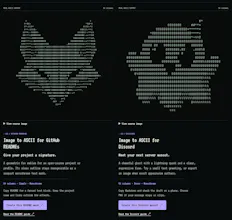
Give your README a signature, your Discord a mascot, or your next blog post a character-art cover. Turn photos and logos into ASCII locally in your browser—free, with no signup or image upload. Start with a built-in example, compare before/after, and tune presets, detail and color. Copy text or Markdown; export TXT, PNG, SVG, HTML or ANSI. Text formats keep editable characters; image exports preserve the look. Try the neon jellyfish or make an 80-column fox README mark.




What's great
Turned a random screenshot into ASCII art in about 10 seconds, no signup, no upload to some server - it all runs locally in the browser which is exactly what a tool like this should do. The before/after comparison and preset tuning (detail, color) made it easy to dial in something usable for a README instead of just a generic ASCII blob. Export options (TXT, PNG, SVG, HTML, ANSI) cover basically every use case I could think of, from a GitHub README to a Discord mascot.
What needs improvement
A gallery of a few more built-in examples beyond the jellyfish would help people get a feel for what presets look like before uploading their own image. Also would be nice to save/name a few preset combos instead of re-tuning detail and color every time.
Report
3 views
Can i use it inside claude code?
I really appreciate the fine little details you put into presenting this small tool. The icon, the monotype typo, the compare view, and all the adjustment options. Beautiful work!
I love it, never knew this was a thing. I even didn't know they were called ASCII.
Congrats!!
left a review above - the local-only, no-signup angle is the right call for a tool like this. I made a README banner out of the built-in jellyfish example and exported as HTML since I wanted it to keep the color for GitHub's rendered markdown rather than flattening it to plain TXT. curious if the SVG export keeps the same crispness at different zoom levels or if it's really tuned for one fixed size.