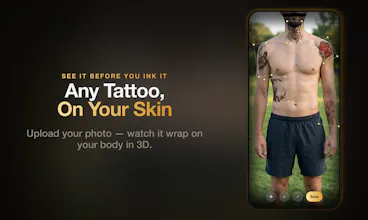
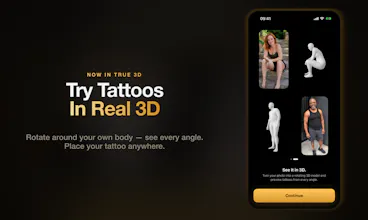
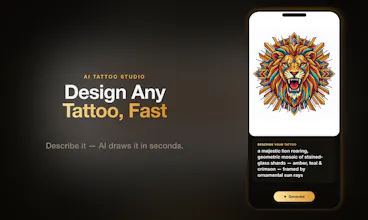
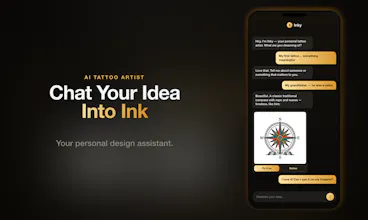
See any tattoo on your own skin before the needle. Free, no signup. Pick a design from the gallery, describe one for the AI, or photograph one you saw and extract it - then wrap it onto your photo, or onto a 3D model generated from that same photo, not a stock mannequin. Photorealistic preview in about 30 seconds, any angle, any spot. Ask the built-in AI artist about size, placement and aftercare. You can try it in your browser before you download.
Hey Product Hunt 👋
I built this because a tattoo is one of the few decisions you genuinely can't undo, and almost everyone makes it from a drawing on paper and a guess. I wanted to see the thing on my own body first - right size, right spot - before anyone picked up a needle.
Most tattoo preview tools paste a flat image over your photo, or show the design on a stock mannequin. InkCraft builds a 3D model from your own photo and wraps the design onto that, so it follows your actual anatomy - you can turn it and see how it reads from angles you can't photograph yourself. A preview takes about 30 seconds.
Three ways to get a design in:
- Browse the gallery, thousands of free designs
- Describe what you want and let the AI draw it
- Photograph a tattoo you saw somewhere and pull it out as a clean, placeable design - least obvious feature, my favourite one
There's also a built-in AI artist you can ask about size, placement, style and aftercare before you commit to anything.
A few honest notes, because I'd rather you hear them from me than find out:
- iOS only right now. No Android yet.
- You can try the photo try-on free in your browser at inkcraftapp.com/try - no signup, no download. The 3D preview is in the app.
- Free tier: unlimited try-ons and 3D previews, free chat with ai, thousands of free tattoos in the gallery. Get any lettering tattoo with any free font.
- Pro is $7.99/week or $49.99/year in the US. It unlocks no watermark, exports and extracting complex designs with complex background or from someone's skin. Pro fonts unlocked for lettering feature.
- Your photos are only used to create your preview. They aren't sold, shared, or used to train models, and you can delete them any time.
- It shows placement, scale and how a design sits on your body.
hope you enjoy it!
If you've ever talked yourself out of a tattoo because you couldn't picture it - what was the thing you couldn't resolve? That's roughly the list I've been working through.