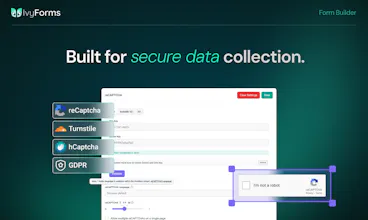
REST API, Conversational Forms, Section Field, Multiple Confirmations, Backend Entry Management, Pre-built Themes, Google Sheets integration...
Everything you've been waiting for is here!
85% off for Product Hunt - only a few hours left.
We just wanted to take a moment to say thank you to the entire Product Hunt community.
Reaching #2 Product of the Day was an incredible milestone for us, but what we'll remember most are the conversations, thoughtful questions, and valuable feedback we received throughout the launch.
To everyone who supported IvyForms, shared their ideas, or simply took the time to check out what we're building, thank you. Your feedback is already helping shape what's coming next, and we can't wait to continue building and sharing our progress with you.
We're launching 8 new features over the next few days and these are what you asked for:
REST API - Connect IvyForms to anything
Zapier Integration - Automate your entire workflow
The architectural integration within the core WordPress ecosystem bridges the gap between raw data collection and operational data modeling. Built by the creators of wpDataTables and Amelia, IvyForms avoids third-party cloud hosting proxies by storing and organizing submission data directly inside native WordPress database tables. The core differentiator lies in its out-of-the-box support for strict data schemas, granular metadata capture, and direct relational mappings, allowing developers to immediately piping entry structures into complex visual analytical reporting sheets or automated event calendars without writing custom middleware.
The current version exhibits a functional limitation regarding deep server-side processing for multi-stage arithmetic logic and dynamic data generation. While basic conditional logic is natively supported to show or hide layout elements, the engine still lacks advanced calculated fields capable of handling multi-section subtotal sums or scoring brackets directly before submission. Furthermore, relying entirely on the host server's infrastructure means high-throughput entry bursts on under-provisioned PHP environments risk processing bottlenecks, lacking the isolated auto-scaling capabilities inherent to detached SaaS microservice backends.
I’ve deployed traditional, legacy WordPress form plugins like WPForms and Gravity Forms, alongside standalone web-based SaaS platforms like Typeform and Tally. While Gravity Forms handles deep hook filtering and Typeform excels at client-side UI animations, they introduce significant data silos, ongoing subscription overhead, or expensive add-on pricing structures to access basic webhooks. I chose IvyForms because it provides complete on-premise data security, native database connections to the Melograno ecosystem, and zero entry volume caps right out of the box.

Hi everyone 👋
I'm Sara, Product Owner at IvyForms. It's a pleasure to finally introduce IvyForms to the Product Hunt community!
We didn't set out to build a form builder. But our users wouldn't stop asking us for one.
Here's the thing: we had tools for collecting data (forms) and analyzing it (wpDataTables), but the gap between them was huge. Users were manually moving data around, losing information, wasting time.
So we listened. We studied what's out there. We learned that most form builders are either too simple OR too complicated. They don't talk to your other tools. They don't help you make better decisions with the data.
IvyForms is different. It's built for people who care about data.
Drag-and-drop builder anyone can use
Conditional logic that actually powers workflows
Integrates with wpDataTables (analyze), Amelia (book), Mailchimp (nurture), webhooks (automate)
Security, compliance, and enterprise features included from day one
Free version that doesn't feel limited
The best part? People are already using it for order management, booking intake, event registration, feedback collection, and more.
We're here to answer questions and hear what you'd build with it.
As a thank you to the Product Hunt community for all the support, we're offering an 85% discount, available for 7 days only.
To make it even easier, you can use the link below to access the pricing page with the discount already applied, no need to enter anything manually.
https://ivyforms.com/pricing/?coupon=PH85OFF
Hope you like it. 🚀
@sara_idvorac awesome launch. does conditional logic handle nested rules or just simple if then setup?
@mohsinproduct Great question! Conditional logic in IvyForms handles complex rule combinations - not just simple if/then.
You can set up multiple conditions with Any (OR) or All (AND) logic. For example: if a user selects "Enterprise" AND their budget is over $50K, the form will show additional questions and simultaneously send a notification to your sales team. Or if someone is from the US OR Canada, you can automatically show specific compliance fields.
We support rich operators too: equals, contains, starts with, ends with, and more. And the best part is that conditional logic works across fields, notifications, AND integrations, so one form action can trigger multiple outcomes at the same time.
What's your use case? We'd love to help you build it! 🚀
Hi Sara,
I already bought IvyForm because I am a WPamelia user too. Greats tools !
I still have question about advanced calculations and subtotal logic for a clinical assessment form please
I am evaluating Ivyforms to digitize a specific clinical assessment from my eBook and I need to know if your platform supports advanced logic and field calculations.
Here is the exact step-by-step workflow I need to build:
Structure: The form is divided into 5 distinct sections.
Scoring: Each section contains 5 statements. The user rates each statement on a scale from 1 to 5.
Subtotals: I need the form to calculate a subtotal for each specific section (each section is scored out of 25).
Final Calculation: I then need to retrieve these 5 separate subtotals and add them together to generate a Grand Total score (out of 125).
Conditional Results: Finally, I need to display a specific text message to the user based on the score bracket their Grand Total falls into (e.g., 100-125 displays Result A, 75-99 displays Result B, etc.).
Can Ivyforms handle these specific mathematical rules, cross-field additions, and conditional outcome displays?
Thank you,
Kevin
@kevin_m14 Thank you so much for choosing IvyForms, and we really appreciate the kind words! It’s great to have you as part of the wpAmelia community as well. 🙌
Your use case is a great example of the type of advanced workflows we want IvyForms to support.
To answer your question honestly: the full workflow you described (section subtotals, combining multiple calculated values into a final score, and showing different results based on score ranges) is not fully supported yet.
We are currently working on Calculated Fields, which will enable advanced calculations like:
calculating scores from multiple fields,
creating section subtotals,
combining values from different sections into a final score.
We are also working on improving conditional logic with range-based conditions (for example: score is between X and Y), which is the part needed to automatically display different outcome messages based on the final score.
Once these features are available, your clinical assessment workflow will be a perfect fit for IvyForms.
Thank you for sharing this use case with us — it’s exactly the kind of real-world workflow that helps us prioritize the right features.
Thanks again for your support! 🙌
@sara_idvorac Thanks a lot ! Hope I'll be able to test these new functionalities soon haha :-)
@sara_idvorac Product has potential, but the current version has bugs in simple things that make it unusable for my application. Yes, they have been reported. No, they have not given an expected date to fix.
@chris_brooks5 thank you for bringing this up. We will find your report and look into it for sure - thanks for reporting. Hope you'll be using it ASAP! :)
@chris_brooks5 Thank you for taking the time to share your feedback, and we're sorry to hear you've run into these issues.
The license activation bug you reported has already been fixed. Regarding the Address field issue, we haven't been able to reproduce it on our side so far. Our support team will reach out to you to gather a few more details so we can investigate it properly and resolve it as quickly as possible.
We really appreciate you reporting these issues, your feedback helps us improve IvyForms.
@sara_idvorac Congrats on such a strong launch today! I'm curious about the calculated fields and range-based conditional logic Sara mentioned are still in progress. Is that landing as a native feature, or will it lean on webhook/Zapier integrations in the meantime? Also curious how you're thinking about migration for teams already deep into Gravity Forms or WPForms — is there an import path, or is it more of a rebuild?
@sara_idvorac @xichiwoo thank you! Both great question, i will let Sara elaborate later, but in my understanding it will be a native feature; and yes, data migration is definitely on our radar too, will depend on the no. of requests.
Thank you!
@xichiwoo @alexander_gilmanov Exactly as Alexander said. 😊 You can expect calculated fields very soon, as well as import support for some form builders. We'll continue expanding the list based on your feedback and the integrations you request most.
@sara_idvorac Congrats on the launch, Sara and team! The origin story resonates — the gap between collecting data and actually using it is real, and most form builders stop at the inbox. Conditional logic wired into wpDataTables + webhooks is the right call. One founder-to-founder note: love that security and compliance are in from day one instead of bolted on at the enterprise tier. Forms are the front door to user data, and most plugins treat that as an afterthought. What does entry data handling look like on the free tier — same encryption/retention as paid?
@sara_idvorac @intesar_mohammed1 thank you! Data entry doesn’t change between free/paid, though part of if also depends on your overall setup (WP/host infrastructure).
the collection-to-analysis gap is real. every wordpress agency has watched users manually csv-shuffle data between forms and dashboards for years.
real q: does ivyforms carry any provenance from form submission through to wpDataTables? like "this row came from this form filled by this person on this date"? asking because trust in the analysis depends entirely on trusting the collection and most tools quietly drop that link.
@thenameisarian That's a great question - and yes, that's exactly why we built the integration the way we did.
wpDataTables doesn't receive a disconnected copy of your data. It uses your IvyForms entries as the data source, so the connection to the original submission is preserved. Alongside your form fields, you can also include built-in metadata such as the Entry ID, Form ID, User ID (when available), Date Created, Status, IP Address, User Agent, Source URL, and more. This makes it easy to trace every row back to its origin whenever needed.
Trust in the data was one of our key design goals, so we wanted the analysis layer to stay closely connected to the original submission instead of becoming a detached export.
Loving IvyForm alongside WPAmelia brilliant software!
I am digitizing an eBook clinical assessment and need to verify IvyForm's math and logic capabilities. Could you confirm if the platform supports this specific setup?
Layout: 4 core blocks.
Scoring: 6 items per block, rated 1 to 10.
Block totals: Automated sum for each individual block (max 60 per block).
Grand tally: A master score combining all block totals (max 240).
Dynamic feedback: Milestone-based text triggers that change depending on the final master score bracket.
Can IvyForm seamlessly handle these multi-layer calculations and conditional outcome displays?
@stacywycof83995 Thank you so much for the kind words and for being part of the WPAmelia community! 🙌
Your use case is exactly the kind of advanced assessment workflow we have in mind for IvyForms.
At the moment, the complete workflow you described isn't supported yet, as Calculated Fields are currently in development. We're also expanding our Conditional Logic with numeric comparison operators such as greater than and less than, which will make scenarios like yours possible—from calculating block totals and grand totals to displaying different outcome messages based on the final score.
Thank you for sharing such a detailed example. Real-world use cases like yours help us prioritize the features we're building, and we'd love to let you know once they're available.
@sara_idvorac Appreciate the detailed answer — good to know Calculated Fields and the new Conditional Logic operators are in the pipeline. I'll hold off building the clinical assessment form until those land, and would love to be pinged when they ship.
@stacywycof83995 Thank you! We'll keep you updated when these features are released. We'd love to hear your feedback once you continue building your assessment form, your insights will be very valuable to us.
@sara_idvorac Sounds great, looking forward to it — congrats again on the launch!
WordPress form builders feel like one of the most crowded categories on here, Gravity Forms, WPForms, Forminator, JetFormBuilder all doing roughly the same drag and drop plus integrations pitch. the wpDataTables and Amelia native integration is the one thing that actually reads as differentiated since you already own that ecosystem, rather than bolting on yet another generic Zapier connector. curious if that's really where most of your users are coming from, or if it's still mostly cold WordPress.org traffic
@omri_ben_shoham1 That's a great observation, and it's actually how IvyForms started.
The initial demand came directly from our existing wpDataTables and Amelia users. They kept asking for a form builder that would naturally complete their data management workflow instead of being just another standalone plugin.
They were definitely our first and largest user group. At the same time, we're seeing more and more users discovering IvyForms outside of that ecosystem, which is really exciting. While our native integrations are a key differentiator, we're building IvyForms to be flexible enough for a wide range of use cases across the WordPress community.
that makes sense, land where the demand already exists then widen. curious how you're marketing to the people outside that ecosystem though - does the pitch change a lot when the person has never heard of wpDataTables or Amelia, or does "connects to your existing data workflow" still land for them?
@omri_ben_shoham1 That’s exactly the challenge we’re working through. For users already in the wpDataTables or Amelia ecosystem, the integration story is naturally a strong entry point because they already understand the workflow gap IvyForms solves.
For people discovering IvyForms independently, the pitch is broader. We focus more on the idea that a form should not just collect submissions, but help you organize, manage, and act on the data afterward. So instead of leading with specific integrations, we lead with use cases like intake forms, applications, registrations, surveys, and multi-step workflows.
The integrations still matter, but more as proof that IvyForms can fit into a wider workflow rather than as the main reason to choose it.
Hello @sara_idvorac @sanja_janic @alexander_gilmanov and congrats on the launch. I use cursor daily and just noticed ivyforms shipped an mcp server. I'm not trying to build forms by voice, I want new submissions to ping my agent when a client uploads an intake pdf. Does mcp push entry events or is it admin-only form building for now?
@sara_idvorac @sanja_janic @konstant_gk thank you! Interesting question, in principle MCP has also entry-level capabilities, but to access it, the server needs to have rights you wouldn’t normally give to a user-level agent. I believe @milan_jovanovic2 will be able to elaborate more on that/suggest a solution.
@sara_idvorac @sanja_janic @alexander_gilmanov @konstant_gk Thanks! The MCP server is primarily focused on form management and automation from the agent side right now (creating/updating/getting forms, fields, etc.).
It does not currently push submission events to connected MCP clients.
For the workflow you described (new intake PDF → notify an agent), the easiest approach today is to use IvyForms webhooks on form submission. When a submission contains an uploaded PDF, the webhook can call your endpoint directly. If you're running custom WordPress logic, you can also trigger from the plugin's existing WordPress hooks/actions around submission handling.
So while MCP isn't acting as an event stream yet, you can already achieve near real-time agent notifications using the webhook/hook path without additional MCP work.
The WordPress form builder space is genuinely crowded, Gravity Forms alone has been entrenched for over a decade with a massive add-on ecosystem. What's the honest case for switching to IvyForms for someone already on Gravity Forms, is it pricing, a specific workflow capability GF doesn't handle well, or something in the UX that's meaningfully different rather than just newer?
@ansari_adin Thanks for asking, that’s a great question.
IvyForms was actually born from a direct need we heard from our existing Amelia and wpDataTables users. They kept asking for a form solution that would complete their data management workflow, not just collect information, but help them connect, organize, and use that data effectively.
We believe forms are just the starting point of a bigger workflow. Many form builders do a great job collecting submissions, but the real value comes from what happens after the data is collected: organizing it, analyzing it, and turning it into action.
That’s where IvyForms focuses:
Data-driven workflows - forms connect naturally with tools like wpDataTables, helping teams turn submissions into structured, actionable data.
Connected workflows - with integrations like Amelia, you can use intake (pre-booking) forms to collect important client information before an appointment is scheduled, so everything is ready when the booking happens.
Powerful features without complexity - conditional logic, webhooks, multi-page forms, conversational forms, and integrations are designed to be flexible while staying easy to use.
Another thing we wanted to do differently is keep things simple and transparent. We don’t rely on a large add-on ecosystem. All features and integrations are included within the available licenses, so users get the complete experience without having to purchase multiple extensions.
And we’ve also focused on making IvyForms accessible with a very competitive pricing model, especially for teams looking for a complete form and data workflow solution without a high total cost of ownership.
The goal with IvyForms was never just to build another form builder, but to create a solution where forms are the first step in a complete data workflow.
We’d love to hear what kind of workflows you’re building and where forms fit into your process.
@doganakbulut Thank you so much! We really appreciate it. 🙌
Yes! You can combine conditional logic with our integrations and webhooks to build different workflows based on user input.
For example, you can trigger different actions depending on the submitted values, allowing you to route data where it needs to go and automate different business processes - all without writing custom code.
We're continuing to expand our automation capabilities, but making workflows flexible and easy to build has been one of our main goals from day one.


IvyForms
Thank you for such a detailed and technically grounded review, this is exactly the kind of feedback that helps us prioritize.
On calculated fields: you're right that today's conditional logic only handles show/hide, not arithmetic. The calculation fields and logic are actively in development right now — the groundwork for linked product/quantity/total fields with per-line and form-wide calculation scopes is already being built, so this is close, not just "on the list."
On the server-side throughput point: that's fair, and it's really the flip side of the same choice you praised in "vs Alternatives" — because everything lives in your own WordPress database instead of a third-party cloud service. We think owning your data outright is worth that trade, but it's a real one!
Really appreciate the depth here, comparisons like this against Gravity Forms/Typeform on real architecture (not just feature checklists) are rare and useful. Thanks for taking IvyForms on a real test drive. Stay tuned, there's a lot more growing on the vine 🌿