
Jarq
Translate, shorten, fix or rewrite any text near your cursor
108 followers
Translate, shorten, fix or rewrite any text near your cursor
108 followers
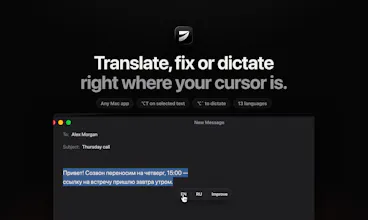
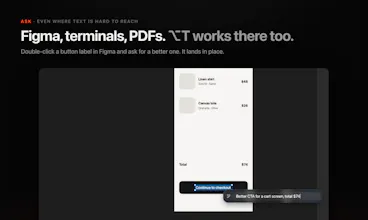
Translate, shorten, fix or rewrite any text right where your cursor is — in any app on Mac. Dictate there too. No tabs, no copy-paste. Select text, hit a hotkey, and it's replaced in place. Or press ⌥` and speak in one language, get clean text in another. 13 languages. Privacy: Jarq uses cloud AI models to process your text and voice. Jarq itself doesn't keep your text on its servers, and your history stays on your Mac. Free: 5 actions a day. Pro: $4.99/mo or $39/yr. 14-day Pro trial, no card.





Hey Product Hunt 👋
I'm Birzhan, a designer and solo indie developer from Kazakhstan.
Jarq comes from the Kazakh word «жарқ» — a flash of light. That's the feeling I wanted: you select text, press a hotkey, and it's done. No switching to a chat tab, no copy-paste loop.
What it does, right at your cursor in any Mac app:
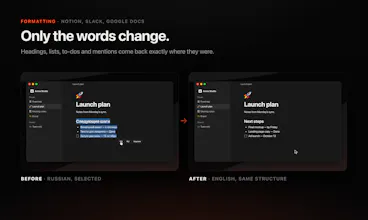
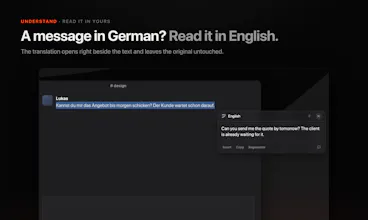
⚡ Translate a selection between any two of 13 languages
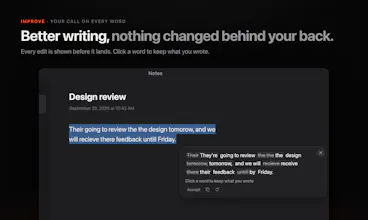
✂️ Shorten, fix or rewrite text in place
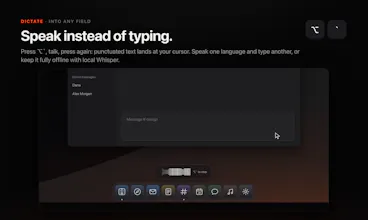
🎙️ Dictate (⌥`) — speak in one language, get clean, punctuated text in another
Why another dictation app? Wispr Flow and Superwhisper are great at dictation. Jarq is built around the text actions — and translation is the core, not an add-on. If you write in a language that isn't your first one, this is for you.
Privacy: Jarq uses cloud AI models (like GPT and Whisper) to process your text and voice. Jarq itself doesn't keep your text on its servers, and your history stays on your Mac.
Pricing: free for 5 actions a day, forever. Pro is $4.99/mo, $39/yr or $200 one-time payment (lifetime), and everyone gets a 14-day Pro trial — no card, no account. Requires macOS 13+ on Apple Silicon.
I'd love your feedback: which text action would you want on a hotkey next? I'll be here all day answering every comment 🙌
select-and-hotkey beats the chat-tab-and-copy-paste loop every time, that's the actual friction most "AI writing" tools never remove. curious about the dictation side though - when you speak in one language and it outputs clean text in another, does it wait for a pause to commit the translation or is it streaming/correcting as you talk? asking because that's usually where these tools either feel magic or feel laggy
@galdayan Thanks — that loop is exactly what I built it to remove.
On dictation: it doesn't stream. Jarq listens until you're done — by default you press ⌥` to start and again to stop (or pick "stop at the first pause", or hold-to-talk) — then recognizes the whole thing, translates it as one piece and pastes it at the cursor. Nothing appears while you talk, and nothing gets rewritten in front of you afterwards. That's deliberate for the translation case: word order changes between languages, so a streaming translation keeps correcting itself mid-sentence, and in a text field that reads as flicker. Committing once means the text you see is the text you send. The cost is the short wait between the second press and the text. A live preview of your words while you speak — shown, never typed — is the thing I'm testing right now. Would that change the feel for you?