
Keymap is a macOS menubar app that shows every menu shortcut in the app you're using. Double-press ⌘ to summon the panel. Local and private.




What's great
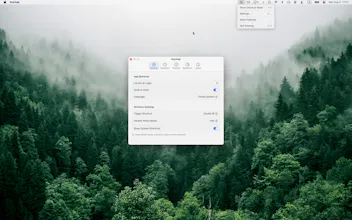
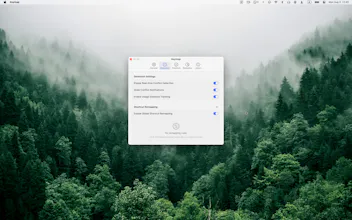
double-press cmd to summon shortcuts (1)
It does one thing and does it well. Double-press Cmd and every shortcut for the app I'm actually looking at shows up, no digging through a menu bar or a settings panel I forgot exists. Search inside the panel is fast enough that I stopped trying to memorize shortcuts for apps I only open occasionally and just pull the panel up instead. Reading the real menu bar rather than a maintained database per app is the right call too - it can't go stale the way a hardcoded shortcut list would after an app update.
What needs improvement
Not sure yet how it handles apps that render their menus non-natively - Electron apps with custom menu implementations being the usual case. That's where most "read the system menu" tools quietly show an empty panel instead of the real shortcuts. Would be good to see that called out explicitly on the product page, either as supported or as a known gap, rather than finding out by trial and error per app.
Ratings
Ease of use
Reliability
Value for money
Customization
Report
8 views

Thanks for the thoughtful review!
On Electron apps: good news — Keymap reads the live menu via macOS Accessibility, and mainstream Electron apps (VS Code, Slack, Discord…) use native menus, so they work out of the box. The gap is apps that draw fully custom menus with no native menu bar at all — for those there's simply nothing for any tool to read.
Fair point on documenting it explicitly — we'll add a "compatibility" note to the product page. If you hit an app that shows an empty panel, tell us which one and we'll take a look.
Report
What's great
The double-press-cmd gesture is a genuinely clean way to summon it, doesn't fight with anything else I've got bound to modifier keys. It's basically a cheat sheet that shows up exactly when you need it instead of you having to remember to open a settings panel. Search is fast enough that I stopped trying to memorize shortcuts for apps I only use occasionally and just pull up the panel instead.
What needs improvement
Would like to see it detect when two apps I use side by side have colliding remapped shortcuts, right now I only find out by accident when the wrong app reacts.
vs Alternatives
Tried CheatSheet a while back (the hold-cmd-longer one built into a lot of setups) and a couple of Alfred workflows for the same job. This is faster to trigger and doesn't need me to already know the app's bundle name or set anything up per-app.
Ratings
Ease of use
Reliability
Value for money
Customization
Report
17 viewsThanks for the detailed review, Gal! 🙌
Good news: we just shipped this in v1.2.5 — creating a remapping now warns you instantly if the target shortcut collides with the app's native shortcut, a system hotkey, or your other rules. We also fixed a focus-switch edge case that caused exactly that "wrong app reacts" surprise.
Update via Sparkle and let us know if it covers your workflow!
Report
I love that it shows conflicting shortcuts too! Does it work across most common apps?
@ryanwrites
Thanks! Yes — conflicts are checked against each app's actual menus plus your own remaps, so it works across any Mac app, common or obscure.
@charlie_titherley
Exactly right, good guess! Keymap reads shortcuts live from each app's own menu bar via macOS's Accessibility API — there's no hand-built database, and no per-app support was added. That's why it works out of the box with anything: Safari, VS Code, Figma, or a random app you downloaded today. Nice side effect: when an app updates its menus, Keymap always reflects the current shortcuts. (The flip side of that platform approach: shortcuts apps don't expose in their menus — like global hotkeys or IME bindings — aren't visible to any app, so those stay out of scope.)