

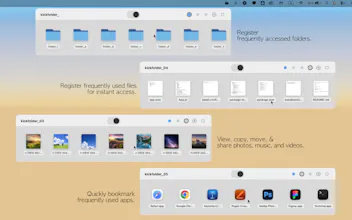
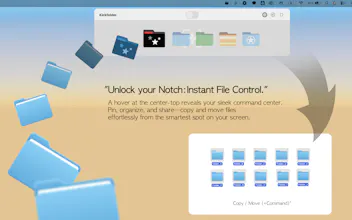
Kickfolder lives silently at the top of your screen. Hover near the notch, and your most-used files, folders, and apps instantly slide down — no Finder digging, no desktop clutter. ✦ Hover to reveal — zero clicks needed ✦ Drag & drop to register files instantly ✦ ⌘ key to move instead of copy ✦ Color-coded pages for project organization ✦ Full Dark Mode + multi-Space support ✦ Zero data collected — ever Your Mac's notch finally does something useful.




Kickfolder
Most launcher tools add another place to look. Kickfolder does the opposite. Turning the notch into an always ready command center means your files are already where you need them before you think to reach for them. That's a different interaction model, not just a shortcut.
The zero click reveal and drag and drop registration make the whole thing feel anticipatory rather than reactive. And that feeling is exactly what separates tools people use from tools people rely on.
The positioning angle worth leaning into: an invisible layer lands better than a launcher or productivity tool. It describes an outcome, working smarter without thinking about it, rather than a feature. For Mac power users, that framing tends to click fast because it names something they already want but couldn't articulate.
Curious whether the notch eventually becomes a hub for everything you touch daily, not just files.