
Kollab
Shared workspace where teams work with agents together
789 followers
Shared workspace where teams work with agents together
789 followers
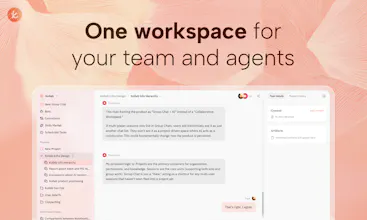
Kollab is a shared workspace where AI agents become part of your team. Bots bring agents inside your IM like Slack without switching apps, Skills let anyone reuse your best workflows, Connectors link the tools you already use, and Memory keeps context alive across every project. No setup, no busywork.



Hey PH 👋
YAN here, one of the makers behind Kollab. We built it so our team could stop bouncing between Slack, GitHub, Notion and half a dozen separate agent tools. One agent, sitting across every channel the team already lives in, with any MCP server wired behind it.
Here's how we use it ourselves. Kollab's hooked into our Slack and Telegram bots, with Notion MCP and GitHub MCP behind them. Inside our work group, anyone (devs or not) can ping the bot to look at code, review a feature, or file an issue. In the community group, users @Kollab to report bugs or ask how something works, and every message routes through Notion MCP straight onto our backend board. Feedback used to get lost in DMs; now it doesn't.
The piece we underestimated most is scheduled tasks. We thought we were shipping a digest job, but a scheduled task on Kollab is really a timed agent. The same cron can call any MCP tool, pull from the knowledge base, run as a specific agent role, and post back to any channel. Ours right now: one drafts a weekly changelog from GitHub issues, one cross-checks our status page against Sentry, one pings the on-call before standup. Same thing under the hood, totally different jobs on top.
When we need more than a quick answer, there's AgentCore. Long-running agent with its own filesystem and a browser built in. We've been using it to stand up small demo sites and internal tools instead of writing throwaway scripts. And since skills are just regular GitHub repos, anything the team keeps repeating turns into a skill the whole org can install by name. We're still early on this part, and it's probably where we'll end up finding the weirdest uses.
Question for PH: if you had one agent sitting across your team's channels with full MCP reach, what's the first scheduled task or skill you'd write? No idea what people will come up with. So far the answers have been all over the map, and two of them are already in our next release.
@Kollab @yan_labs_ For a non-dev like me coordinating feedback across Telegram community → Notion board → GitHub issues, how does Kollab's routing handle messy real-world inputs?
@Kollab @dayal_punjabi Notion and GitHub issue are data collection hubs. Telegram serves as the external entry point.
Our approach is to use a public GitHub repository specifically for collecting public feedback. We have configured a Kollab timer to scan this issue daily and record valuable feedback into the Kollab source code repository's issue. This creates a layer of filtering, which is relatively strict. It helps avoid interference from a large amount of irrelevant feedback during normal iterations.
If you need manual review, you can add a Notion layer in the middle for manual filtering
First, Kollab filters the public feedback and then transfers it to Notion
After manual filtering, the Kollab timer records the qualified issues into the developers' issues
I hope my answer can be helpful to you!
Didn't expect this one to land for me, but it did.
The core bet is that the agent should live in Slack or Telegram instead of some separate dashboard you have to open. That's just correct. Most teams aren't lacking AI tools — they're lacking time to go find them when they actually need them.
The Skills system is what shifts it from "team chatbot" to something real. One person builds the workflow, everyone reuses it. Luo from HeyForm said it better than I can: no more explaining the same process over and over.
One thing I'd love to know: what's running under the hood, model-wise? And is there a path to bringing your own API key? For teams that already have Claude or GPT-4 access through work, that could be a dealbreaker — or a non-issue, depending on how it's built.
Also curious about MCP tool limits. ChatGPT caps at 30 tools per connector — what's the ceiling here? With complex workflows pulling from GitHub, Sentry, Slack, and a few others at once, that number matters more than it looks. Upvoted!
@david_minchev Thank you very much for your reply! Very professional question.
Currently, we support three model tiers for switching, corresponding to:
LITE: minimax 2.7
PRO: claude 4.6 sonnet
MAX: claude 4.7 opus
We will also update our best model as the large models iterate, ensuring the best experience for users at the moment.
For those large multiplayer companies, their AI consumes a lot, and our future plans may include adding BYOK or other channel discount methods.
MCP can be simultaneously activated up to 30-50 mainly due to the model's context limitation, for example, 4.7 opus with 1M context can activate more MCPs. However, for users, credit consumption is also very fast. Different roles can be assigned to different tasks or bots, and only the required MCPs can be activated.
Hi Product Hunt! 👋 I'm Gavin, the CEO and founder of Kollab.
While building my previous SaaS product (Buildin), I realized a fundamental issue: even with deep AI integration, most tools operate on a "SaaS + AI" logic where AI is merely a helpful sidekick. However, with the rapid rise of Claude Code, MCP, and similar breakthroughs, we are officially entering the Agent era.
Yet, the barrier to entry for using Agents at work is still way too high. Terminals, npm installs, MCP configurations, system prompts, memory management... these technical hurdles keep 90% of everyday users out. Even for the tech-savvy who do know how to set them up, their Agent environments remain siloed on local machines, making it incredibly hard to share workflows or best practices across a team.
That’s exactly why we built Kollab. We designed Kollab to be the central hub for team-agent collaboration. We focused on three core pillars to make this happen:
Zero-Barrier Configuration: We made the complexity of MCPs and coding environments completely invisible. Through our Connectors, you can integrate tools like Notion, GitHub, Figma, Linear, and Slack with just a few clicks, allowing your Agents to seamlessly access and act on your actual business data.
The Compounding Power of Team Knowledge: This is what makes Kollab truly special. When any team member creates a new Skill or sets up a workflow, it’s immediately added to your team's shared Skill Marketplace. One person's "aha" moment instantly scales into an organizational capability. No more reinventing the wheel.
Work Where Collaboration Already Happens: You shouldn't have to change your habits to use AI. With Kollab, you can deploy your Agents as Bots directly into Slack or Telegram. Just tag them in your chat, and they’ll take instructions and execute long-running automated tasks right alongside your human teammates.
Internally, our product, engineering, and ops teams are already sharing over 20 active skills for our daily workflows. We firmly believe that Agents shouldn't just be about boosting individual productivity—they should serve as the central nervous system for team collaboration.
We’d love for you to try Kollab and would be incredibly grateful for your honest feedback!
👉 https://kollab.im/product
We've been using Kollab internally for a few weeks now.
The biggest win for us is Skills — once someone builds a workflow, the whole team can reuse it instantly. No more explaining the same process over and over. Really changes how we share knowledge across the team.
@itsluo That’s awesome to hear! Skills reusability is honestly one of the things we’re most proud of. Someone figures out a workflow once, and the whole team gets it. And it keeps getting better as more skills pile up. Thanks for trying it out 🙌
The bots triggering from Slack and syncing back to the workspace is a nice loop, but how about when someone edits the output inside Kollab, does that change reflect back in the Slack thread?
@bengeekly Yes, they are essentially all within the same task context. The slack bot creates an md file, which is then edited in Kollab or continued in the conversation. Later, when returning to slack, it is "continuing the conversation," not branching off. As long as it is the same task, regardless of where it is triggered, they are all part of the same context.
It's like chatting with a colleague in a work group, then having a few private messages with him, and then returning to the group to continue chatting.
the Skills concept is interesting — is a Skill basically a reusable prompt+tool bundle, or does it carry its own memory/state across runs? trying to understand where it sits between a workflow and a full agent
@tijogaucher Skills is an open standard protocol, and there are a huge number of open available skills on the market. It's like an implant, which is installed on an Agent. And you can modify it according to your habits, so it can retain memory.
I used Kollab to build a Slack bot that automatically collects internal feedback. At first, I had no idea at all, and I could only communicate with it step by step, describing the effects I wanted. Then it continuously tried to modify its own bot prompt and scheduled tasks (yes! It can modify itself! Fully through conversational mode!). Finally, we achieved the desired effect. In order to ensure stable execution of this task, I asked it to save this task as a SKILL. After that, every time it receives feedback, it will use this SKILL to clean and summarize the content.
Hey 👋 I'm jiayi, one of the makers behind Kollab.
Kollab is an AI-native workspace. Unlike doc tools with AI added on top, Kollab puts Agents front and center. You give them tasks, they execute, and everything stays in a shared workspace your team can actually use.
Here's a real example. Our team runs a blog. It used to be all manual: track trends, find topics, write drafts, make images, review. Same grind every week.
Now in Kollab:
A scheduled task searches target keywords every morning and drops new topic ideas into the workspace
Another task picks up new topics automatically, writes drafts and generates images
A review task runs a saved Skill to check tone, structure, and SEO
When it's done, the Bot sends a message in our channel so the team knows it's ready for final review
Three scheduled tasks running in the background. Skills defined once, reused every time. We just do the last step: review and publish. What used to take a team days now takes one person a few minutes.
No code. No stitching five tools together. Set up a Skill, set a schedule, let Agents do the work.
Teamwork, done with Kollab.