
magpie
everything you’ve saved, in one visual library
126 followers
everything you’ve saved, in one visual library
126 followers
One visual library for everything you save on Instagram, X, TikTok, Pinterest, YouTube, Reddit, Dribbble, Behance, Are.na and the web. Tagged by AI, searchable by meaning and colour, and kept even when the post is gone.



Free Options
Launch Team / Built With


AWS Activate CreditsCredits that fuel your startup’s next milestone
Promoted


Hi! I'm Amir. I built magpie because I save hundreds of things a month, on Instagram, Pinterest, X, Are.na and the web, as references for design work, and could never find them again when I needed them.
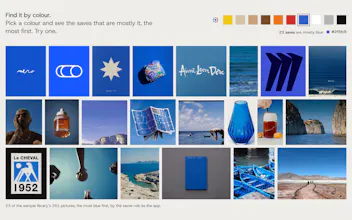
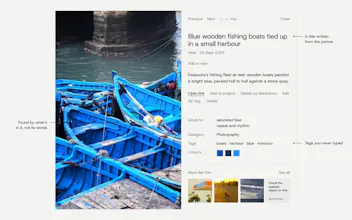
magpie pulls them into one library and makes them searchable by what's actually in them. The part I use most: searching my saves like "calm product shots with warm light" and getting the right posts back, and projects that fill themselves with saves that fit the brief.
It's free for 500 saves. I'd love to hear what you save and where, and what would make magpie more useful for you.
Saves scattered across ten different apps is a real problem. Does it also pick up what I saved before installing, or only new saves?
@suleymankasikci Thanks Süleyman! Yes, it brings in what you saved before, not only new saves.
The Chrome extension reads the saved lists of the accounts you're signed in to: Instagram saves (with your collections), X bookmarks (with folders), TikTok favourites, Pinterest boards, Reddit saves, YouTube likes and Watch later, Cosmos, Dribbble and Behance. Are.na and GitHub stars connect from Settings, and you can import your Chrome bookmarks or an export from Raindrop, Pocket, Readwise or mymind.
After that first sync it can also catch each new save the moment you make it, so you never have to sync again.
Congrats on the launch! Search by colour is the part that got me. Half my saves are visual references for decks and sites, and I never remember who posted them, only what they looked like. Also love that you keep the post after it’s deleted, that’s happened to me way too many times on Instagram.
Quick question: can I import everything I’ve already saved on Instagram and X, or does it only start collecting from the moment I install the extension?
@iskakov Thank you Damir! Colour search is one of my favourite parts too.
You get everything you've already saved. Be signed in to Instagram and X in Chrome, open the magpie extension and click Sync: it goes back through your saved posts and bookmarks, collections and folders included. A long Instagram history comes in over a few runs (1,200 to 2,000 posts each, paced so Instagram doesn't treat it as a bot), and each run picks up where the last one stopped.
The free plan holds 500 saves; bigger libraries need Plus.
nice product! i have 2 questions:
will u make a windows version too?
and, how much does it cost?
@luca_ardito Thanks Luca!
Windows: we'll take the Windows ask into consideration! In the meantime, the full experience is available on the web at getmagpie.me, and the Chrome extension works on Windows too, so you can use all of magpie there today. The goal is to be on every platform in the future.
Price: free for up to 500 saves. Plus is €8.99 a month (or €99 a year) with no save limit. Pro is €14.99 a month (or €165 a year) and adds magpie inside AI tools like Claude through MCP, plus videos kept at their original quality.
The detail that sold me is that saves are kept even when the original post is gone — dead links are exactly how my reference boards fall apart. And searching saves by what's actually in them, like the "calm product shots with warm light" example, is how I think about references anyway, not by which of the ten apps I saved something in.
@jcbuilds Thanks JC! Dead links are exactly why magpie keeps its own copy of every picture and video you save, not just the link. A reference board full of grey boxes is no use to anyone.
And yes, search should work the way you remember things: "calm product shots with warm light" finds them whichever of the ten apps they came from.
Instagram and TikTok don't expose saves through a public API, so I'm guessing the extension is reading your saved tab straight off the page while you browse it. That's workable until one of those sites changes its DOM or starts treating it as automated activity on the account. Has that broken for anyone yet, and is there a fallback when a platform tweaks its layout, or does sync just quietly stop until you push an update?
@galdayan Good question, and you're right that none of them has a public API for saves.
The extension mostly doesn't read the page layout. From your own signed-in tab, it asks each site for your saves with the same requests the site's own pages make when you open your saved tab. So a redesign of the page usually doesn't touch it. TikTok has a second route: if its API doesn't answer, the extension reads your Favorites tab as it scrolls.
If a site changes those requests, that site's sync stops and the popup tells you the last sync didn't finish. It doesn't go quiet. Everything already in magpie stays, because magpie keeps its own copies, and the fix ships as an extension update.
To stay on the right side of "automated activity", it waits 1.5 to 3 seconds between pages, does at most 100 pages a run, and if a site ever asks it to slow down, it leaves that site alone for six hours.