
Many Displays
Zero clicks: windows back after sleep, unlock or replugging
171 followers
Zero clicks: windows back after sleep, unlock or replugging
171 followers
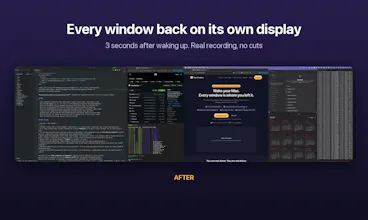
Nothing to save, no layouts to name, nothing to click. Many Displays quietly remembers where every window lives (display, position, size) and puts everything back on its own when your Mac wakes, unlocks or reconnects its monitors. Grant Accessibility once and forget it's there. Built for identical monitors that macOS keeps swapping: it tells them apart, even by the port they're plugged into. No cloud, no account. $19 one-time, 14-day free trial.




Free Options
Launch Team

Build your Framer site from Claude, Codex or CursorYour AI agent builds it. You review before it goes live.
Promoted


Yes, that's exactly the case it handles. It keeps a separate layout for each combination of displays, so each of your three desks is remembered on its own and comes back by itself when you plug in there. Nothing to save or pick. The first time it sees a new setup it starts from the closest one it already knows, and from then on remembers that one too.
the two identical LG monitors swapping places after sleep is so real lol. does it tell them apart by which port they're plugged into?
Ha, same here, that's literally why I built it. Yes: it first uses the system UUID, then the physical port they're plugged into (on Apple Silicon), and only falls back to position if those don't tell them apart. If macOS swapped them, it fixes the display arrangement first and then moves the windows back.
Checking the port before falling back to position is a smart order. Does it still sort them out when both identical monitors hang off the same dock?
Good question. Behind one dock both screens usually come in through the same port on the Mac, so the port alone can't separate them there. It still works when their serials or system UUIDs differ, which is most of the time, and otherwise it falls back to position. I haven't tested that exact setup yet, so if you feel like trying the free trial on your dock and sending me the log (manydisplays.com/support), I'd love to dig into it and sort it out.
@martin_acuna ah ok, so same port means it leans on the serials. does the log show which of the three it ended up using?
telling identical monitors apart by port is clever, that's exactly where macOS gets confused. does it handle a dock that wakes up a few seconds after the Mac, or does it wait for both screens before moving windows back?
It waits. While the displays are coming back it doesn't save anything, so the half-woken state never gets recorded, and it only moves windows once the screens have been stable for a few seconds. So a dock that wakes up late is fine, and if a screen shows up later still, that reconnect triggers another restore.