Multi Email Forward by cloudHQ 2.0

Automate forwarding all your Gmail emails to another email

3 followers

You’ll now have the ability to forward thousands of emails seamlessly (up to 30,000 emails a day). 5 Reasons to try it: 👉 A User-Friendly Solution 👍 It Runs In The Cloud 😉 Onboarding New Employees Made Easy 💼 Changing jobs 👏 Save Emails For Reference
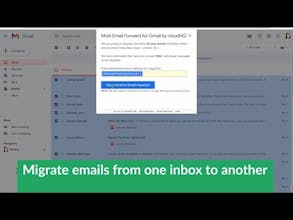
Multi Email Forward by cloudHQ 2.0 gallery image
Free
Launch Team
Anima - OnBrand Vibe Coding
Design-aware AI for modern product teams.
Promoted

What do you think? …

Naomi Assaraf 🔥
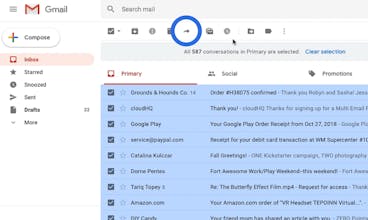
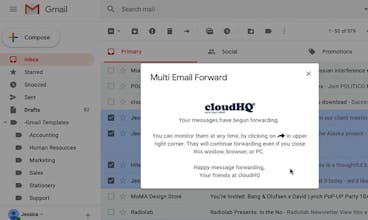
Hi 👋 hunters! Since launching Multi Email Forward by cloudHQ 3 years ago, we've released some pretty big features for you to enjoy! As some of you already know, this Chrome extension is an easy way to forward many emails at once. Instead of going through the daunting process of sending separate emails one-by-one to the same email address, our multi email forwarder can automate the process and do it for you with just a few clicks. ✨✨ New features ✨✨ 🔒 Your emails are encrypted during the transfer 📤 You can now forward emails as a PDF, EML, or exactly how you see it in your original email 📧 You can migrate all emails, just a label, or a selection of emails This is an excellent solution if you: 1) Want a copy of your emails from your work email to your personal email, or vice versa 2) Change your job / school 3) Change your email address 4) Onboard a new employee and want to give them access to project-related emails Whatever the reason, it's hard to justify spending hours or days forwarding emails when you can automate the process in minutes. The freemium plan offers you 50 emails/day, while the premium plan lets you send an unlimited amount of emails. If you have any questions or comments, we'd love to hear from you!
Nancy Bonsai
Hi @nassaraf Am I able to forward everything that I’ve tagged with a particular label in gmail with minimal clicking?
Naomi Assaraf 🔥
@basicbonsai Hi Nancy, I made you a screencast to show you exactly how to do that: https://www.cloudhq.net/screenca...
Ken Savage
If I want to forward ~40 emails from my work inbox to my personal email how can I do it without having to click forward and send 40 times?
Naomi Assaraf 🔥
@kensavage You absolutely can, Ken! 😻
Rumana Akther
We've recently downsized and had to let a few people go, unfortunately. Is it feasible to use this extension to archive emails as we restructure?
Naomi Assaraf 🔥
@rumana_akther Great question. You should always archive your emails regardless of restructuring. This is a really easy way to do it, and I'd suggest to forward it as a PDF too!
Rumana Akther
@nassaraf Thank you so much for the your replay
Ellen Choi
Awesome, I have specific use cases for this on the sales cold outreach side...thanks so much for building!
Naomi Assaraf 🔥
@lnchoi Hi Ellen, That's awesome! Thanks so much! Let me know if you need any help setting that up. Sidenote intro: I really like what you're doing with @careerlark. Have you met @kidbombay from @hireclub before? You two should def talk. There's a lot of synergy.
Ellen Choi
@careerlark @kidbombay @hireclub @nassaraf I have not - will do, thanks for the suggestion!
Selim Reza
What's your transfer time like? I have 1000's of work emails that I want to send to my personal Gmail account.
Naomi Assaraf 🔥
@selimreza028 Hi Selim. The transfer time depends on how many emails you have to transfer. Usually,Google send limits limit us up to 2000/day on mature Gmail accounts, or 500/day on new Gmail accounts. Here's a support note about it: https://support.google.com/a/ans... Either way, we'll organize all of your emails so that it complies within Gmail send limits, and you'll never surpass your limitations. Bottom line: We'll take care of it for you and send you an email when done. You can also ☑︎ on its status in your dashboard.
Rushaunda Diaz
Great timing! Your screencast shows me how easy it is to onboard new emplyees. I'll give it a try next week because we actually have a new person joining our sales team.
Naomi Assaraf 🔥
@rushaundadiaz Awesome! I'd love your feedback! :)
1234
Next
Last